Best Productivity Methods for ADHD: A Complete Guide
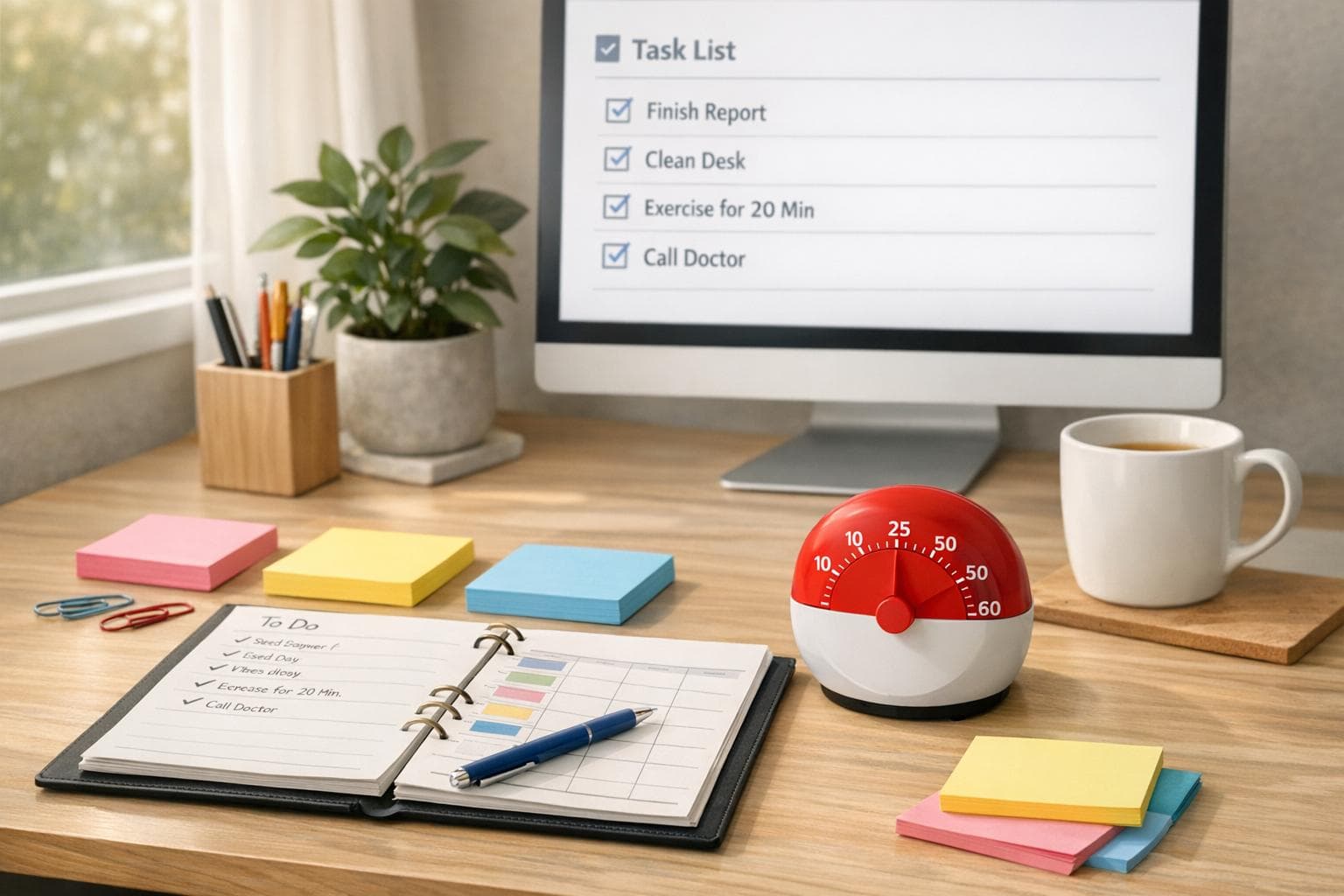
Best Productivity Methods for ADHD: A Complete Guide
Struggling with productivity due to ADHD? You’re not alone. ADHD impacts focus, time perception, and task management, making traditional methods like to-do lists or willpower ineffective. This guide breaks down ADHD-friendly strategies that work with your brain, not against it.
Here’s what you’ll learn:
- Why ADHD affects productivity: Executive dysfunction, time blindness, and fluctuating focus levels make everyday tasks harder.
- Effective techniques for ADHD: Use tools like Pomodoro timers, time blocking, and visual task lists to simplify decisions and stay on track.
- Top tools and tips: Apps like Focusmo, distraction blockers, and visual reminders can help manage attention and reduce overwhelm.
- Daily workflows that work: Plan around energy peaks, use small task steps, and review progress to stay productive.
Get Things Done: Productivity Strategies for Adults with ADHD (with Linda Walker, PCC)
How ADHD Affects Your Ability to Get Things Done
ADHD can disrupt the mental processes - known as executive functions - that are crucial for planning and completing tasks. This means you might fully understand what needs to be done but feel stuck when it comes to figuring out how or when to start. Often, good intentions don’t translate into finished tasks.
These difficulties show up in unique ways. For many people with ADHD, time feels like it exists in only two categories: now or later. Deadlines may not feel real until they are right in front of you. You might spend hours hyperfocused on something you find engaging, forgetting about other responsibilities. On the flip side, seemingly simple tasks can feel so overwhelming that it’s hard to even begin. Research suggests that executive function development in individuals with ADHD can lag behind neurotypical peers by about 30%.
ADHD and Executive Function Problems
Executive dysfunction in ADHD affects key areas that are essential for productivity. For instance, planning and prioritizing can feel like insurmountable challenges - breaking a big project into smaller steps or deciding which task to tackle first often feels overwhelming. Emotional regulation is another hurdle, where unexpected setbacks can feel far more intense than they might for others. On top of that, managing attention becomes a constant balancing act. Directed attention - focusing on tasks that aren’t naturally interesting - requires significant effort. As Dr. Michael Manos of the Cleveland Clinic explains:
"People with ADHD have trouble directing their attention to tasks that don't immediately engage or interest them. It requires effort."
Interestingly, the opposite can also happen. If something captivates your interest, it can hold your attention so completely that shifting focus becomes difficult. Another challenge is temporal discounting, which refers to prioritizing immediate rewards over long-term benefits. This tendency can make it hard to stay motivated by future goals until a deadline creates a sense of urgency. Dr. Ari Tuckman describes it this way:
"Temporal discounting is why so many of us, ADHD or not, struggle to delay gratification... In ADHD, the lure of immediate rewards often overshadows long-term goals."
These executive and attentional challenges highlight why personalized tools and strategies are so important for managing productivity with ADHD.
What Makes a Productivity Method Work for ADHD
To be effective, productivity strategies for ADHD need to provide external structure, clear visuals, and streamlined decision-making. Since internal systems often struggle to turn intentions into actions, external tools act as a sort of cognitive support to fill in the gaps.
For example, visual timers and time limits can help make the abstract concept of time feel more tangible, which is especially helpful for addressing time blindness. Tools like sticky notes, digital calendars, or color-coded systems can keep important tasks visible and top of mind.
Simplifying decision-making is equally important. A short to-do list with only a few key tasks can prevent the overwhelm that comes with too many options. Writing action-oriented task descriptions - like “Call Dr. Smith to schedule physical” instead of just “Doctor” - makes starting tasks feel less intimidating.
Research backs up the effectiveness of these approaches. Structured task management systems have been shown to boost productivity by up to 62% while also reducing ADHD-related stress by 47%. Additionally, scheduling tasks directly into a calendar, rather than relying solely on a to-do list, can increase task completion rates from 40–50% to about 70%. These aren’t just small adjustments - they represent a fundamental shift in how individuals with ADHD can approach work and daily life. By recognizing these challenges, you can adopt strategies that truly align with how your brain works.
Productivity Methods That Work for ADHD
Finding the right productivity method isn’t just about checking off more tasks - it’s about working with your brain, not against it. Techniques designed for ADHD provide structure, make time more tangible, and reduce the mental hurdles that can make starting tasks feel overwhelming. These approaches aren’t about forcing yourself into a one-size-fits-all system; instead, they respect how your attention naturally flows.
Using Pomodoro Timers to Break Work into Chunks
Breaking work into smaller, manageable intervals can ease anxiety and help maintain focus. Julia Fagan from the ATTN Center describes the Pomodoro Technique as a way to reframe time:
"The pomodoro technique... inverts time. It flips time on its head, changing it from an abstract source of anxiety to a tangible measure of productivity".
The beauty of this method is its flexibility. Adjust the session length to match your attention span. For example:
- Use 15-minute intervals to tackle tasks you’ve been avoiding.
- Opt for 20–25 minutes for routine work.
- Try 45–50 minutes for creative or deep-focus tasks.
If you struggle with time blindness, add an extra 25% to your estimated time to account for delays [6, 17, 21, 22, 23, 24].
Timers also remind you to pause, preventing hyperfocus from leaving you drained or neglecting other priorities [21, 22]. Use these breaks to stand, stretch, or take a quick walk, giving your brain time to reset [21, 23, 24]. Keep a notebook nearby to jot down any distracting thoughts so they don’t derail your progress.
Once you’ve mastered time chunks, you can pair this approach with visual planning for even better results.
Time Blocking to Plan Your Day Visually
Time blocking transforms your to-do list into a visual roadmap. By scheduling tasks directly into your calendar, you make time feel concrete and tackle time blindness head-on [23, 24].
Start by listing everything you need to accomplish. Then, prioritize and assign each task a specific time slot. For high-focus tasks, aim to schedule them during your peak energy periods - late morning is often a sweet spot for many with ADHD. Save simpler tasks for times when your energy naturally dips.
Here are a few tips to make time blocking work:
- Extend each block by 25% to allow for delays.
- Add 5–10 minutes between tasks to make transitions smoother [23, 24].
- Include flex blocks (30–60 minutes) to handle unexpected interruptions or tasks that run over [23, 24].
Setting a "pre-timer" alarm 5 minutes before a block ends can also help you ease out of hyperfocus and transition to your next activity. When assigning deadlines, be specific - for example, “by 2:00 PM on Thursday” instead of “later this week.” This clarity creates a stronger sense of accountability.
Visual Task Lists and Simple Priority Systems
Visual task lists make it easier to prioritize and reduce mental clutter. Instead of trying to remember everything, externalize the most important tasks so you can focus on completing them [3, 17].
One simple method is the five-task index card system:
- Write up to five tasks in bold letters on an index card.
- Once you finish one, move the next item to the top of the list.
For urgent tasks, consider using a “hot spot” folder - a red, transparent folder that holds up to five items needing attention within 24 hours. This keeps critical tasks front and center.
To keep things manageable:
- Group similar tasks together.
- Display your schedule somewhere visible.
- Use straightforward labels like "Now/Soon/Later" or mark your "Most Important Task" (MIT) for the day.
Avoid overly complicated systems that can lead to decision fatigue. And for extra motivation, pair tasks with rewards using a “when/then” approach - like, “When I finish this report, then I can scroll social media for 10 minutes”.
sbb-itb-8245ce4
Tools and Setups That Support ADHD Productivity
Digital tools can be a game-changer for managing ADHD-related challenges. Since ADHD impacts the prefrontal cortex - the part of the brain responsible for short-term memory and planning - having tools that make tasks visible and provide persistent reminders is crucial. Standard notifications often fall short because they’re too easy to dismiss.
Task Management Tools and Reminder Systems
For people with ADHD, externalizing memory is key. Task management tools that emphasize visibility and reminders can make a huge difference. As the ADDA Editorial Team points out:
"The culprit isn't a lack of willpower... adult ADHD affects how your brain works".
Apps like Due, which costs about $10 per month, are designed to keep reminding you until you take action. This persistent approach is essential, especially when you consider that around 4% of U.S. adults live with ADHD. Another effective strategy is using a centralized "brain dump" to collect all your thoughts in one place, reducing anxiety and mental clutter. Tools like Focusmo’s floating task island ensure your current task always stays front and center.
When picking a task management tool, simplicity is non-negotiable. Overly complex systems with intricate folder structures or tagging requirements can backfire. The best tools allow you to quickly add tasks and adapt to your workflow instead of forcing you into rigid categories. And don’t forget deadlines - Michael Manos, PhD, from Cleveland Clinic emphasizes:
"An agreement without a deadline might as well not exist for someone with ADHD".
But task management is only part of the puzzle. Tackling digital distractions is equally important.
Blocking Distractions on Your Computer
Digital distractions are a common struggle, with 42.28% of adults with ADHD reporting difficulty resisting them. Distraction-blocking tools can help you stay focused by creating boundaries between you and time-draining websites or apps.
Focusmo’s distraction blocker, for instance, limits access to non-essential apps during focus sessions. Gamified options like the Forest app - available for a one-time fee of $2 to $4 - add an extra layer of motivation by growing a virtual tree as you stay focused. If you leave the app to scroll through social media, the tree withers.
Another simple but effective tactic is disabling non-essential alerts. As Eric Tivers wisely notes:
"Your email inbox is a list of other people's priorities".
Mac users can set up separate user profiles or enable Focus modes to automatically silence distractions during specific times. Focusmo’s workspace management feature also helps by organizing your projects, ensuring you can switch tasks without losing momentum.
To take it a step further, combine distraction blockers with visual timers. Focusmo’s Pomodoro timer, for example, displays the remaining time for each focus session, which is especially helpful for combating time blindness. Together, these tools and setups create a solid foundation for managing tasks and maintaining focus throughout your day.
Creating a Daily Workflow That Works with ADHD
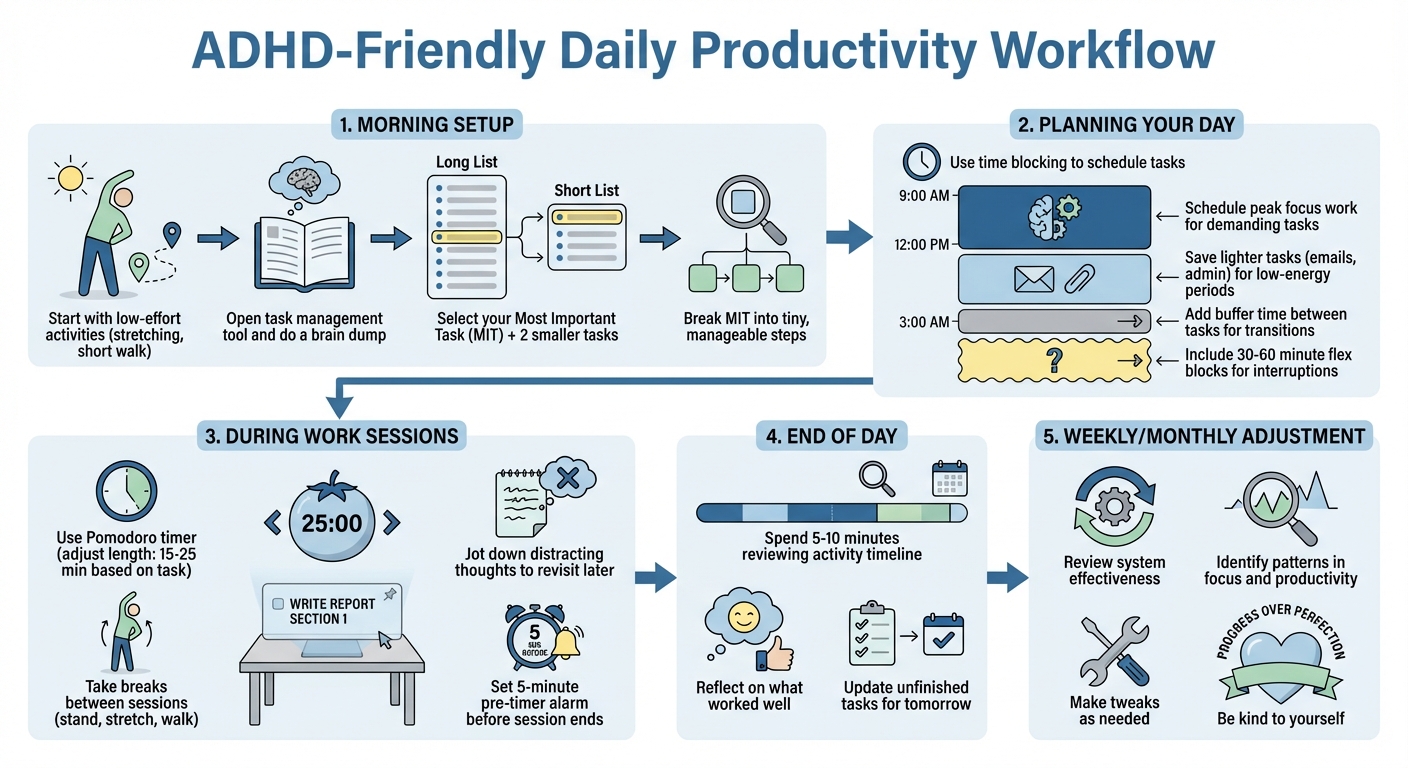
ADHD-Friendly Daily Productivity Workflow Guide
Crafting a daily workflow that suits an ADHD brain means working with your natural tendencies, not against them. By externalizing time, reducing mental strain, and planning around your energy peaks, you can create a system that supports productivity without forcing yourself into a rigid, neurotypical mold. This approach draws from tried-and-true ADHD strategies, ensuring every tool and technique fits seamlessly into your day.
Setting Up Your Day with Focusmo
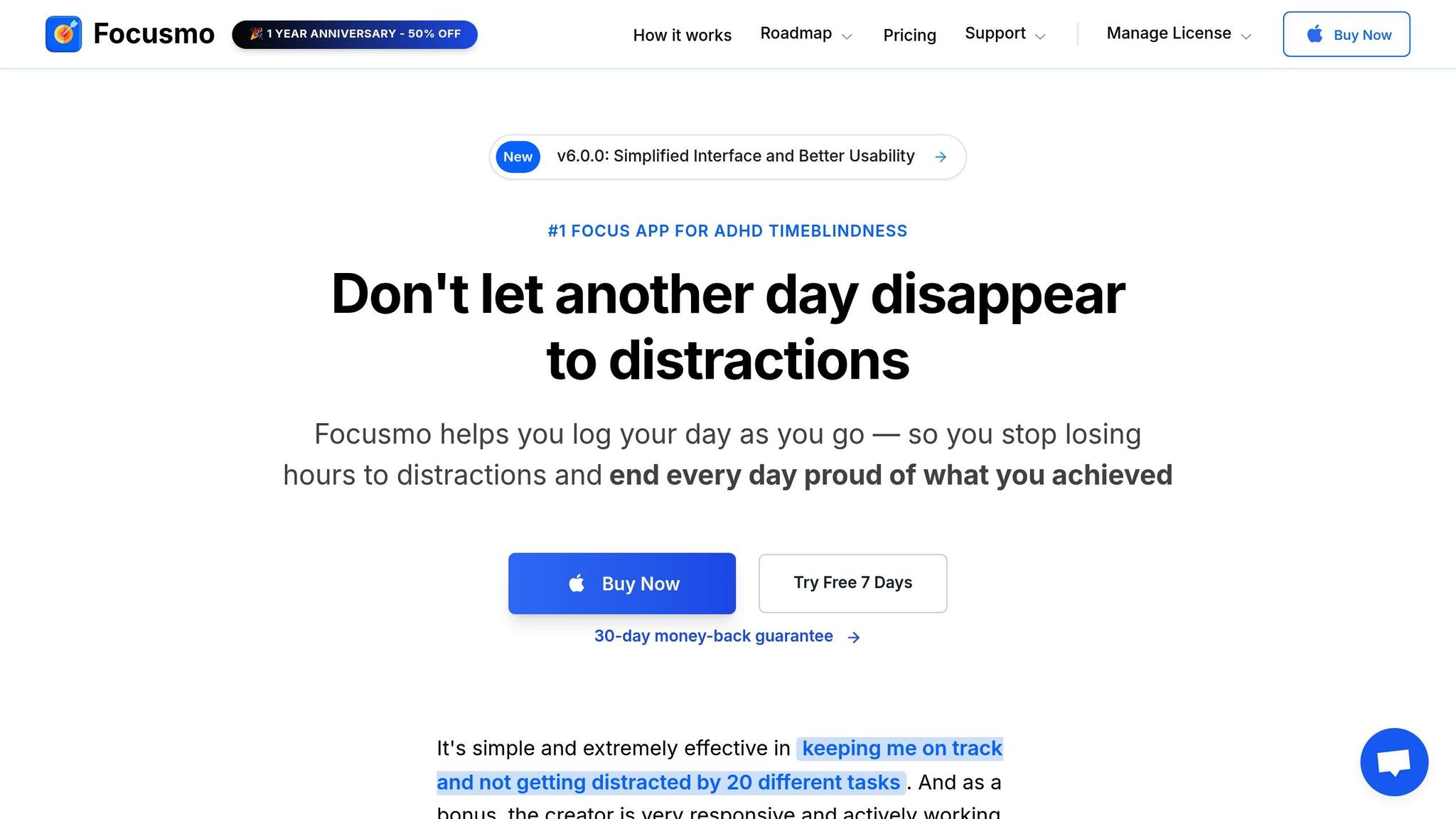
Start your morning with low-effort activities like stretching or a short walk instead of jumping straight into demanding tasks. Once you're ready to focus, open Focusmo and do a quick brain dump. This helps you capture all your tasks, ideas, and worries in one place. From this "Long List", pick your Most Important Task (MIT) - the one thing that absolutely needs to get done today - along with two smaller tasks for your "Short List."
Break your MIT into tiny, manageable steps to avoid feeling stuck. For instance, if "write report" feels daunting, start with something as small as "open the document" or "write one sentence." Use Focusmo's Pomodoro timer to structure your work sessions, and take advantage of the floating task island feature to keep your current task visible. This helps counter the ADHD tendency to forget tasks once they’re out of sight. If distracting thoughts pop up during your work session, jot them down to revisit later.
Map out your day using time blocking, but leave some buffer time between tasks to account for transitions or unexpected interruptions. Save your peak focus hours - often late morning, between 9:00 a.m. and 12:00 p.m. - for deep, demanding work, and schedule lighter tasks like emails or admin work for periods when your energy naturally dips. By aligning your schedule with your brain's natural rhythms, you set yourself up for success.
At the end of your day, spend 5–10 minutes reviewing your activity timeline in Focusmo. Reflect on what worked well and update unfinished tasks. These small daily reviews not only help you stay organized but also provide valuable insights for fine-tuning your workflow.
Adjusting Your System Over Time
No productivity system is one-size-fits-all, and even the best workflows need adjustments as your circumstances change. What works during a calm week might fall apart when you're juggling back-to-back meetings or unexpected responsibilities. As writer and entrepreneur Jandra Sutton explains:
"Productivity is a lot more complex. There is no universal solution for productivity problems... it's about learning how to predict, understand, and ride the waves".
Set aside some time weekly or monthly to evaluate your system. Use Focusmo's activity data to identify patterns - like whether you consistently overestimate your capacity or if certain times of day are better for focus. Make tweaks as needed: if 25-minute Pomodoros feel too long, try 15-minute intervals, or adjust your morning routine to include extra buffer time.
Above all, be kind to yourself. Disruptions will happen, and when they do, treat them as opportunities to learn rather than as failures . The goal isn’t to achieve perfection but to build a workflow that’s adaptable, visual, and forgiving enough to sustain over time. Equip yourself with a variety of strategies so you can adjust to stress, distractions, or changes in your environment. Some days, you’ll power through your MIT with ease; on others, completing even one small task is a win. Both count as progress.
Conclusion: Building a Productivity System That Fits Your ADHD
Creating a productivity system tailored to ADHD means finding a balance - offering structure without locking into rigid routines. Think of routines as a safety net: they provide guidance while leaving room for shifts in energy and unexpected detours.
Tools like Pomodoro timers, time blocking, visual task lists, and distraction blockers can ease mental strain. They help you plan around your natural energy patterns instead of obsessing over the clock. These strategies lay the groundwork for personal tweaks that align with how you work best.
Research backs this up: structured task management has been shown to boost productivity by up to 62% for individuals with ADHD, while also cutting stress levels by 47%. But these results come from ongoing experimentation and a willingness to adapt.
As Eric Tivers, an expert in ADHD tools, puts it:
"The path to a great life is not easy. There is no app that can rewire our ADHD brains. But if we stay curious, have compassion for ourselves, and focus on incremental growth, we can live amazing lives".
The next step? Test and tweak. Maybe 25-minute Pomodoro sessions feel too long, or digital reminders don’t grab your attention like visual cues do. Pay attention to what works during your peak focus times and adjust based on actual experience. Apps like Focusmo can help you track your patterns and refine your system over time. Tackle big projects on high-energy days and save simpler tasks for when your focus dips. Set clear deadlines to stay accountable, and include buffer time to make transitions smoother.
Above all, give yourself grace when things don’t go perfectly. Progress isn’t a straight line, and every step forward - no matter how small - matters.
Keep refining your system with daily insights. The goal is for your system to support you, not restrict you. Stay flexible, explore different strategies, and remember: success comes from continuous adjustments, not perfection.
FAQs
How can I manage time blindness effectively with ADHD?
Time blindness - the struggle to perceive and manage time effectively - is a common hurdle for those with ADHD. It can result in missed deadlines, last-minute scrambling, or spending too much time on a single task. To address this, consider externalizing time with tools like wall clocks, digital widgets, or visual timers that display the passage of time. These visual aids make time feel more tangible and easier to monitor.
Building structured routines can also help. Use calendar blocks or establish daily rituals to create a framework for your day. Break larger projects into smaller, manageable steps, and try techniques like the Pomodoro method, which involves 25-minute focused work intervals followed by short breaks. Adding buffer time between tasks or meetings can reduce the pressure of rushing from one thing to the next.
Additionally, set up multiple reminders to keep yourself on track. Phone alarms, smartwatch notifications, or calendar alerts can be lifesavers for staying organized. Over time, these strategies can help train your mind to better understand and manage time, making everyday responsibilities feel more achievable.
What are the best tools to help someone with ADHD stay focused?
For those navigating ADHD, the right tools can make a world of difference when it comes to staying focused and managing daily challenges like time management, distractions, and accountability.
Task management apps can simplify even the most daunting projects by breaking them into smaller, bite-sized steps. Apps like Todoist, Microsoft To Do, or Things (for Mac users) allow you to organize tasks with due dates, reminders, and tags. Plus, they sync across devices, so your to-do list is always within reach, helping you turn plans into clear, actionable steps.
Timers and visual aids can tackle time blindness, a common struggle. Digital countdown timers or Pomodoro apps like Focus Keeper or Forest encourage you to work in short, timed sessions with built-in breaks. This approach makes tasks feel more manageable and less overwhelming.
Distraction blockers are lifesavers for maintaining focus. Tools like Freedom or Cold Turkey can temporarily block distracting websites and apps during work hours. Pair these with noise-canceling headphones or white noise playlists to create an environment that supports concentration.
By blending a task manager, a timer, and distraction-blocking tools, you can craft a system tailored to your needs, helping you stay focused and productive throughout the day.
How can I create a daily routine that works with ADHD challenges?
Creating a daily routine that works for ADHD involves striking a balance between structure and flexibility. Start with consistent "anchor points" like a set wake-up and bedtime. Pair these with simple habits, such as drinking a glass of water or jotting down your top three priorities for the day, to establish a solid foundation.
Visual tools can be a game-changer. Use digital calendars, timers, or even sticky notes to make time more tangible. Break tasks into smaller, bite-sized chunks - think 10 to 15 minutes - and give yourself short breaks in between to stay focused without feeling overwhelmed. Adding transition rituals, like stretching or playing a quick song, can help you smoothly shift from one activity to the next.
Accountability can also make a big difference. Share your plan with a friend or coworker who can check in with you. At the end of the day, take a moment to reflect on what you got done, identify any patterns, and tweak your schedule for the next day. Don’t forget to build in a buffer for surprises - this will help keep your day flexible and reduce stress.