5 Calendar Automation Tips for ADHD
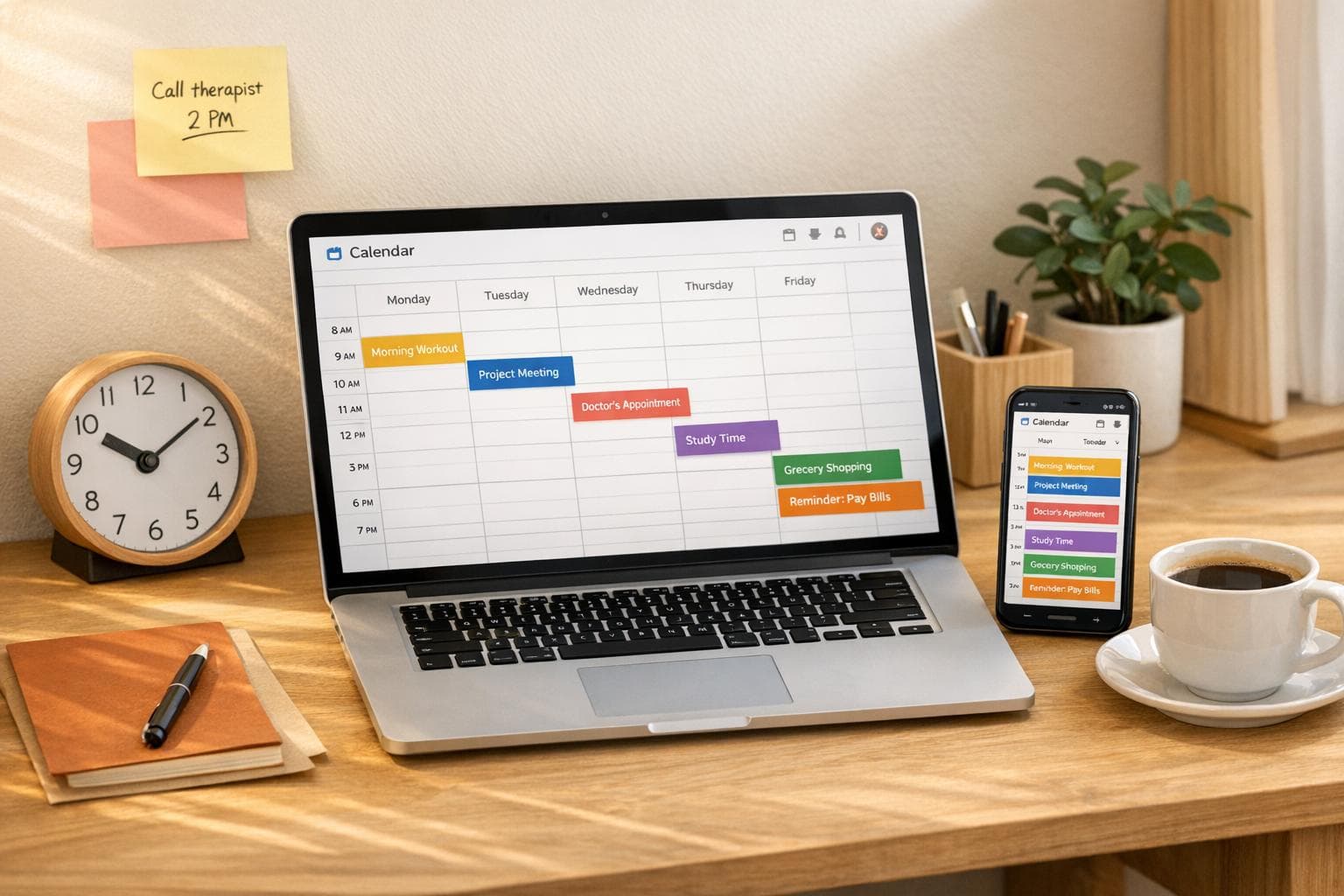
5 Calendar Automation Tips for ADHD
Managing time with ADHD can be overwhelming, but using calendar automation can make a big difference. By leveraging tools and strategies that reduce mental effort, you can stay organized and focused without burning out. Here's a quick breakdown of five practical tips:
- Color-Coded Calendars: Assign colors to different tasks or energy levels for a quick visual guide.
- AI Task Scheduling: Let AI tools plan your day by analyzing deadlines, availability, and energy patterns.
- Unified Calendar: Merge all your calendars - work, personal, and tasks - into one for clarity.
- Automated Reminders: Use layered notifications to never miss meetings and avoid time blindness.
- Focus Mode Triggers: Block distractions automatically during scheduled work sessions.
These strategies work by offloading planning and decision-making to external systems, helping you manage ADHD challenges like time blindness and executive function struggles. Start small - try one or two tips - and build from there.
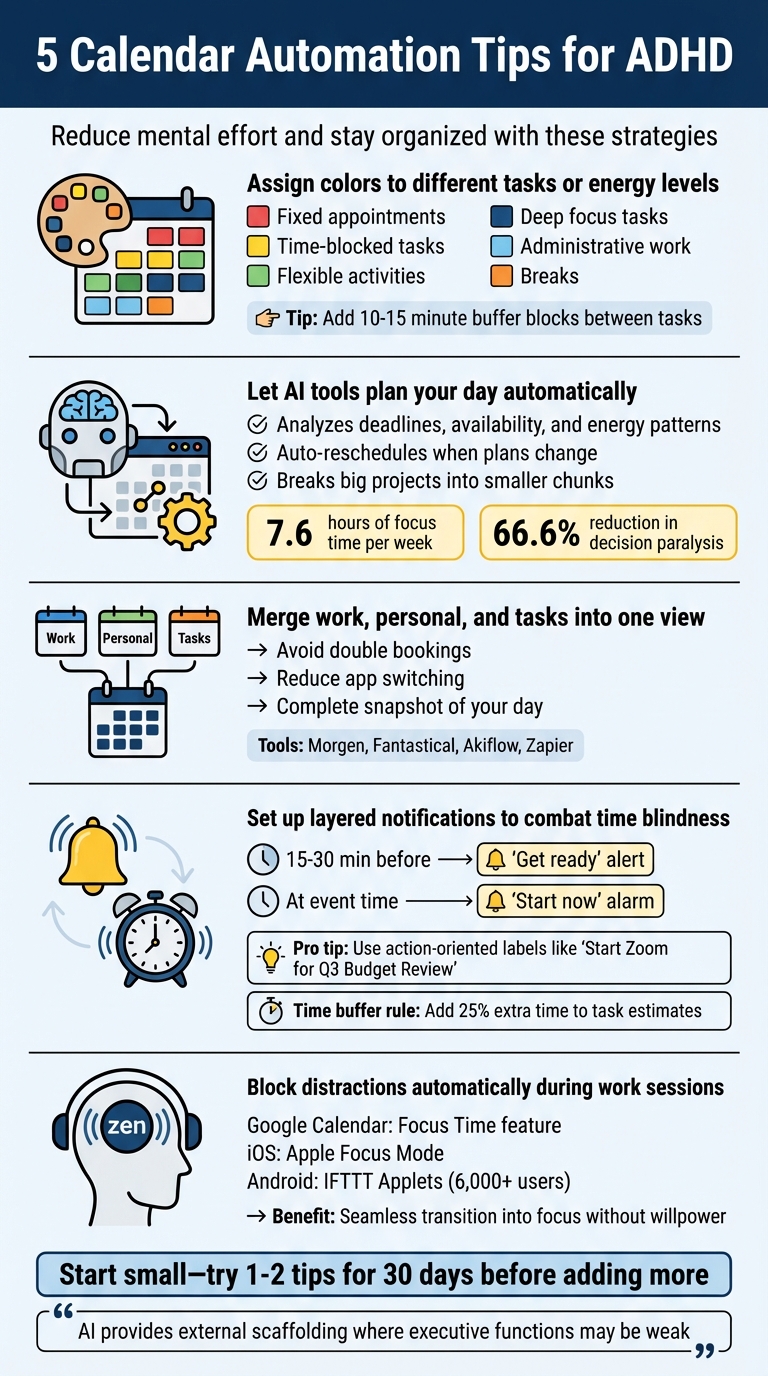
5 Calendar Automation Tips for Managing ADHD
Master Your Focus: 6 ADHD Reminder/Calendar Hacks & Notification Control Tips
sbb-itb-8245ce4
1. Use Color-Coded Calendar Categories
A color-coded calendar can turn a chaotic list of events into a clear, visual roadmap. Instead of reading through every single event title, you can glance at your schedule and instantly understand the type of energy or focus each block of time demands. One useful approach is to incorporate systems like the Streetlight or energy-based categorization to make your schedule even easier to decode.
For example, you could use red for fixed appointments, yellow for time-blocked tasks, and green for flexible activities. Another option? Base your colors on mental effort: dark blue for deep focus tasks, light blue for administrative work, and orange for breaks. This approach aligns your tasks with your natural energy levels, ensuring you're not tackling high-focus work during a low-energy slump.
To make the habit stick, keep a color key handy for the first few weeks. A simple post-it note near your desk can help you remember what each color represents until it becomes second nature. You can also add emojis to event titles - like 📞 for calls or 🛑 for deadlines - as extra visual cues. Consider building in 10–15 minute buffer blocks between tasks and assigning them their own color. These transition periods give your brain a chance to reset and prepare for what's next.
Color-coding isn’t just about making your calendar look pretty; it externalizes your organization. As ADHD coach Marla Cummins explains:
"The ADHD brain loves patterns, color, and visual anchors. They help you stay grounded in what matters."
When your schedule shifts from a dense list to an easy-to-read visual map, you spend less time figuring out what to do and more time actually doing it. Pairing color-coding with automation tools can simplify your day even further, creating a system that works with your brain instead of against it.
2. Set Up Automatic Task Scheduling with AI Tools
Automation takes your planning to another level by doing the heavy lifting for you.
Figuring out the "when" of tasks can be mentally draining. AI scheduling tools simplify this by turning your to-do list into a smart, adaptable calendar. Instead of staring at an empty calendar trying to slot in a 2-hour project, these tools analyze your availability, check your deadlines, and assign tasks to the best time slots automatically.
And when life throws a curveball - like a last-minute meeting at 2:00 PM - these tools adjust on the fly. They’ll reshuffle your tasks in real time, moving them to open slots later in the week while still keeping you on track to meet deadlines. No more manual rescheduling headaches. For more productivity tips on managing ADHD, explore our latest guides. As John Hall, co-founder of Calendar.com, explains:
"AI does not attempt to alter the way your brain operates fundamentally. Instead, it provides external scaffolding and support where internal executive functions may be weak".
AI also excels at breaking down big projects into smaller, more manageable chunks. This approach not only makes deadlines feel less daunting but also helps you stay focused. Some tools, like Reclaim.ai, even analyze your energy patterns and schedule deep-focus tasks during your most productive hours. The results speak for themselves: users of tools like these report gaining an average of 7.6 hours of focus time per week and cutting decision paralysis by 66.6%.
To make the most of these tools, set clear limits - define realistic task durations, establish firm deadlines, and block out deep work periods (e.g., 9:00–11:30 AM). With these guardrails in place, the AI can fine-tune your schedule to match your goals.
3. Connect All Your Tools to One Calendar
Jumping between your work Outlook, personal Google Calendar, and a task manager can be a massive drain on focus - especially for ADHD brains. Every time you switch apps, you increase the chances of missing something important. The fix? Combine everything into a single, unified calendar. This setup minimizes distractions and provides a clear view of your schedule.
When you consolidate your calendars, you gain a complete snapshot of your day. With all your commitments in one place, it's easier to manage your time effectively. For instance, a 3:00 PM doctor's appointment will appear right next to your work meetings, helping you avoid double bookings. As Kamila Lechmanova from Morgen puts it:
"Bringing your calendars into one place gives you the confidence to never miss an event and avoid context switching between tools".
There are tools built specifically for this purpose. Platforms like Morgen, Fantastical, and Akiflow can pull together multiple calendar sources - Google, Outlook, iCloud - and even integrate with task managers like Todoist and ClickUp. With two-way synchronization, any changes you make in one app automatically update across all connected platforms. So, if you reschedule a work meeting in Outlook, it will instantly reflect in your main calendar view.
For even better organization, consider turning your tasks into calendar events. Apps like Todoist let you convert to-dos into scheduled events, giving you a visual representation of your day. This approach can help prevent overloading your schedule. Studies show that ADHD impacts the brain's prefrontal cortex, making it harder to accurately gauge how much you can accomplish. By externalizing your plans onto a calendar, you can better manage this challenge.
If you're stuck using separate platforms for work and personal life, automation tools like Zapier can bridge the gap. They can cross-post events between calendars, saving you from the hassle of manually duplicating entries.
4. Automate Reminders and Time-Block Notifications
Struggling to keep track of time because of ADHD-related time blindness can lead to missed commitments. Automating reminders can take the pressure off your memory and let your calendar handle the details.
Set up layered notifications to ensure you don’t miss important events. For instance, schedule a "get ready" alert 15 to 30 minutes before a meeting, followed by a "start now" alarm at the exact time of the event. Use a mix of notification types - like pop-ups, vibrations, or audio alerts - to make sure you notice them every time.
Be specific with your reminders to eliminate any confusion. Instead of vague labels like "Meeting" or "Reminder", go for action-oriented descriptions such as "Start Zoom for Q3 Budget Review" or "Pack your bag and leave for the dentist." This approach removes the guesswork, so you know exactly what to do when the alert pops up. As Howie Jones from Calendar explains:
"A reminder that pops up when you're too busy to act on it is useless. Instead, schedule it for when you have time to respond."
To stay on schedule without feeling rushed, build in buffers between tasks. A 10–20 minute break can help your brain reset before diving into the next activity. You can also apply the 25% rule: add an extra 25% to your estimated time for each task. For example, if you think a project will take two hours, block out two and a half hours instead.
If you’re using tools like Focusmo, you can combine its meeting alert feature with your calendar reminders. This adds another layer of accountability while its distraction-blocking feature helps you stay focused during your scheduled time blocks.
5. Trigger Focus Mode Based on Calendar Events
Say goodbye to manually managing distractions - automation can handle it for you, creating an ideal work environment without extra effort on your part. With the right tools, you can dive straight into focused work without missing a beat.
Google Calendar has a handy "Focus Time" feature that blocks out time for deep work. It automatically mutes Google Chat notifications and declines meeting invitations. These events are marked with a headphones icon, making it clear that this is your dedicated focus period. To enable this, open Google Calendar on your computer, pick a time slot, select "Focus time", and check the boxes for "Do not disturb" and "Automatically decline meetings".
For iOS users, Apple's Focus Mode can activate based on triggers like time, location, or even when you open a specific app. Simply go to Settings > Focus, choose a mode (such as "Work"), set up a schedule, and let it activate automatically. On Android, tools like IFTTT offer free Applets that mute your device whenever a calendar event begins. Over 6,000 users rely on this automation to eliminate distractions during meetings.
These automated tools take the pressure off your willpower, ensuring a seamless transition into focus mode. For individuals with ADHD, this kind of automation can be especially helpful. As Will Harris from Zapier explains:
"Focus time gives tasks a clear beginning and end, so you don't spend more time on a task than you need".
To take it a step further, apps like Focusmo can complement these features by blocking distractions and tracking your activity, making your calendar-based focus strategy even more effective.
Conclusion
Calendar automation helps clear mental clutter. For individuals with ADHD, these tools act as "external support", a term experts use to describe aids that bolster executive functions, which may not always come naturally. By automating the small, yet essential details, you free up mental energy to focus on what truly matters.
Rather than rigid rules, these strategies are meant to be flexible tools you can adapt to your needs. ADHD coach Marla Cummins emphasizes this point:
"What you'll hear today aren't rules. They're just starting points. So please try what resonates, tweak what makes sense for you, and skip anything that doesn't land".
A great way to begin is by implementing one or two simple automations - like color-coding your calendar or setting up automatic reminders. Stick with these for at least 30 days before adding more. This gradual approach helps you avoid the trap of "over-optimization", which can sometimes lead to productive procrastination.
Research highlights how ADHD impacts time perception, particularly in areas of the brain like the left prefrontal cortex and anterior cingulate. This makes automated cues, timers, and visual reminders especially helpful. Remember, this isn't about fixing a flaw - it's about working with your brain's unique wiring and using smart tools to support you.
For an easy way to integrate these strategies, consider trying Focusmo (https://focusmo.app), a tool designed to simplify scheduling and reminders specifically for ADHD.
FAQs
How does color-coding a calendar help people with ADHD stay organized?
Color-coding can turn your calendar into a powerful visual tool that’s easy to scan - something that can be especially useful for those with ADHD. By assigning specific colors to different types of events - say, red for fixed appointments, yellow for high-priority tasks, and blue for more flexible items - you can quickly see what demands your attention without getting lost in a sea of text.
This approach doesn’t just make your calendar easier to navigate; it also helps you prioritize. Bold, vibrant colors can highlight urgent, non-negotiable events, while softer shades can represent tasks with more leeway. This kind of visual hierarchy can ease decision-making, make time-blocking more effective, and even help address time-blindness. If you’re a macOS user, tools like Focusmo let you integrate color-coded categories directly into your calendar view, giving your day a clear structure with minimal effort.
How can AI tools help with scheduling tasks for individuals with ADHD?
AI-powered scheduling tools can make daily planning easier and help tackle the unique challenges of ADHD by automating routine tasks. These tools take a closer look at your habits and calendar, accounting for realistic time needs like preparation, travel, and breaks. This helps combat "time blindness" and ensures your schedule aligns with how long tasks actually take.
They also assist with prioritizing tasks, sending reminders, and setting up focused work blocks, which reduces the mental strain of constantly rethinking your to-do list. Apps such as Focusmo go even further, offering features like time tracking, hourly check-ins, and Pomodoro timers to help you stay focused and organized. By automating these processes, AI tools turn overwhelming schedules into systems that are easier to manage, giving you more time and energy to focus on what truly matters.
How can automated reminders help individuals with ADHD manage time blindness?
Automated reminders serve as helpful nudges for individuals with ADHD, making it easier to stay organized and manage tasks. Since the ADHD brain often struggles with time perception, these reminders act as consistent signals to keep deadlines and priorities front and center.
By taking the burden of remembering tasks off your mind, automated reminders create more mental room to focus on what truly needs your attention. This can go a long way in easing feelings of overwhelm and improving how time is managed overall.