How to Stop Getting Distracted While Working from Home
How to Stop Getting Distracted While Working from Home
Working from home can be filled with distractions - whether it’s your phone, household chores, or interruptions from family. Staying focused doesn’t require extreme willpower, but it does take some planning. Here’s how you can create a distraction-free environment and stay productive:
- Identify distractions: Track what pulls your attention (e.g., phone notifications, clutter, or social interruptions) and address the triggers.
- Set up a dedicated workspace: Choose a specific area for work, keep it tidy, and limit sensory distractions like noise or visual clutter.
- Manage digital interruptions: Turn off non-essential notifications, use tools like website blockers, and schedule specific times to check messages.
- Use time management techniques: Try the Pomodoro Technique (work in focused intervals with short breaks) or time-blocking to stay on track.
- Leverage productivity tools: Apps like Focusmo can block distractions, track your time, and help you stay accountable.
- Build routines: Create daily habits like morning rituals, clear work hours, and end-of-day check-ins to maintain consistency.
The key is not to eliminate distractions completely but to manage them effectively. Start small by implementing one or two strategies, and adjust as you find what works best for you.
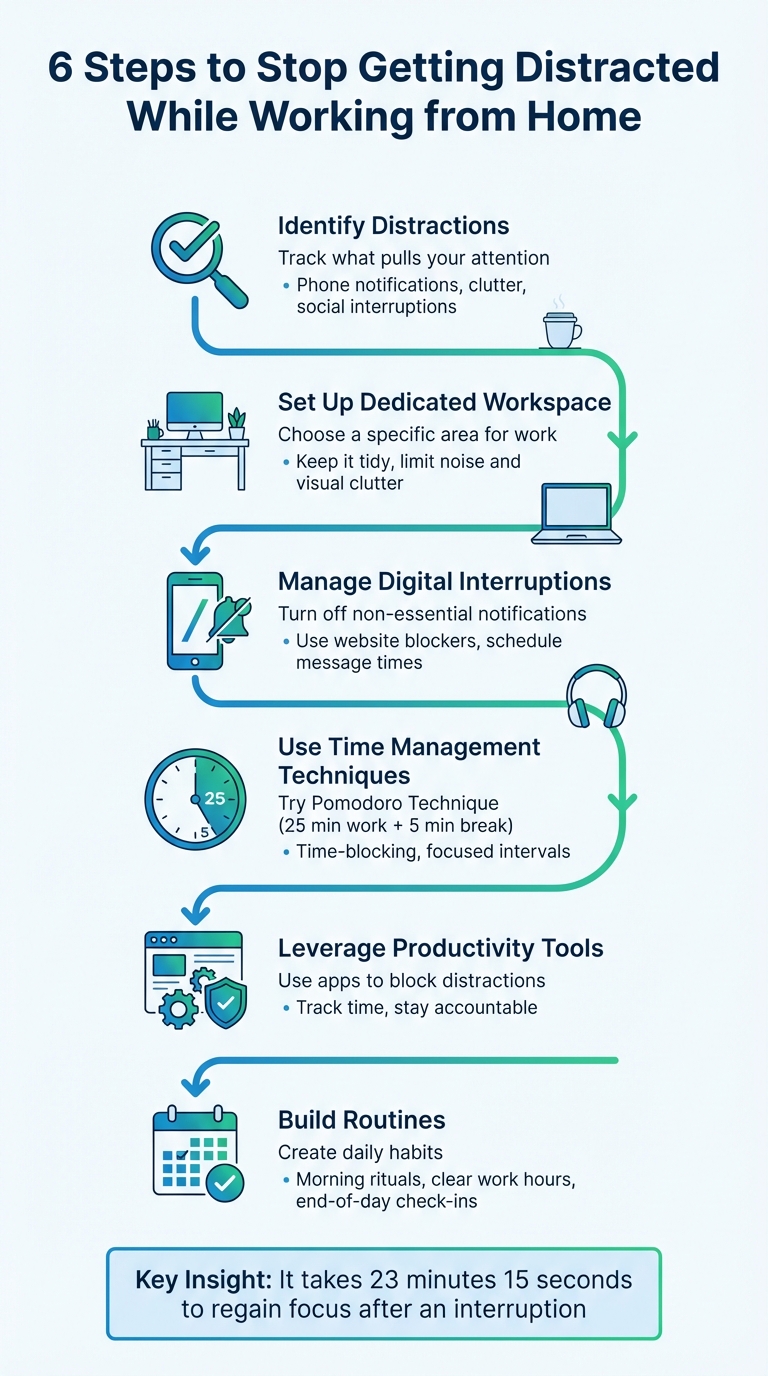
6-Step Framework to Eliminate Work-From-Home Distractions
Working from Home: Tips to Stay Focused and Productive | It's a Money Thing
sbb-itb-8245ce4
Identifying Your Distractions and Their Triggers
The first step to staying focused is figuring out what’s pulling you away. Awareness is key.
Spend a week tracking when and why you get distracted. Do you grab your phone the second it buzzes? Find yourself wandering to the kitchen when a task feels dull? Or maybe your mind drifts whenever you hit a tough spot in your work? These patterns reveal your triggers, which often fall into three main categories: technological (like notifications or apps), social (family, pets, neighbors), and environmental (household chores, clutter, or working in the wrong spot like your bed).
Common Home Office Distractions
Let’s start with the big one: digital interruptions. Whether it’s Slack pings, email alerts, endless TikTok scrolling, or the siren call of Netflix, technology is a major culprit. Then there’s your physical space - laundry that needs folding, snacks whispering from the fridge, or a cluttered desk that screams disorganization. And don’t forget social interruptions: kids needing help, a partner working nearby, or even the doorbell announcing a package.
Productivity expert Maura Thomas explains it perfectly:
The solution to boosting productivity when working from home is to avoid both multitasking and disruptions. The name of the game is not time management; it's attention management.
These external distractions become even trickier to handle for those dealing with ADHD.
How ADHD Affects Focus and Attention
ADHD brings its own set of challenges, adding internal distractions to the mix.
For people with ADHD, working from home can feel particularly overwhelming. Without the structure of an office or the subtle accountability of coworkers, staying motivated is tough. As the ADDitude Editors highlight:
People with ADHD are especially prone to distractions - external and internal. Whether it's a coworker interrupting you... stressful emotions, or your own wandering mind.
ADHD brains crave stimulation, making it hard to resist the pull of social media or TV. But it’s not just external triggers - internal ones like stress, boredom, or frustration can derail focus just as fast as a buzzing phone. Psychologist Marcy Caldwell, founder of ADDept, adds another layer to this:
Our brains are highly environmentally dependent - that means that the actions we do and the things that we learn in any given space are best recalled in that space.
So, if you’re working from your bed or couch, your brain is likely associating those spots with relaxation, not productivity. Whether the distraction comes from outside (like notifications or noise) or inside (like stress or wandering thoughts), pinpointing the source is the first step to crafting a strategy that works for you.
Setting Up a Workspace That Minimizes Distractions
Your surroundings - both physical and digital - play a huge role in how well you can focus. Even small tweaks to your workspace can have a meaningful impact on your productivity.
Designing Your Workspace for Focus
Creating a dedicated work area is key. If you can’t use a separate room, carve out a specific corner for work. As the Forget.work Blog notes:
When you sit in that spot, your brain will gradually learn to switch into "professional mode", reducing the time you spend drifting off.
Use tools like bookshelves, folding screens, or room dividers to clearly mark your work zone. This strategy is especially helpful for individuals with ADHD, as clear boundaries provide strong environmental cues.
Position your desk near a source of natural light, which can uplift your mood and energy levels. However, avoid placing it directly in front of windows with distracting views. Keep your desk clutter-free by limiting it to essentials like your laptop, pens, and planner. Store other supplies in baskets or drawers to avoid unnecessary interruptions. If standing helps you stay more alert, consider using a high surface or a standing desk for your work setup.
Manage sensory distractions. Noise-canceling headphones can help block out household sounds, while white noise or instrumental music can keep you focused without the distraction of lyrics. Visual cues, like a red sticky note on your door during deep work sessions, can signal to others that you’re unavailable. Even small actions, such as dressing in work clothes instead of pajamas, can help shift your mindset into "work mode." While your physical environment supports focus, your devices must also align with that goal.
Blocking Digital Distractions
Just as your physical workspace sets the tone for productivity, your digital environment needs boundaries too. Research shows that after an interruption, it takes an average of 23 minutes and 15 seconds to fully regain focus. Every notification chips away at your ability to stay on task.
Start by turning off non-essential notifications on your phone and computer. Keep your phone in another room or place it face-down during focused work sessions. To reduce the temptation of visually engaging apps, enable grayscale mode on your phone. Use "Do Not Disturb" schedules to align with your deep work hours, ensuring that interruptions are minimized.
You can also create digital boundaries by setting up a dedicated browser profile for work. This keeps distracting bookmarks - like social media or shopping sites - out of sight. Instead of responding to emails and messages as they come in, schedule specific times, such as mid-morning and mid-afternoon, to check and reply.
Tools like Focusmo can further help by blocking access to distracting websites during your work sessions. This ensures you stay locked into your tasks without the constant pull of online distractions.
Time Management Methods to Maintain Focus
Once your workspace is set up to minimize distractions, the next step is organizing your time effectively. A well-structured schedule not only sets boundaries but also keeps you focused on the tasks that truly matter. Let’s explore how to turn that distraction-free environment into a productive workflow.
Implementing the Pomodoro Technique
The Pomodoro Technique is a simple yet powerful method that divides work into 25-minute intervals, followed by 5-minute breaks. After completing four cycles, you take a longer break of 15–30 minutes. This structured approach, much like creating a dedicated workspace, helps reduce mental clutter and keeps distractions at bay.
For individuals with ADHD, this method is particularly helpful. A 25-minute session feels manageable compared to the daunting prospect of an open-ended work period. The ticking timer adds a sense of urgency and helps combat time blindness and impulsivity.
You can tweak the session lengths to match your focus levels. If 25 minutes feels too long, start with 15-minute intervals. For tasks that demand deeper focus, try 50-minute blocks instead. Keep a notepad handy to jot down unrelated thoughts that pop up, and use your breaks for physical activities like stretching.
Focusmo’s built-in Pomodoro timer simplifies this process, allowing you to stick to these intervals without needing extra tools. Pair it with distraction-blocking features to enforce a "no-distraction" rule during your work sessions, ensuring you stay fully engaged.
Keeping Tasks Visible and Prioritized
Having a clear view of your priorities helps you stay disciplined during your scheduled work blocks. Keeping your current task visible serves as a constant reminder to refocus when your attention starts to wander. These visual cues complement the physical setup of your workspace, creating a system where external structure supports internal focus.
Begin your day by identifying your 1–3 Most Important Tasks (MITs). Write your current task on a sticky note and place it on your laptop or display it on a whiteboard in your workspace. This simple visual aid can help pull your attention back when distractions creep in.
Time-blocking takes this a step further. Instead of relying solely on a to-do list, assign specific time slots to your activities. For instance, dedicate 9:00–10:00 AM to emails and 10:00 AM–12:00 PM to focused work. This method creates mini-deadlines and ensures that your most demanding tasks are tackled during your peak productivity hours, while routine tasks are saved for when your energy dips.
Focusmo’s floating island feature provides a digital alternative to sticky notes, keeping your main task front and center. Combined with automatic time tracking, it ensures you can quickly refocus whenever distractions arise, streamlining your workflow even further.
Using Productivity Tools to Stay Organized
Working from home often means there's no one looking over your shoulder, which can make it all too easy to lose focus. This is where productivity tools step in, helping to create accountability through features like structured check-ins and automatic tracking.
The right tool can mimic the structure of a traditional workplace with features like timers and hourly reminders - key for managing challenges like ADHD-related time blindness. Let’s take a closer look at how Focusmo can bring order to your workday.
Focusmo's Features for Staying on Track
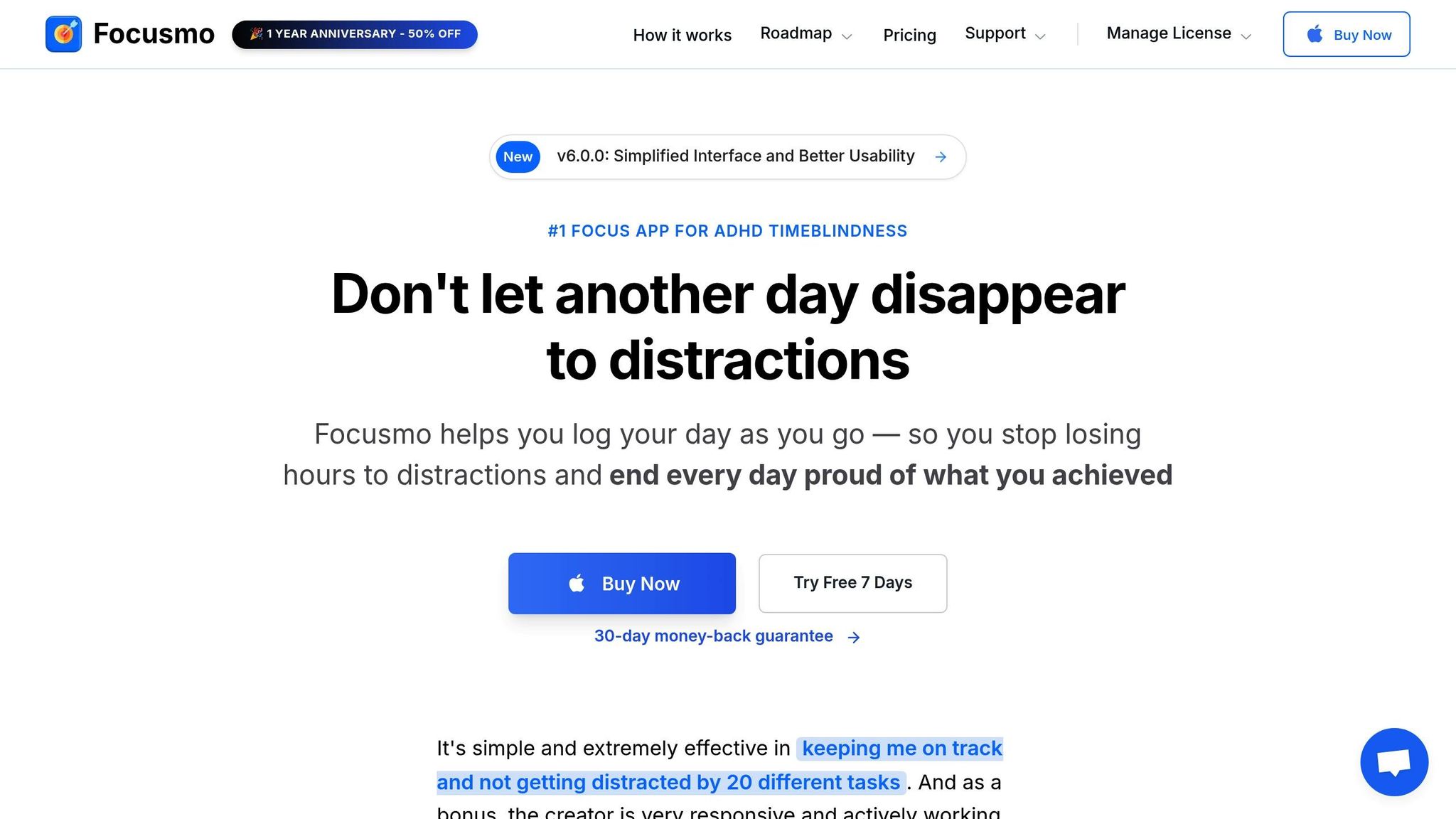
Focusmo is designed to keep you on task with an hourly check-in system that acts like a virtual accountability partner. These regular reminders ensure you stay aligned with your goals and maintain focus throughout the day.
Another standout feature is its automatic time tracking, which provides a clear breakdown of how you’re spending your day. This helps you identify and address unproductive habits. Focusmo also includes a floating island feature that keeps your current task visible on your screen, along with built-in Pomodoro timers and distraction-blocking tools. Together, these features create a system that supports your focus without requiring sheer willpower. It’s a seamless way to reinforce the time management strategies we’ve discussed earlier.
Customizing Notifications and Alerts
Unnecessary notifications are a productivity killer, often pulling you away from meaningful work.
"Every notification you receive on your phone or computer can be managed. You have complete control over what notifications you get." - HeyFocus
Start by tracking all the notifications you receive over the course of a week. Turn off any alerts that aren’t urgent or critical - if it wouldn’t "start a fire" by being ignored, it doesn’t need to interrupt you. With Focusmo, you can customize check-in intervals to anywhere between 30 and 60 minutes, helping you manage time blindness without feeling bombarded. You can also set up a whitelist for emergency contacts and schedule specific times to check emails, minimizing reactive interruptions.
For those with ADHD, auditory cues can be particularly effective. Try enabling a soft "tick-tock" sound during work sessions to keep you grounded in work mode. You can also set reminders for short, manageable task sprints when feeling overwhelmed.
Let tools like Focusmo handle the logistics of accountability and time awareness, freeing you up to concentrate on what really matters.
Building Habits for Consistent Productivity
Habits are the backbone of productivity, especially when working remotely. Without the structure of an office, creating routines helps signal your brain when to focus and when to rest.
Creating a Daily Routine
Start by establishing clear morning and evening rituals to create boundaries between work and personal life. For instance, changing out of pajamas and into work clothes can activate "enclothed cognition", a psychological effect that enhances focus and confidence.
"Lack of routine is a far bigger impediment to working from home than procrastination."
– Fleishman, Expert
Time-blocking or using a zero-based calendar can help you structure your day. Dedicate blocks of time for chores, exercise, meals, and breaks. Schedule your most demanding tasks during your natural energy highs, and protect those hours from interruptions.
End your workday with a simple five-minute ritual: tidy your workspace, log out of work platforms, and jot down your priorities for the next day. This small habit helps you mentally disconnect and ensures you start the following day with clarity.
Set clear work hours and communicate them with anyone you live with. Visual cues, like a closed door or wearing headphones, can signal that you're in work mode. If silence feels distracting, try playing ambient coffee shop sounds or white noise to help you concentrate.
Regularly check in with yourself to ensure your routine is working and adjust as needed.
Monitoring Progress and Adjusting Your Approach
Once you've built a routine, the key to making it stick is regular evaluation. Productivity tools can be a game-changer here. For example, Focusmo's activity timeline provides insights into how you spend your time, helping you identify inefficiencies and refine your schedule based on actual data rather than assumptions.
Use your lunch break to reflect on your progress and adjust your goals for the rest of the day. Avoid setting overly ambitious expectations, and celebrate small wins - crossing items off your to-do list can be surprisingly motivating.
"Scheduling my distractions and my other non-work into my day, compelling myself to engage in them as forcefully as I would any 'work' task, made me more efficient at and more focused on my work."
– Joe Stanganelli, Author
Pay attention to when you're most focused, and plan your most challenging tasks for those times. The goal isn't to achieve a perfect routine but to build awareness and make small, meaningful adjustments that add up over time.
Conclusion
Working from home doesn’t have to be a constant battle against distractions. The trick lies in recognizing that we’re naturally prone to distractions and focusing on managing them rather than trying to eliminate them entirely. By carving out a dedicated workspace, limiting digital interruptions, and experimenting with techniques like the Pomodoro method, you can create an environment that encourages deep focus and steady productivity.
As productivity expert Maura Thomas explains:
The solution to boosting productivity when working from home is to avoid both multitasking and disruptions. The name of the game is not time management; it's attention management.
In other words, protecting your focus means cutting down on interruptions and steering clear of multitasking. Once you understand this, the right tools can help you stay on track and maintain your attention.
For instance, Focusmo is a tool designed to help remote workers stay productive. It tracks your time, blocks distracting websites, and provides regular check-ins, offering a built-in layer of accountability.
Consistency is key. You don’t need to overhaul your entire routine overnight. Start small - try one or two strategies mentioned here, like using the Pomodoro technique, setting up a morning ritual, or installing a website blocker. Pay attention to when you feel most focused, tackle your toughest tasks during those peak hours, and tweak your approach as you figure out what works best for you. With a little effort and the right systems, you can build a workflow that keeps you productive no matter where you are.
FAQs
How can I recognize and handle distractions while working from home?
To stay focused while working from home, start by figuring out what typically distracts you. Spend a few days keeping track of interruptions - whether it’s phone notifications, household chores, or family demands. By spotting patterns, you can zero in on the biggest culprits and tackle them first.
Set up a dedicated workspace that’s free from clutter and distractions. Pick a spot with good lighting and stick to the essentials, adding just a few personal touches like a plant or a favorite photo for inspiration. Establish clear boundaries with family or roommates, and plan specific times for non-work tasks like chores or scrolling through social media. This way, those activities won’t creep into your focused work time.
Consider using techniques like working in short, timed bursts - 25 minutes of focused effort followed by a quick break can help you stay on track while giving room for planned pauses. Check in with yourself regularly to see what’s working and tweak your approach as needed to keep productivity levels high.
How can I set up a home workspace that helps me stay focused?
Creating a workspace that helps you stay focused is key to being productive when working from home. Start by picking a quiet spot, away from busy areas like the kitchen or living room. This dedicated space should be free from distractions. Keep your desk tidy by limiting it to essentials like your computer, a notebook, and a pen. Anything unrelated to work? Tuck it away.
Lighting matters, too. If you can, place your desk near a window to benefit from natural light. If that's not an option, a good task lamp can work wonders in reducing eye strain. To make your workspace feel inviting but not overwhelming, consider adding a small plant or a motivational quote - just enough to boost your mood without pulling your attention away from work.
If you live with others, setting boundaries is crucial. Let them know your work hours, and don’t hesitate to use a "do not disturb" sign during important tasks. With these simple adjustments, you can create a comfortable and distraction-free environment that keeps you on track.
How can the Pomodoro Technique help you stay focused and productive while working from home?
The Pomodoro Technique is a simple yet effective way to stay focused and productive. It works by breaking your work into 25-minute chunks of intense focus, followed by 5-minute breaks. This structure adds a sense of urgency to your tasks, helping you stay on track and resist distractions. Plus, those short breaks give your mind a chance to recharge, preventing burnout and maintaining steady energy levels throughout the day.
Another benefit? Tracking your sessions provides a tangible way to measure progress. Instead of feeling like your work is just an endless to-do list, you can see clear accomplishments, which makes your day feel much more fulfilling. Over time, this method helps train your brain to dive into deep focus faster, sharpening your concentration and enhancing your productivity.