
A Mac app for ADHD workdays.
Plan. Focus. See where your day went.
One app for your workday, native to your Mac. A visible timer, one task per block, breaks that actually happen, and a timeline that shows where the hours went.

Focusmo is my go-to tool for staying focused ;). When I need to dive into deep work like research, brainstorming, or creative tasks, I start by making a simple commitment to myself: 'I'll dedicate an hour to this.

Time Awareness
Track your time without distraction
Time slips away fast when you have ADHD. The floating timer sits in one corner of every screen so you always see how much is left.
Color and a gentle progress ring make minutes feel real. Drag the timer where you want and get back to work. Move to menubar to completely zone in.
Prevent Burnout
Stay fresh with Pomodoro
Long sprints feel great until you forget to pause. Focusmo runs work in Pomodoro blocks, with a real break before your energy drops.
After the break, it shows what comes next, or lets you stop for the day. With Pro, set your own block and break lengths.
Distraction Control
Quiet the noise
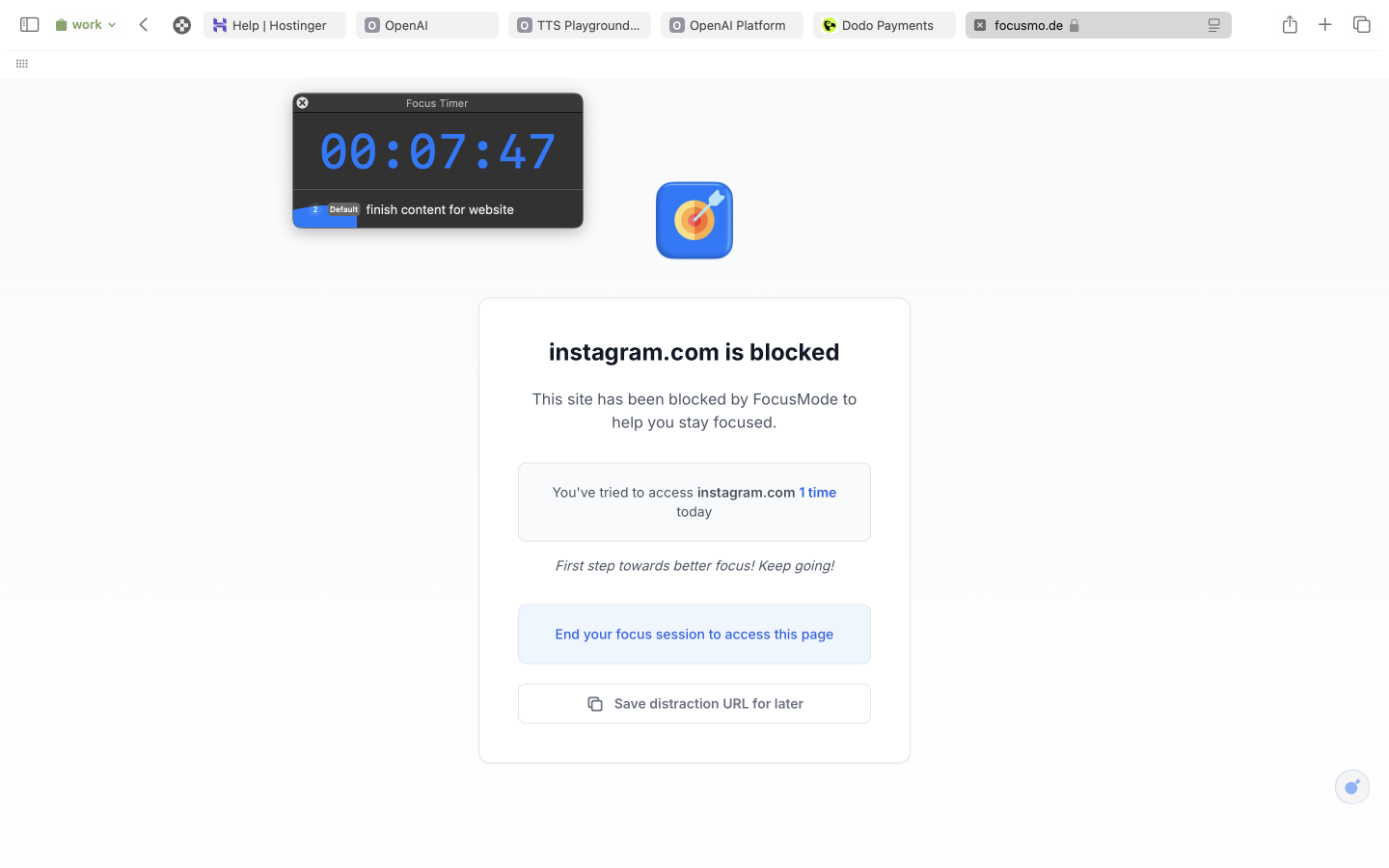
Social feeds and chat pings steal attention fast. Each project keeps a list of distracting apps and sites, held back while a block runs.
Breaks give access back, so you never feel trapped.
Fast Control
Command everything from the keyboard
Press one shortcut and the Quick Access panel opens anywhere. No mouse. No search.
Start a block, capture a thought, or jump to another project in seconds. Less effort means more progress.
I've only been using it for a couple of days, but it's just handy to have an accountability buddy to remind me: just do one thing, finish this one thing, do what you said you were going to do

Integrated Tools
Everything around the block
Meeting alerts for when hyperfocus runs long, Insights for your best hours, and every block in your calendar. Focusmo works with your brain, not against it.
Meeting Alerts
Never miss a meeting again
Full-screen countdowns appear a few minutes before each event, so you glide from deep work to Zoom on time, no phone alarms required.
Self-Insight
Understand your unique focus patterns
Insights shows when you focus best and what trips you up, so you can plan around your meds, energy, or coffee curve.
Time Tracking
See every session in your favorite Calendar
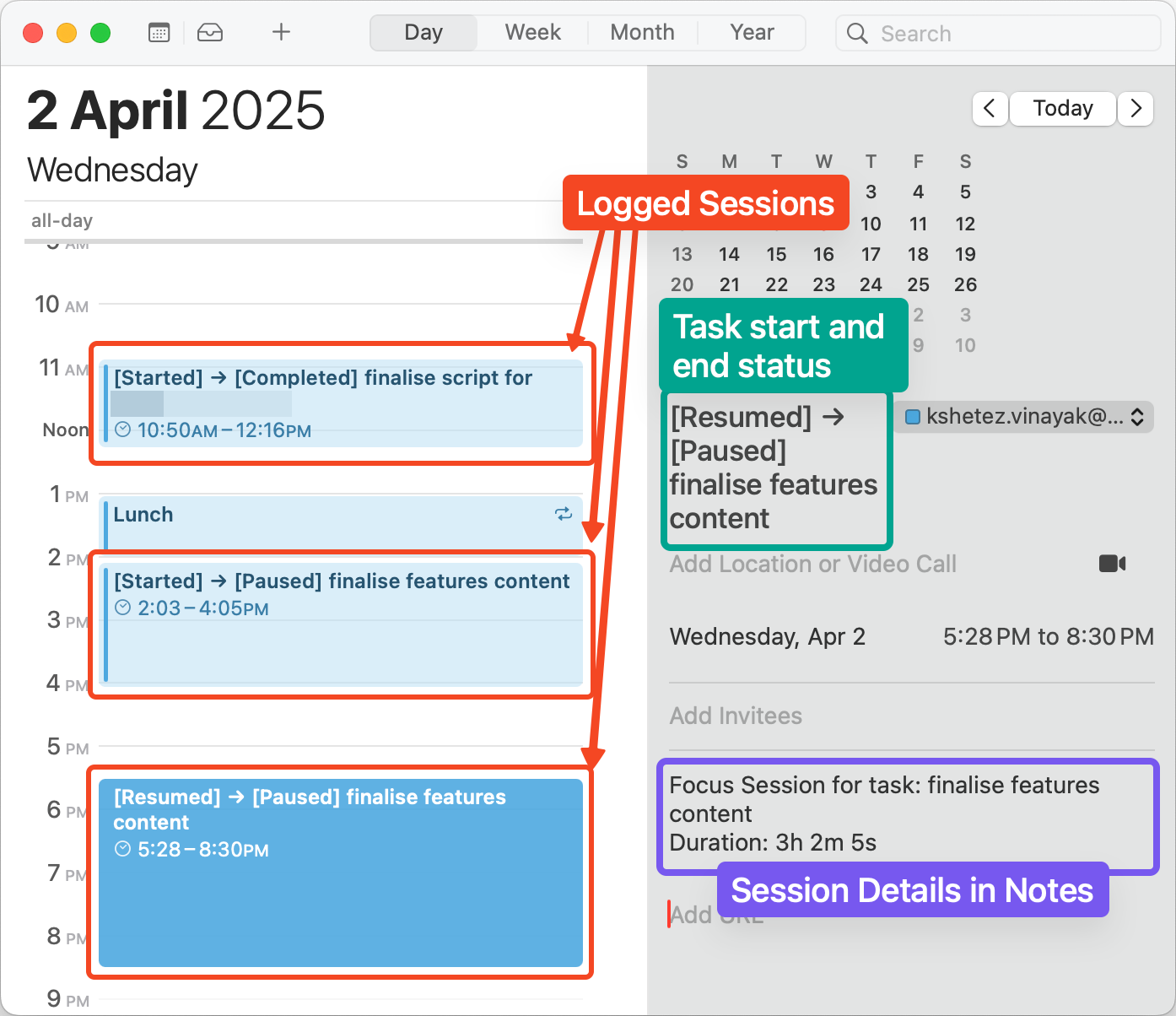
It is easy to lose track of how long you really worked. Focusmo writes each finished block to the calendar on your Mac.
Open your planner and see solid entries for every session. Know when you started, when you stopped, and how much time you owned the day.
What people say
Reviews from people who run their workday in Focusmo.
Keeps the day's plan in one place
Keeps the current task in view
Shows where the hours went
I am absolutely loving the experience of using the app, it has really provided exactly what I've always needed as a uni student with severe ADHD. Thank you for creating this resource, with so many amazing features.

Jessica Anderson
Student
I've been using Focusmo everyday now. The blue waves in banner really helps me visualize time especially when I am time blind, really helps the ADHD brain. I have it always visible so I get reminded constantly of my current task.
Aiden Thompson
Software Engineer
Questions
Short answers. For anything else, write to us.
Plan. Focus. See where your day went.
Free on macOS 14 or later. Pro from $4.99 a month.
Not a Mac user?
Focusmo is a Mac app for now.
Leave your email and we will write when Windows is ready.