All Features
Plan in the calendar, work in blocks, see where the day went.
For professionals who drift between tasks
Stay accountable while you work
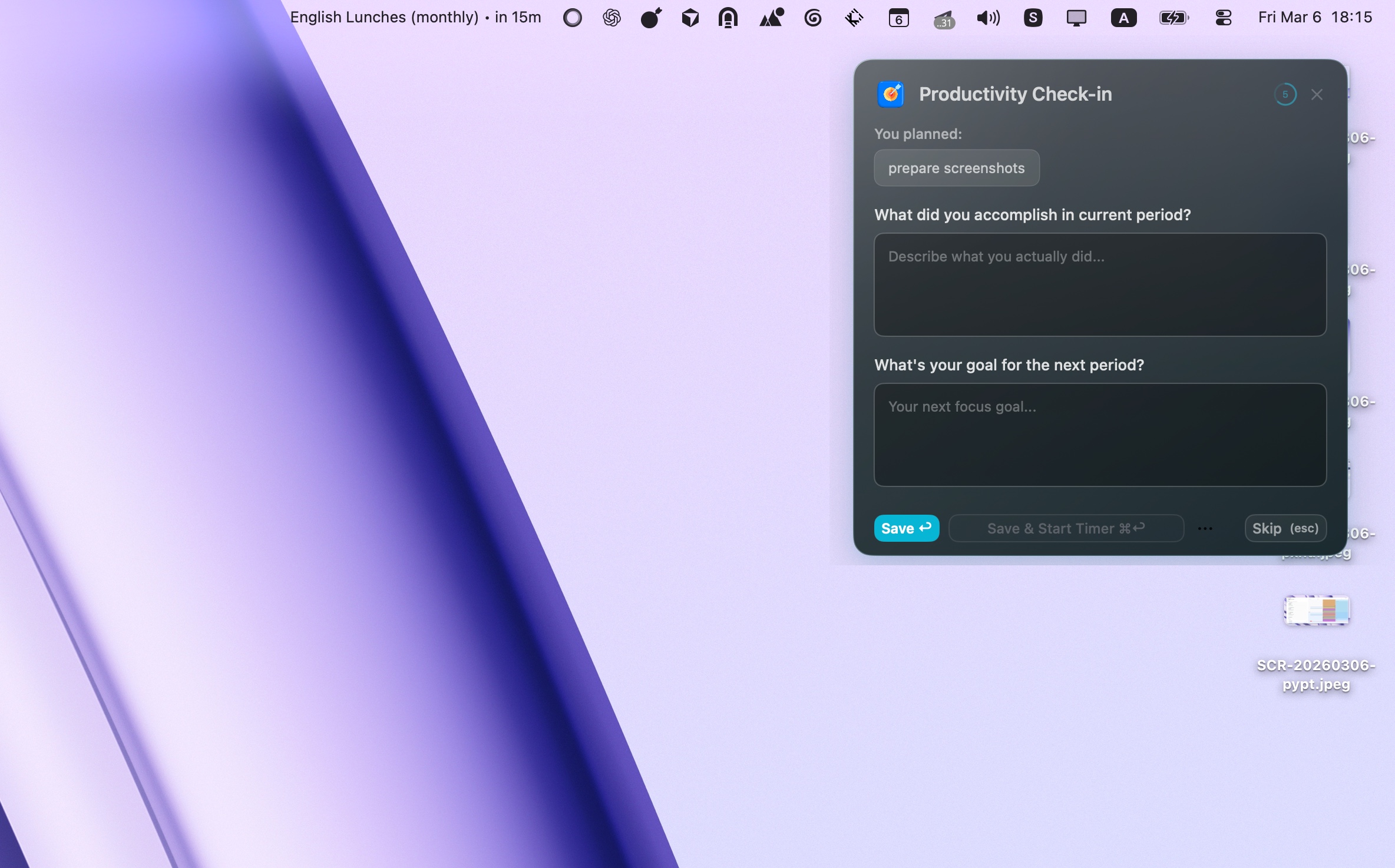
Focusmo nudges you to log your progress every hour - keeping you present, accountable, and focused before distractions pull you away.
For ADHD minds
Never forget what you
are working on
Focusmo keeps your next goal visible without getting in the way. See the your latest log in floating island or a focus timer.
For busy professionals who can’t risk missing meetings
Focus deeply without
meeting anxiety
The constant clock-checking kills your flow. Focusmo shows full-screen alerts — so you can relax and never worry about missing an important meeting again.
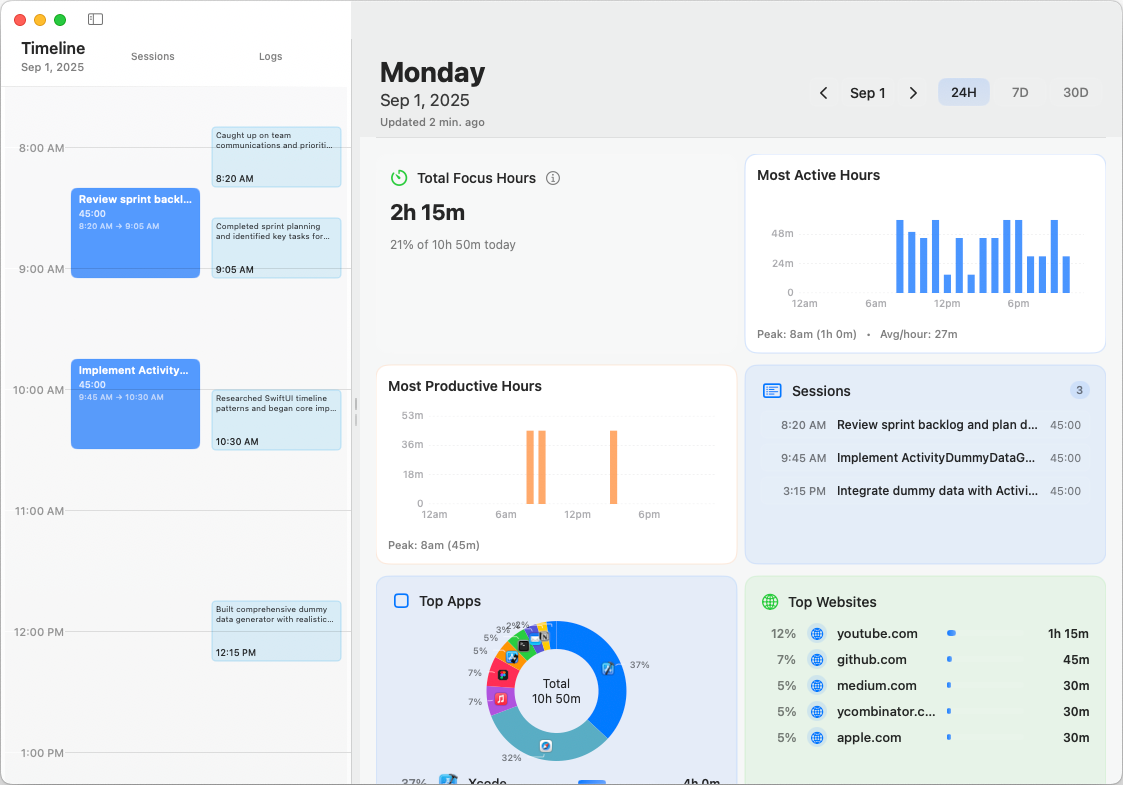
Timeline with detailed insights
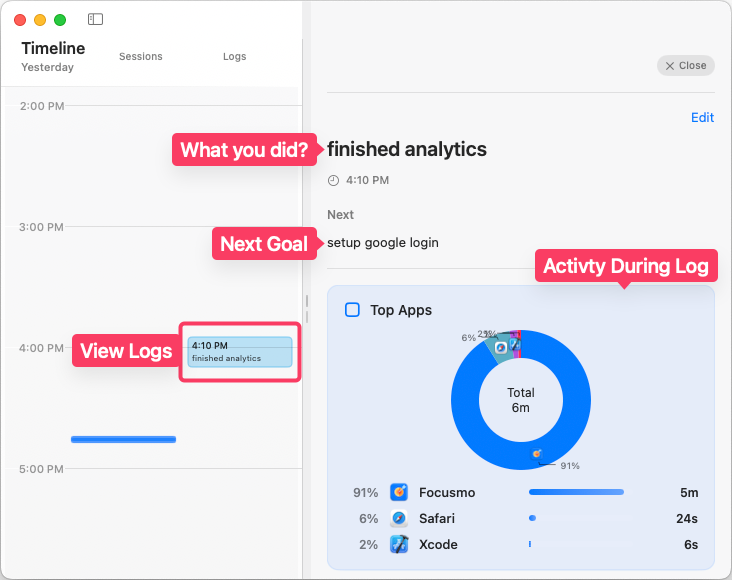
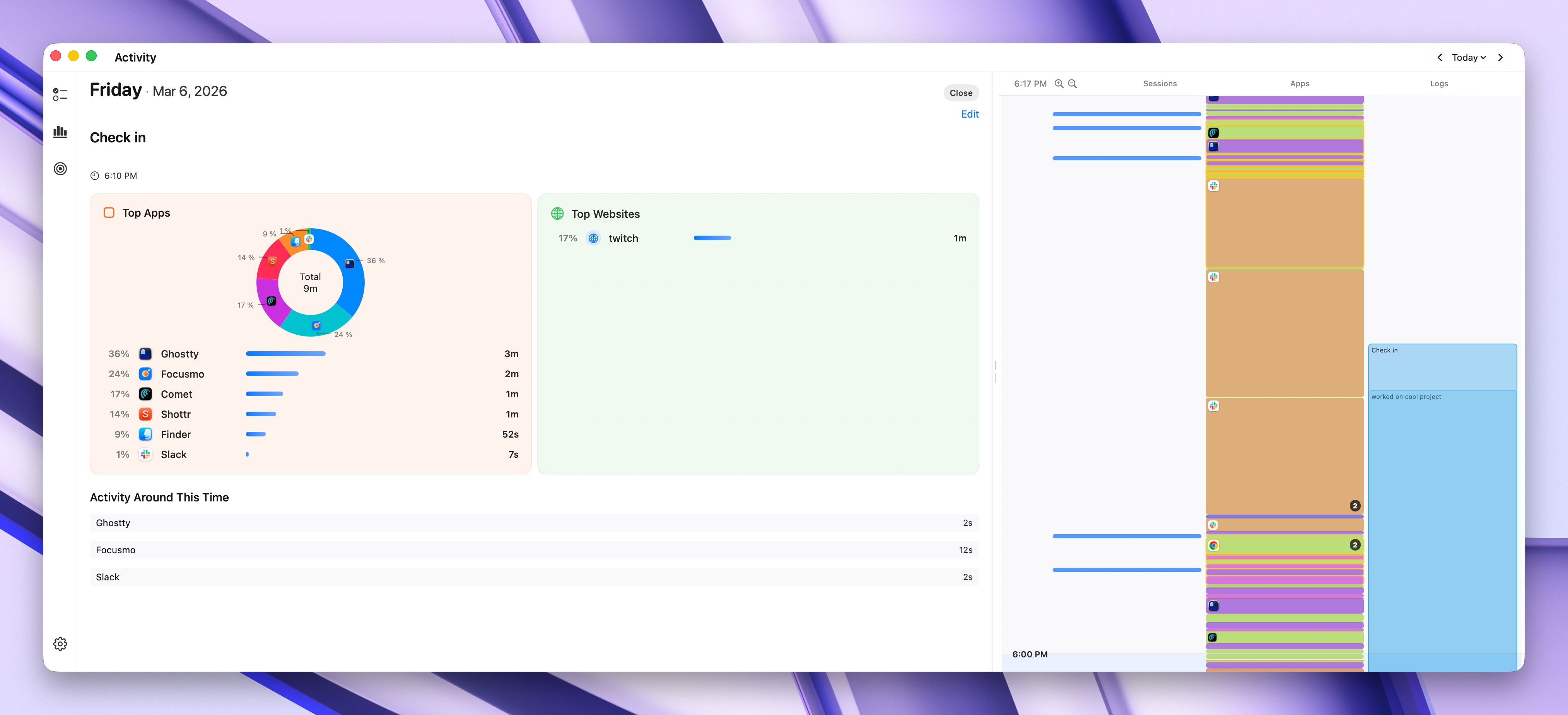
View activity during log or session
For knowledge workers who ask “Where did my day go?”
See exactly where your
day really went
Focusmo tracks websites and apps during your sessions and logs so you end every day with a clear record of what you accomplished.
Turn your log into momentum
In one click, Focusmo can turn your log into a focused block of work — tracked, protected from distractions, so you actually get that one thing done.
For busy professionals who forget taking breaks
Built-in Pomodoro keeps you productive without burnout
Skipping breaks today means burning out tomorrow. Focusmo forces in the pauses that keep you sharp and energized.
I've only been using Focusmo for about a week, but it's allowed me to organize tasks and manage my time more effectively while also keeping health and mental breaks in mind. The timer and break reminders have been extremely effective.

For people fighting constant distractions
Don’t let one Slack ping
cost you 20 minutes of focus
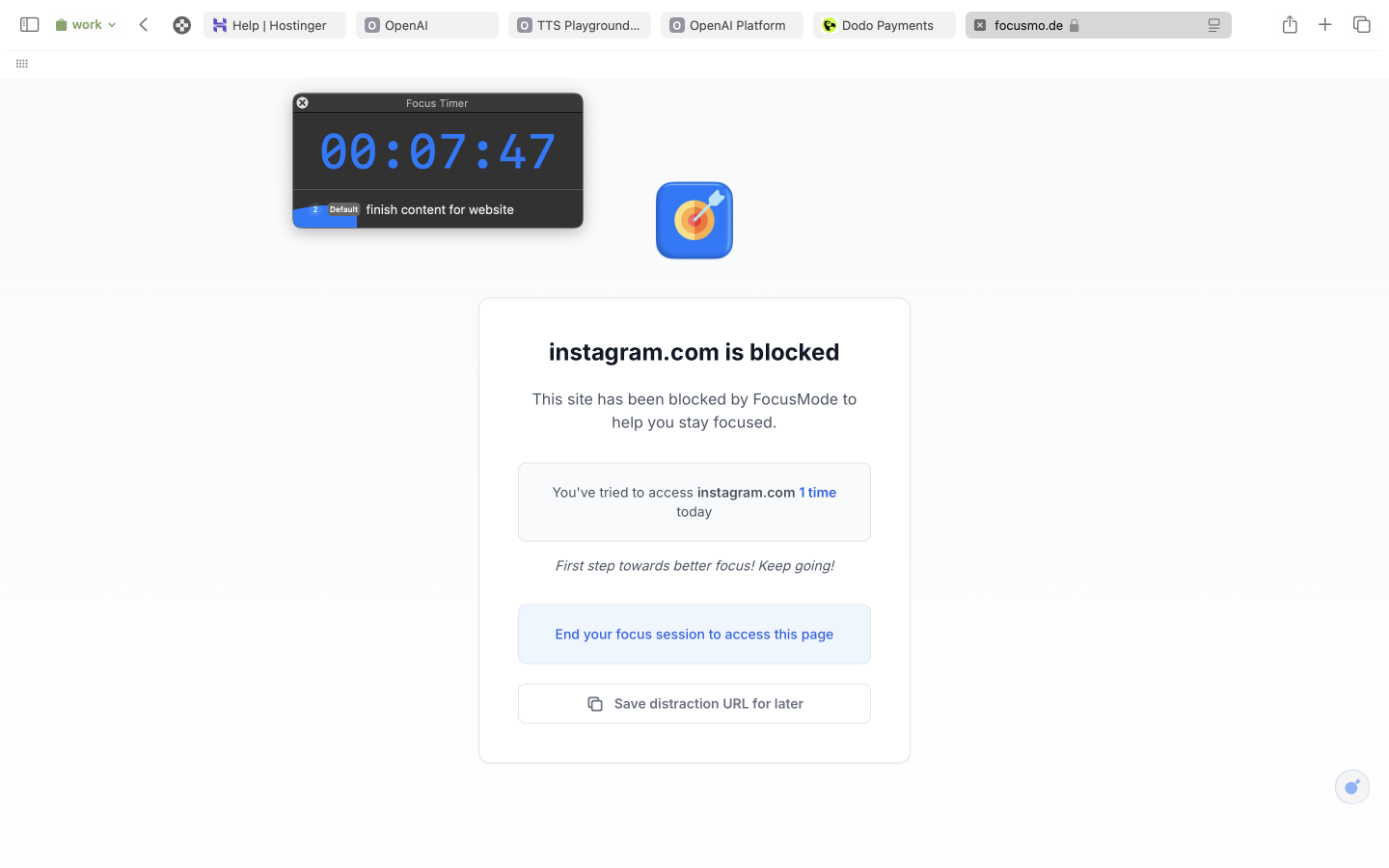
Every time you switch to Instagram or Slack mid-task, you lose 20+ minutes of focus. Focusmo blocks the apps and sites that derail you — so deep work actually happens.
Customize to fit your needs
Explore 20+ features and 100s of customizations
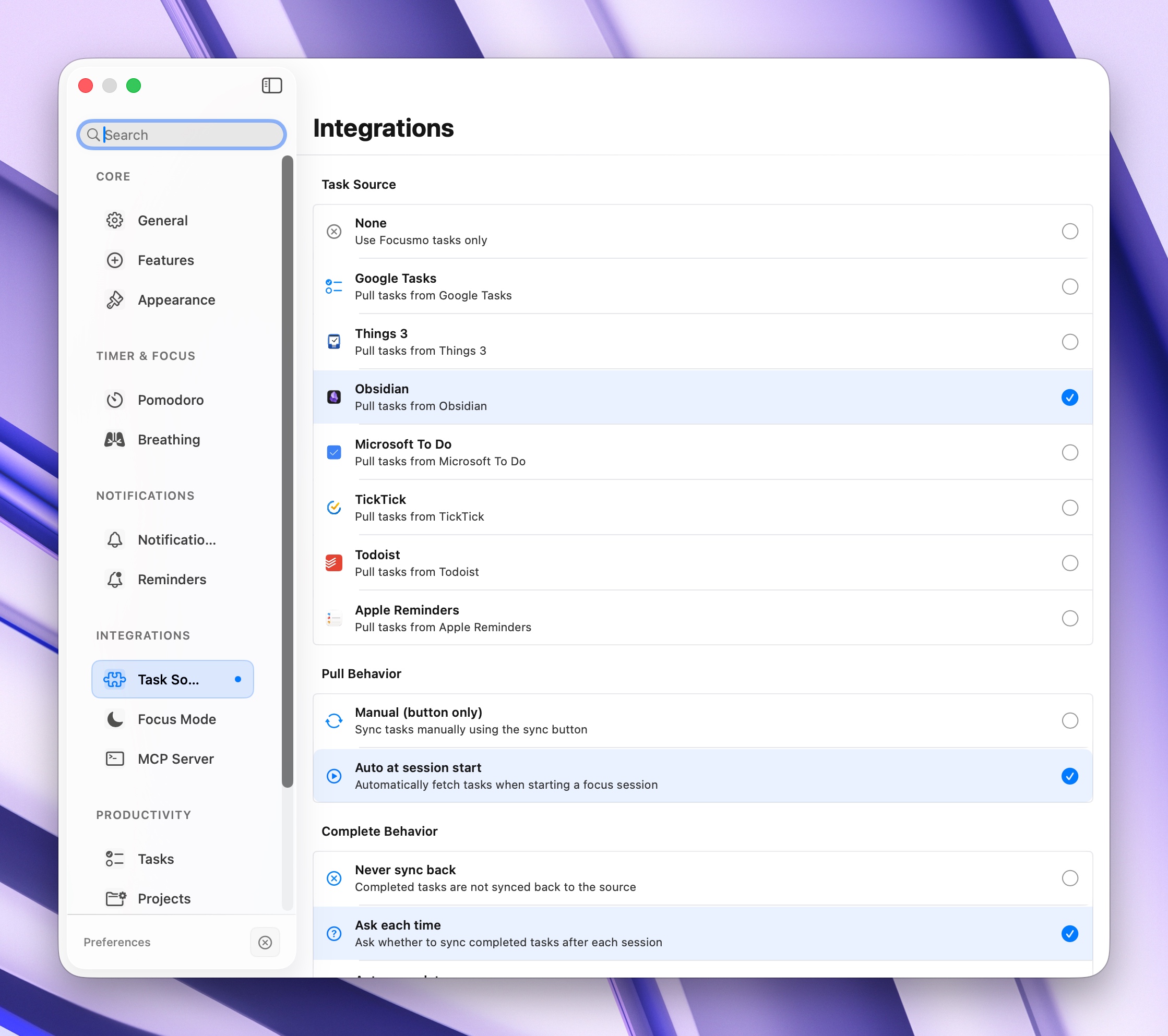
For people who juggle tasks across multiple apps
Pull tasks from your favorite task manager
Connect Todoist, Things 3, TickTick, Apple Reminders, or Microsoft To Do — then focus on tasks inside Focusmo with two-way completion sync.
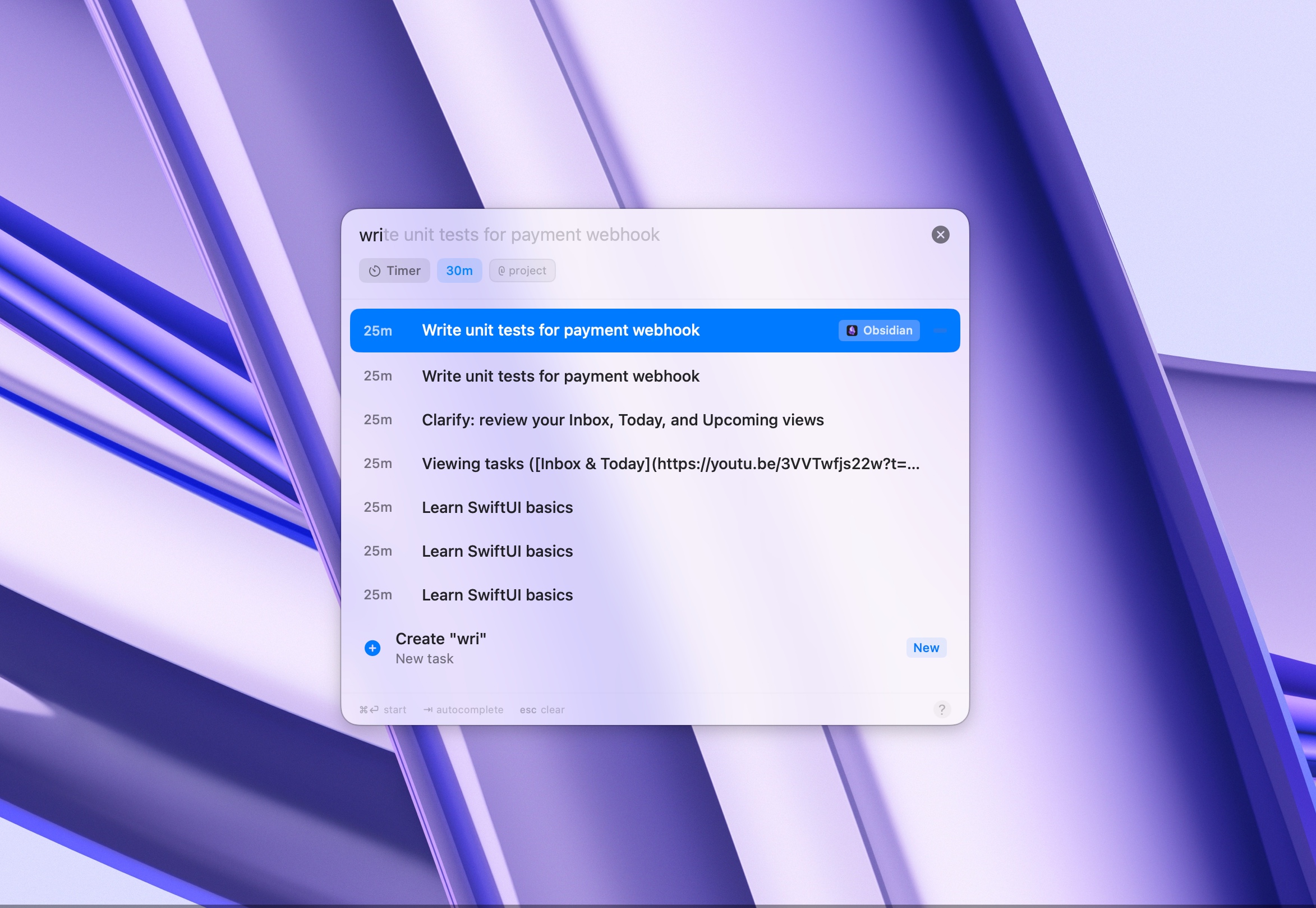
For anyone who wants to capture tasks instantly
Capture tasks from anywhere with one shortcut
Press a global keyboard shortcut to add a task from any app. Then pick one and start focusing — no context switching required.
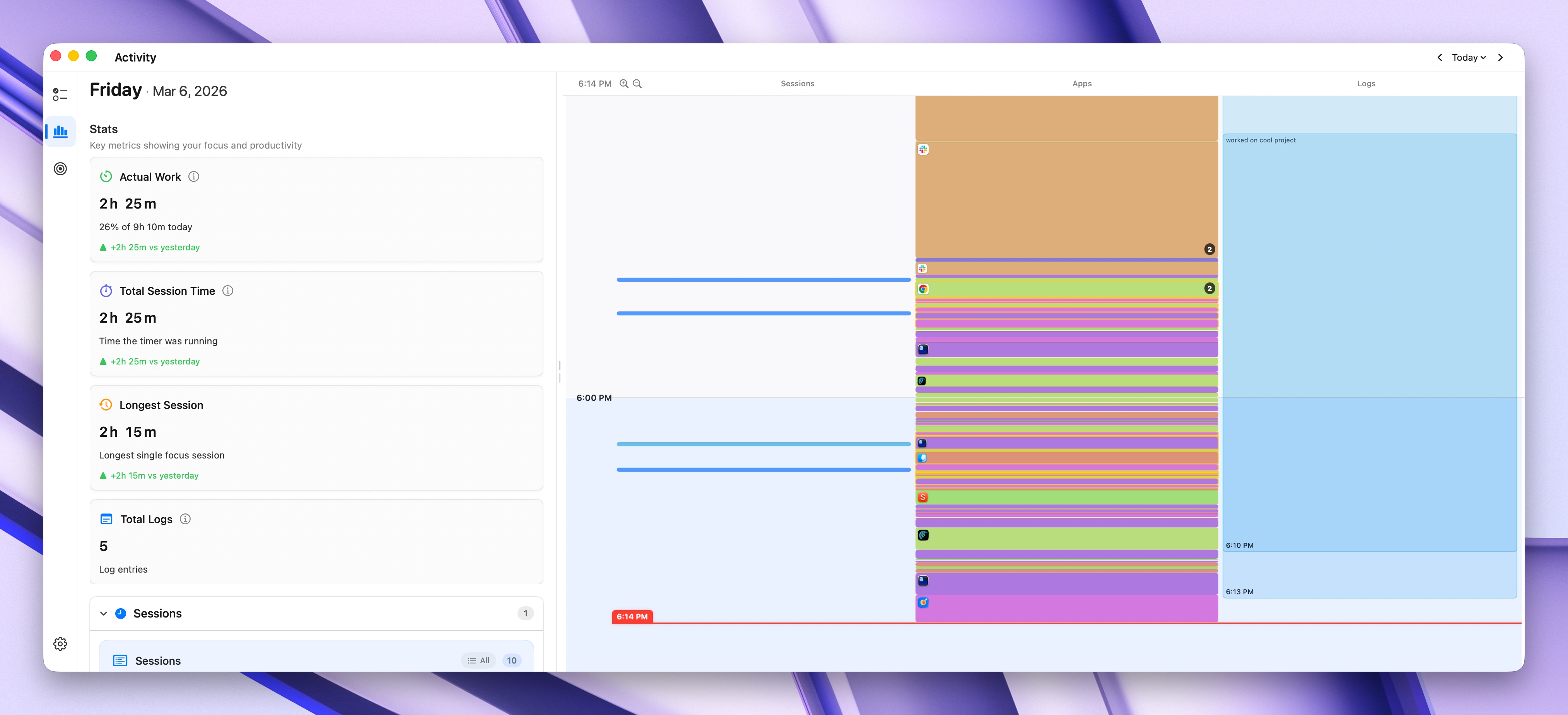
For data-driven professionals
Understand your focus patterns with analytics
Charts and insights that show your most productive hours, session streaks, daily trends, and focus scores — so you can improve every week.
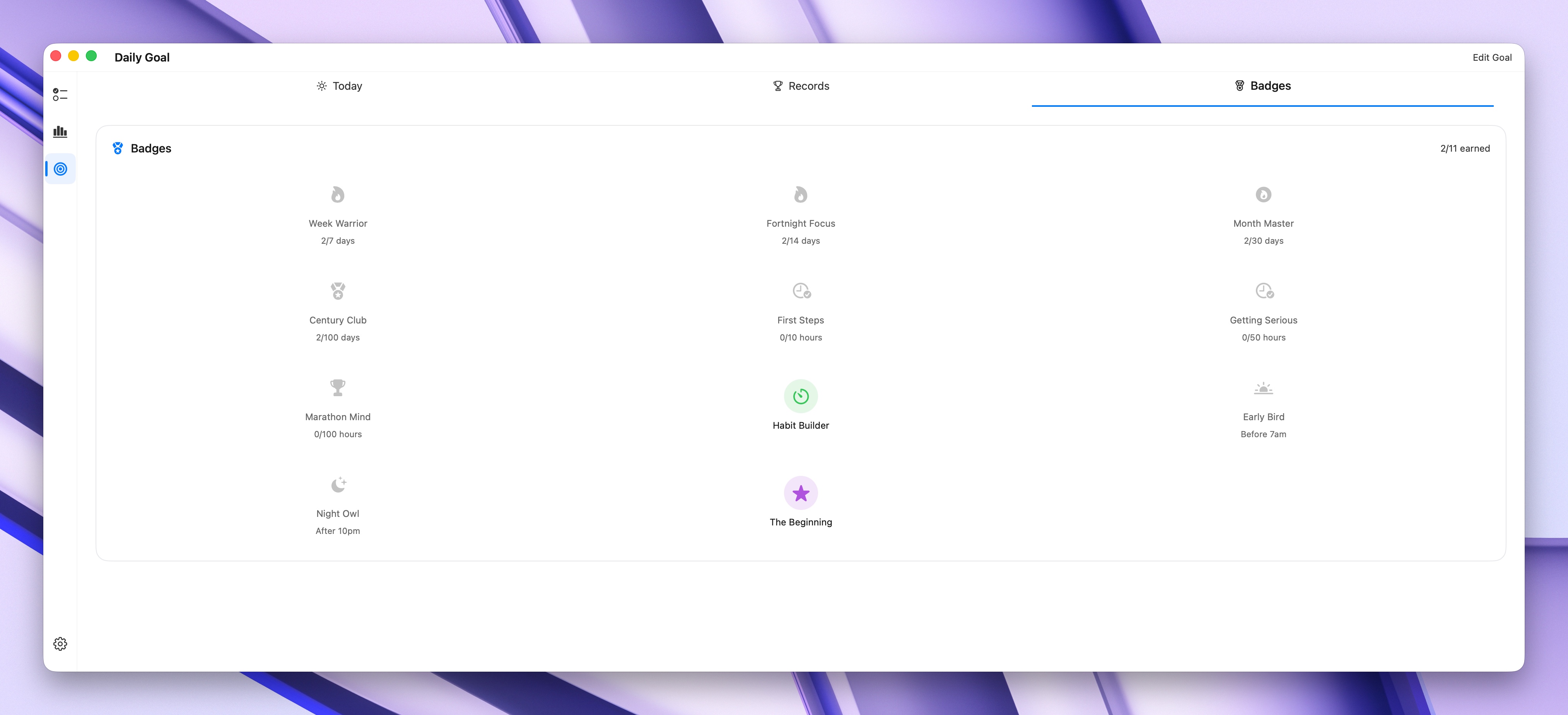
For people who need motivation to keep going
Badges, streaks, and daily goals keep you motivated
Earn focus badges, build streaks, and track daily goals. A gentle gamification layer that rewards consistency without adding pressure.
For minimalists who want zero distractions
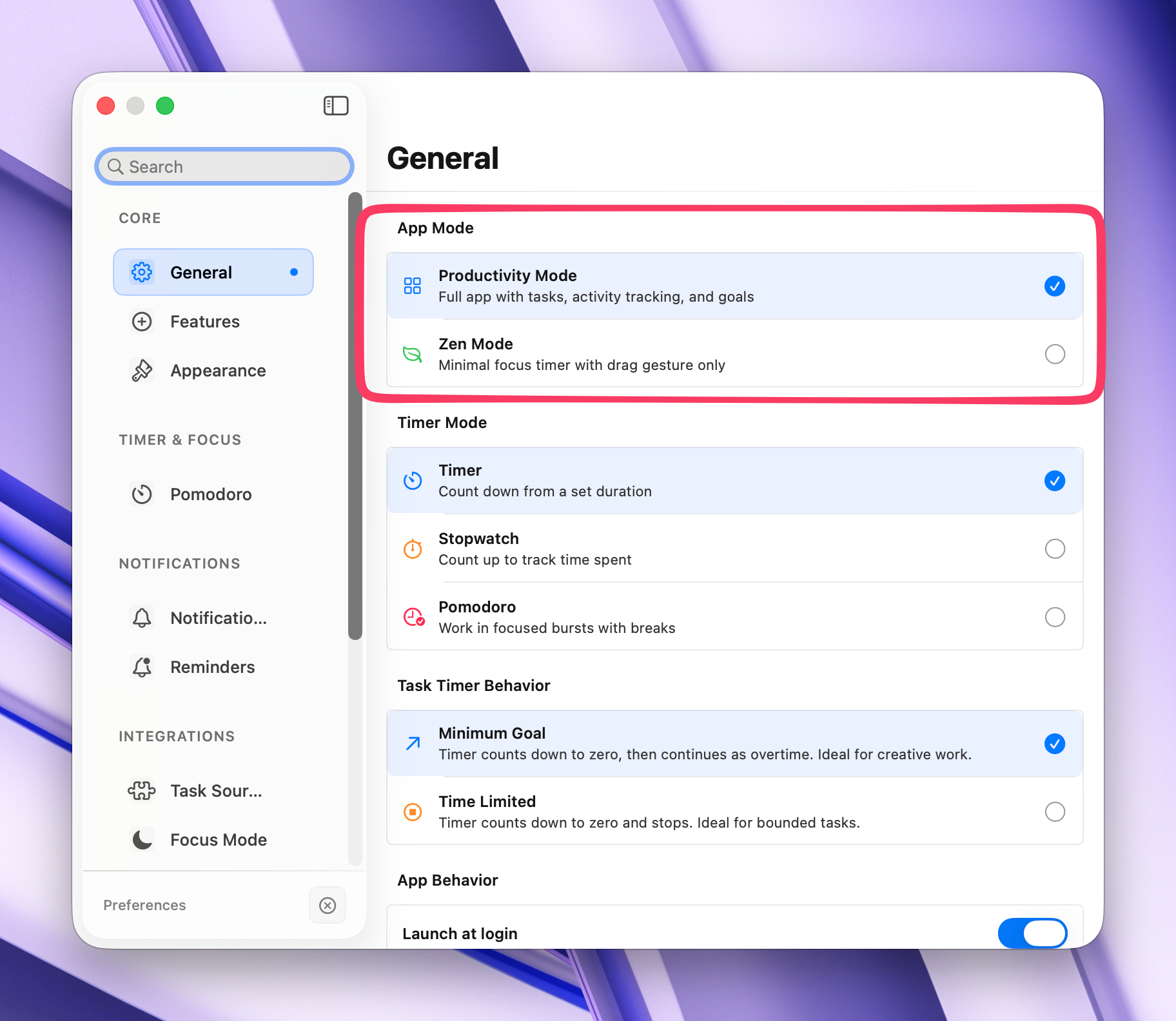
Zen Mode — just the timer, nothing else
A radically minimal focus experience. No badges, no streaks, no stats — just a clean timer and pure focus. For when you need simplicity.
For anxious minds that need to calm down before work
Guided breathing to calm your mind before focus
Start every session with a box breathing exercise. 4 seconds in, 4 hold, 4 out, 4 hold. Arrive at your work calm and centered.
For power users who want speed
Control everything from the keyboard
Global shortcuts to start/stop sessions, add tasks, toggle timers, and open the command palette — all without touching the mouse.
For people who forget to start focusing
Smart reminders nudge you at the right time
Daily reminders that prompt you to start a focus session at your most productive hours. Build a consistent routine without willpower.
For people who want quick access from the menu bar
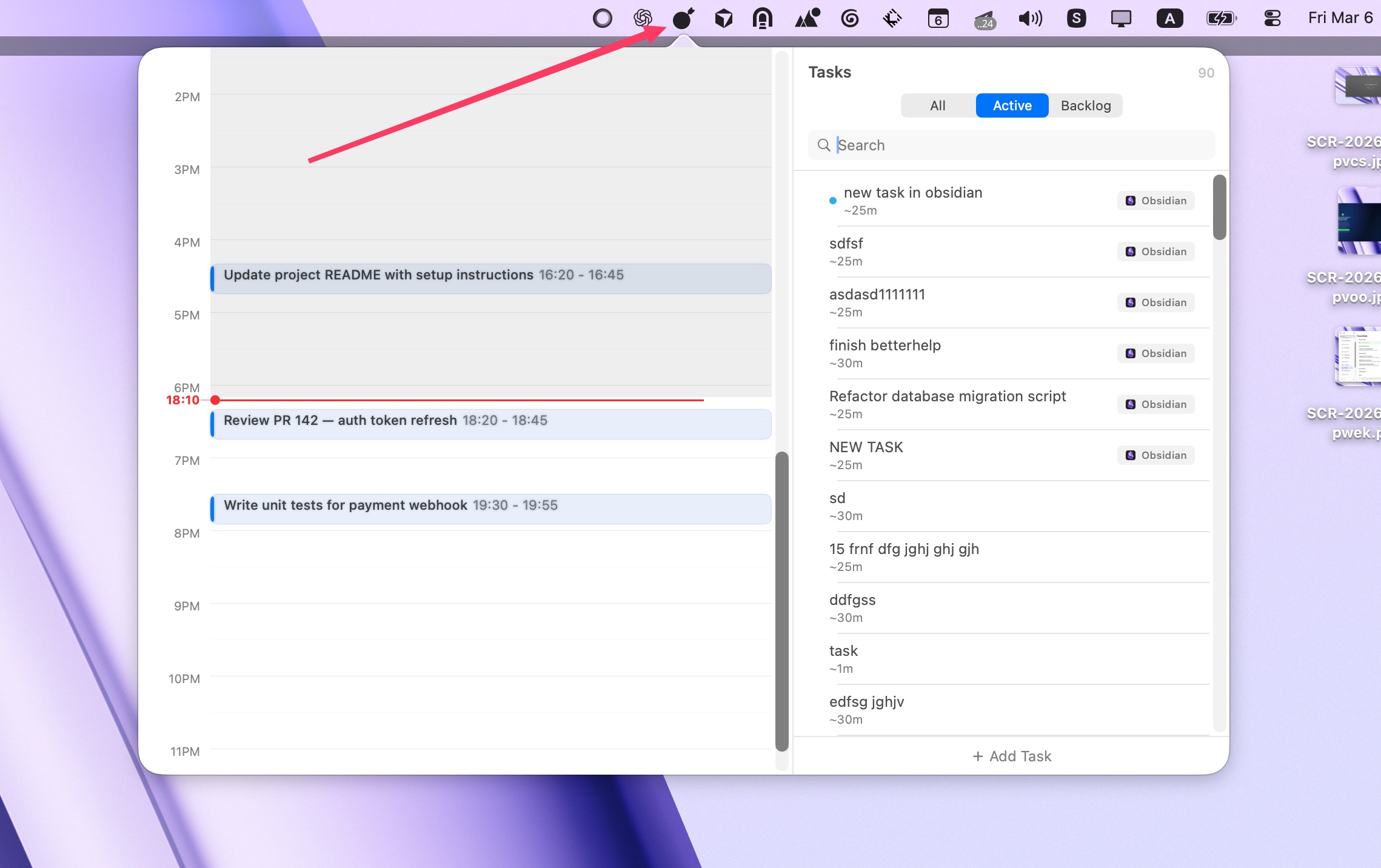
Your focus timeline lives in the menu bar
Instant access to your timeline, timer, and tasks from the macOS menu bar. Hide the dock icon and keep Focusmo out of the way until you need it.
For people who want Focusmo to look and feel their way
Custom themes, colors, and timer styles
Personalize Focusmo with custom accent colors, timer styles, progress bars, and notification preferences. Make it truly yours.
For freelancers tracking billable hours
Auto-log every session to Apple Calendar
Zero-effort time tracking. Every focus session gets logged to your calendar automatically — so you always have a record of where your time went.
For AI-powered workflows
Connect Focusmo to Claude and other AI tools via MCP
Focusmo includes a Model Context Protocol (MCP) server — letting AI assistants like Claude read your focus data, start sessions, and help you plan your day automatically.