
Claude AI (MCP Server)
Let Claude coach you with your real focus data — running entirely on your Mac.
Focusmo ships a local MCP server (Model Context Protocol) that connects Claude to your focus data. Instead of generic productivity advice, Claude sees your actual habits — today's stats, weekly trends, your task list, app usage — and coaches accordingly.
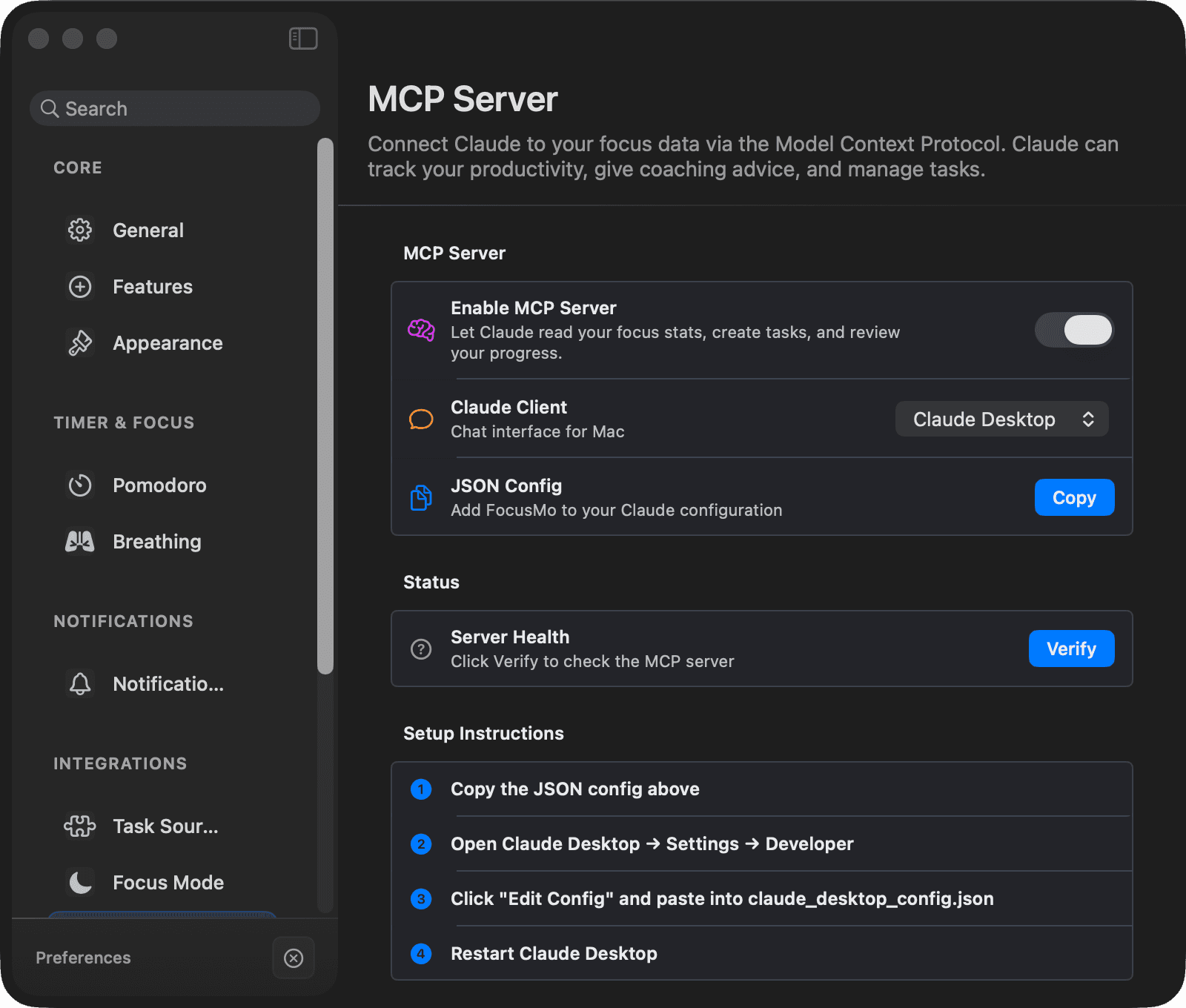
Setup
Open Settings → Integrations → MCP Server, turn on Enable MCP Server, and pick your client:
Claude Desktop
- Click Copy — this copies a JSON config snippet.
- In Claude Desktop: Settings → Developer → Edit Config.
- Paste the snippet into
claude_desktop_config.jsonand restart Claude Desktop.
Claude Code
- Click Copy — this copies a terminal command like
claude mcp add focusmo <path>. - Run it in Terminal.
- Start a new conversation.
The settings page also has a Verify button (Server Health) that confirms the MCP binary and license file are in place.
What Claude can see
All read locally from your Mac:
- Today's stats — focus time, sessions, tasks completed
- Weekly trends — 7-day breakdown and your streak
- Your task list — current tasks and their states
- App usage — today's apps and websites with productivity categories and an hourly heatmap
- Personal records and live session state
A compact get_summary tool returns a ~200-token overview so long coaching conversations stay lean.
What Claude can do
With Focusmo running, Claude can:
- Create tasks — with a duration and Project (it will even create the Project if needed).
- Complete tasks by name.
Guided prompts
Two built-in prompts pre-load your data for structured sessions:
- Weekly Review — walk through the past week's numbers with Claude.
- Plan My Day — turn your task list and calendar into a plan.
Privacy
The MCP server runs locally on your Mac. Focusmo sends nothing to external servers — Claude reads directly from your local database (fresh to within ~30 seconds). Reading works whenever Focusmo has been launched at least once; creating/completing tasks needs the app running.