
Projects & Blocking
Do Not Disturb Integration
Automatically silence macOS notifications during sessions and meetings.
Focusmo can drive the system-wide macOS Do Not Disturb Focus around your sessions — on when you start working, off when you finish.
This integration requires Focusmo Pro.
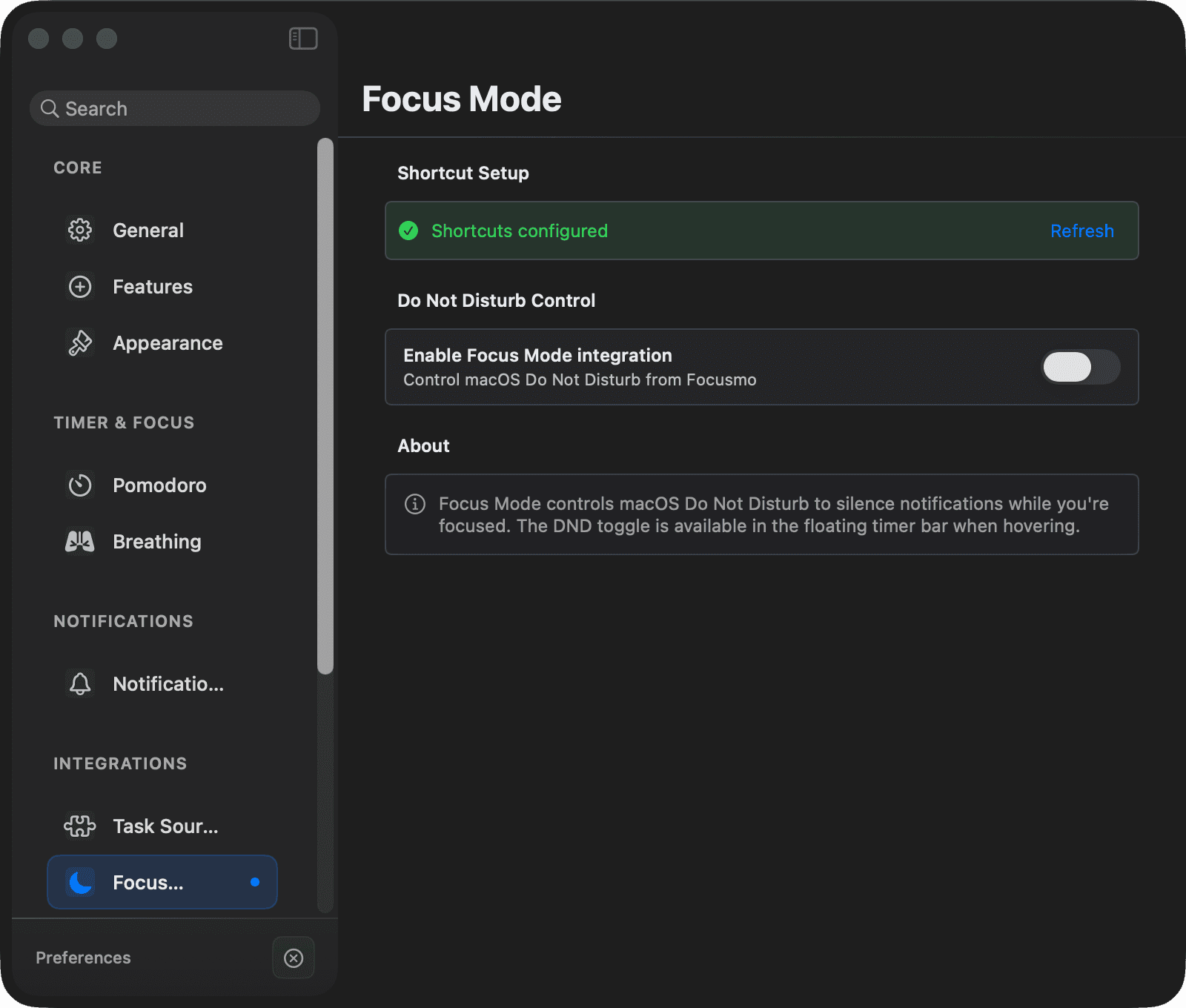
One-time setup
Focusmo controls DND through the macOS Shortcuts app. You create two tiny shortcuts once, and Focusmo runs them for you:
- Open the Shortcuts app (Focusmo's settings page has an Open Shortcuts button and a step-by-step guide with screenshots).
- Create a shortcut named exactly
Enable DNDwith a single action: Set Focus → Do Not Disturb → On. - Create a shortcut named exactly
Disable DNDwith: Set Focus → Do Not Disturb → Off. - Back in Settings → Timer → Focus Mode, the status indicator turns green once both shortcuts are detected — now you can enable the integration.
Optionally add a third shortcut, Get Current Focus, which lets Focusmo detect a Focus you already turned on yourself and avoid overriding it.
Automatic behaviors
All toggleable in Settings → Timer → Focus Mode:
| Behavior | Default |
|---|---|
| Enable DND during focus sessions | On |
| Disable DND when the session ends | On |
| Enable DND during calendar meetings (requires Calendar permission) | Off |
Plus two things that just work:
- Pomodoro-aware — DND lifts during breaks and re-engages when work resumes.
- Stuck-DND recovery — if Focusmo ever quit unexpectedly with DND left on, it detects and clears it on the next launch or wake, and lets you know.
Manual control
A DND toggle appears on the floating timer when you hover over it, and there's a Turn On/Off button in Settings → Timer → Focus Mode.