

Command Palette for Lightning-Fast Task Management
Find anything instantly with fuzzy search, natural language input, and keyboard-first navigation
Stop hunting through menus and settings. Access your entire focus workflow in milliseconds with Focusmo's Command Palette. Inspired by developer tools and designed for power users, it brings instant search, fuzzy matching, and keyboard-first navigation to your productivity workflow.
Press ⌘K to search across 80+ settings, start tasks with natural language like "30m" or "1.5h", and navigate entirely by keyboard with J/K/Enter shortcuts.

Focusmo is my go-to tool for staying focused ;). When I need to dive into deep work like research, brainstorming, or creative tasks, I start by making a simple commitment to myself: 'I'll dedicate an hour to this.

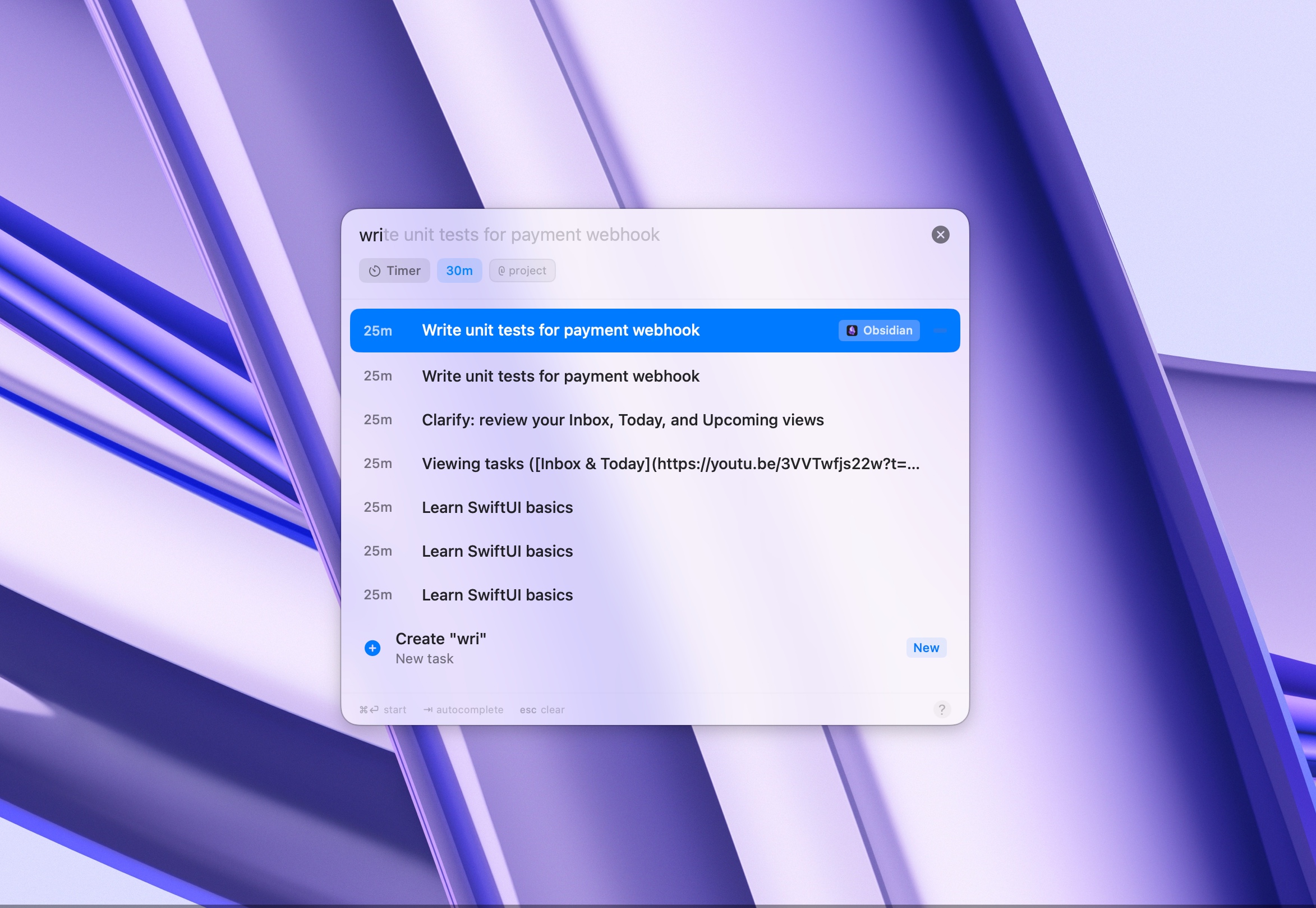
Fuzzy Search Finds Anything Instantly
Type what you remember, not what it's called. Our intelligent fuzzy matching searches across 80+ settings, tasks, and features to find exactly what you need—even with typos or partial matches.
Search for "notif" to find notification settings, "dark" for appearance options, or "pomo" for Pomodoro timer. The Command Palette understands context and ranks results by relevance, so your most-used actions are always at the top.
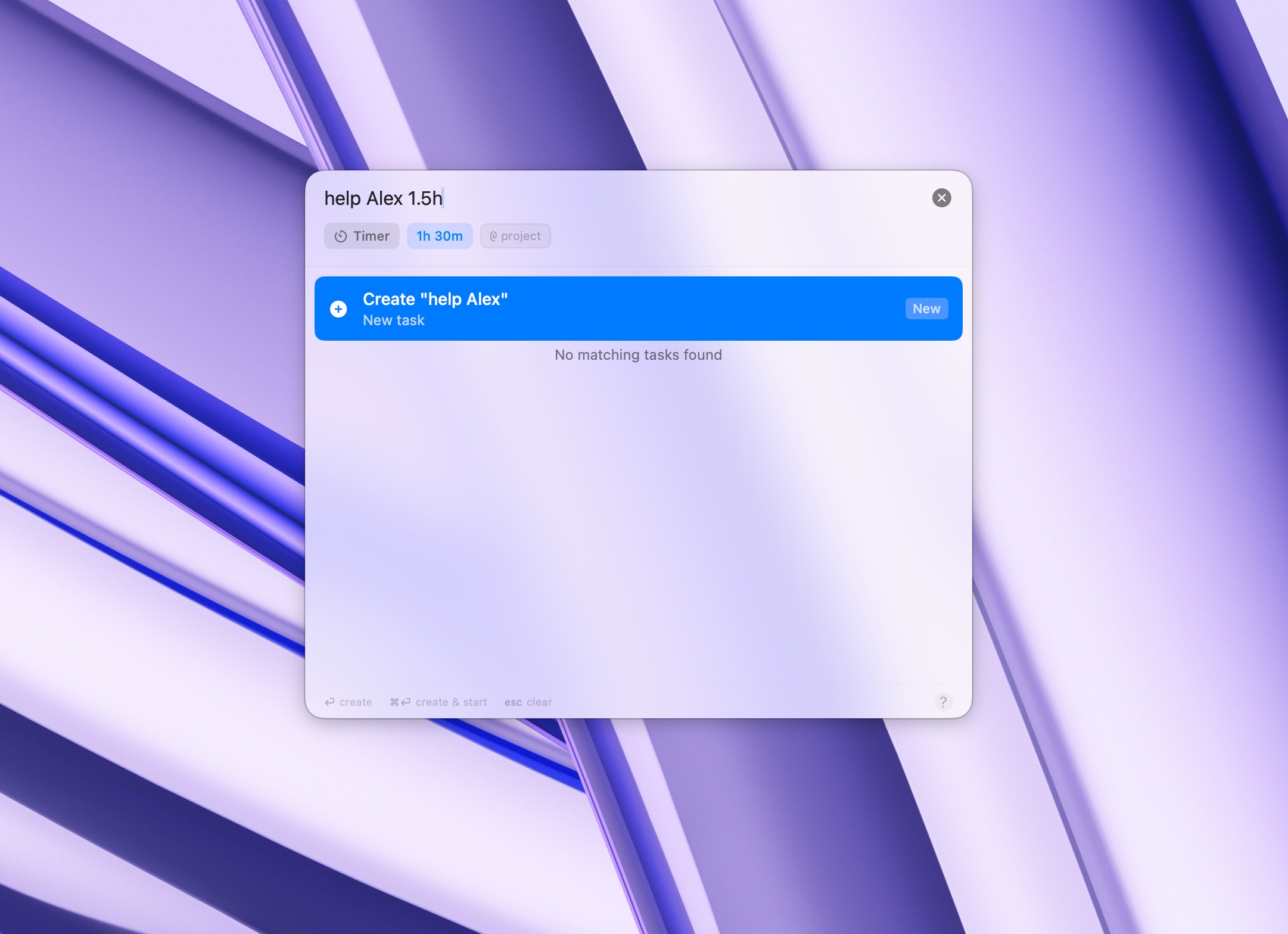
Natural Language Duration Input
Forget about clicking spinners or selecting from dropdowns. Type durations the way you think: "30m" for 30 minutes, "1.5h" for an hour and a half, or even "2 hours" spelled out.
The Command Palette instantly parses your input and starts your focus session without breaking your flow. Whether you're a "90m" person or a "1h 30min" person, it understands your preference.
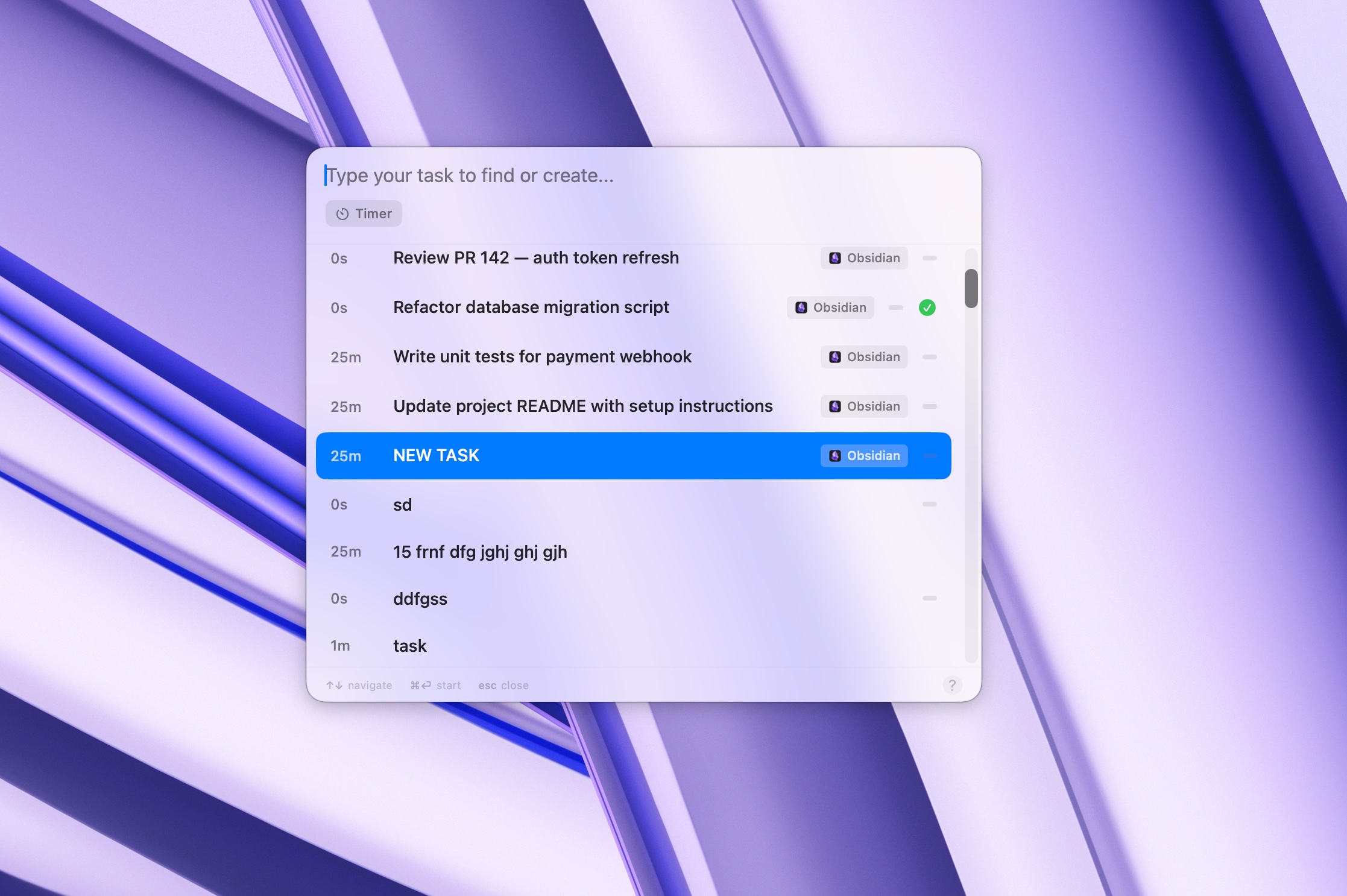
Keyboard-First Design for Power Users
Navigate your entire workflow without touching the mouse. Use J/K to move through results like Vim, Enter to select, C to create new tasks, and E to edit existing ones.
Every action has a keyboard shortcut, and the Command Palette displays them inline so you can learn as you go. Built for developers and power users who think in keystrokes, not clicks.
I'm neurodivergent so I am not good at tracking time and tend to hyper focus and work longer than I should. The prompts are great because it makes me stop every 30 minutes and check in and see if I'm being productive, plan for the next block of time, and then have a reference to look back at how I'm spending my time. I run my own business so I tend to overwork. This kind of data helps me to see where my time is best spent and how to be more efficient.

Complete Keyboard Control
Command Palette + Keyboard Shortcuts = Unstoppable Workflow
The Command Palette isn't just fast—it's the central hub for your entire productivity system. Combined with global keyboard shortcuts, quick access widgets, and floating timer controls, you have complete command over your focus sessions without ever breaking flow.
Press ⌘K to search, ⌘Space for quick access, and control your active timer with shortcuts—all while keeping your hands on the keyboard where they belong.
Global Keyboard Shortcuts
Quick Access Menu
Floating Timer Controls
What people say
Reviews from people who run their workday in Focusmo.
Keeps the day's plan in one place
Keeps the current task in view
Shows where the hours went
Among all the focus-oriented apps I've tried, this one stands out as my favorite. The developer is highly responsive.

Garratt Grenier
Senior Area Manager
Focusmo is my go-to tool for staying focused. When I need to dive into deep work, I start by making a simple commitment.
Frank Mattes
Thought Leader & Author
Questions
Short answers. For anything else, write to us.
Plan. Focus. See where your day went.
Free on macOS 14 or later. Pro from $4.99 a month.
Not a Mac user?
Focusmo is a Mac app for now.
Leave your email and we will write when Windows is ready.