
Notification Styles
Alerts That Respect Your Focus
Choose from various notification styles to match your work preferences, including subtle alerts and fullscreen focus cues.

Focusmo is my go-to tool for staying focused ;). When I need to dive into deep work like research, brainstorming, or creative tasks, I start by making a simple commitment to myself: 'I'll dedicate an hour to this.

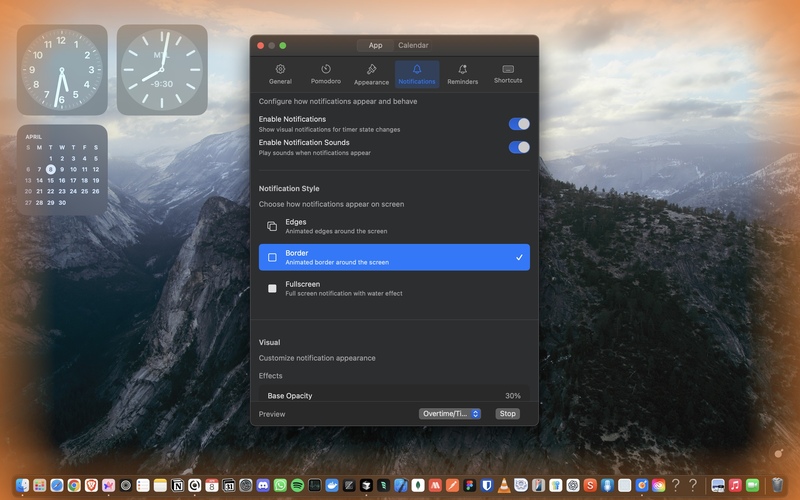
Your focus, your choice
Notifications that match your focus needs
Everyone's focus style is different. Some need prominent alerts to break hyperfocus, while others need gentle nudges that won't disrupt their flow state.
Focusmo offers multiple notification styles - from subtle unobtrusive alerts to attention-grabbing fullscreen transitions - letting you choose the right level of interruption for different situations.
Contextual awareness
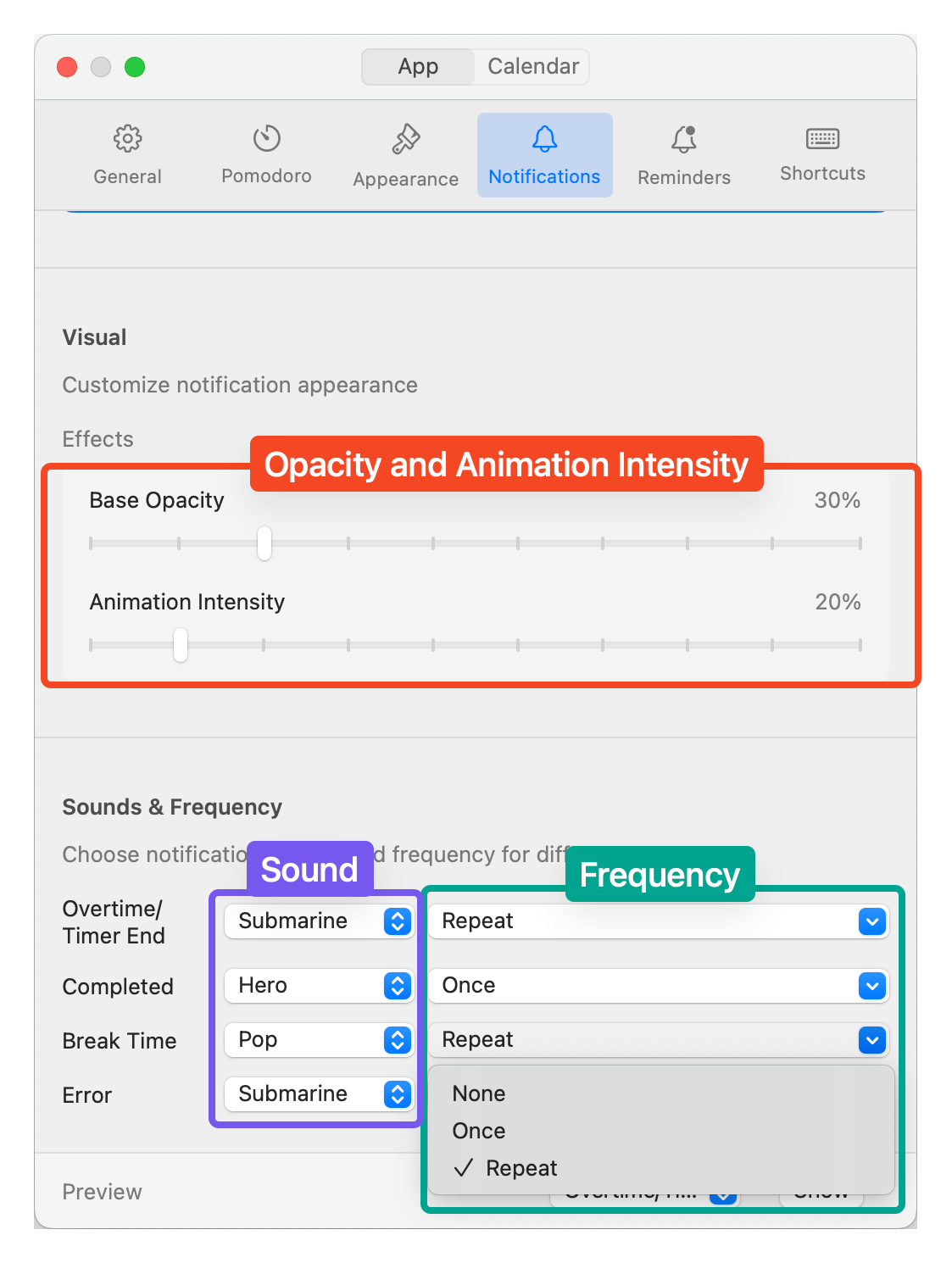
Different alerts for different contexts
Break completions might need prominent alerts, while upcoming meetings could use gentle reminders. Focusmo lets you customize notifications for each type of event.
Set more noticeable alerts for critical events like meeting reminders, and subtle notifications for regular timer updates, creating the perfect balance for your workflow.
Attention harmony
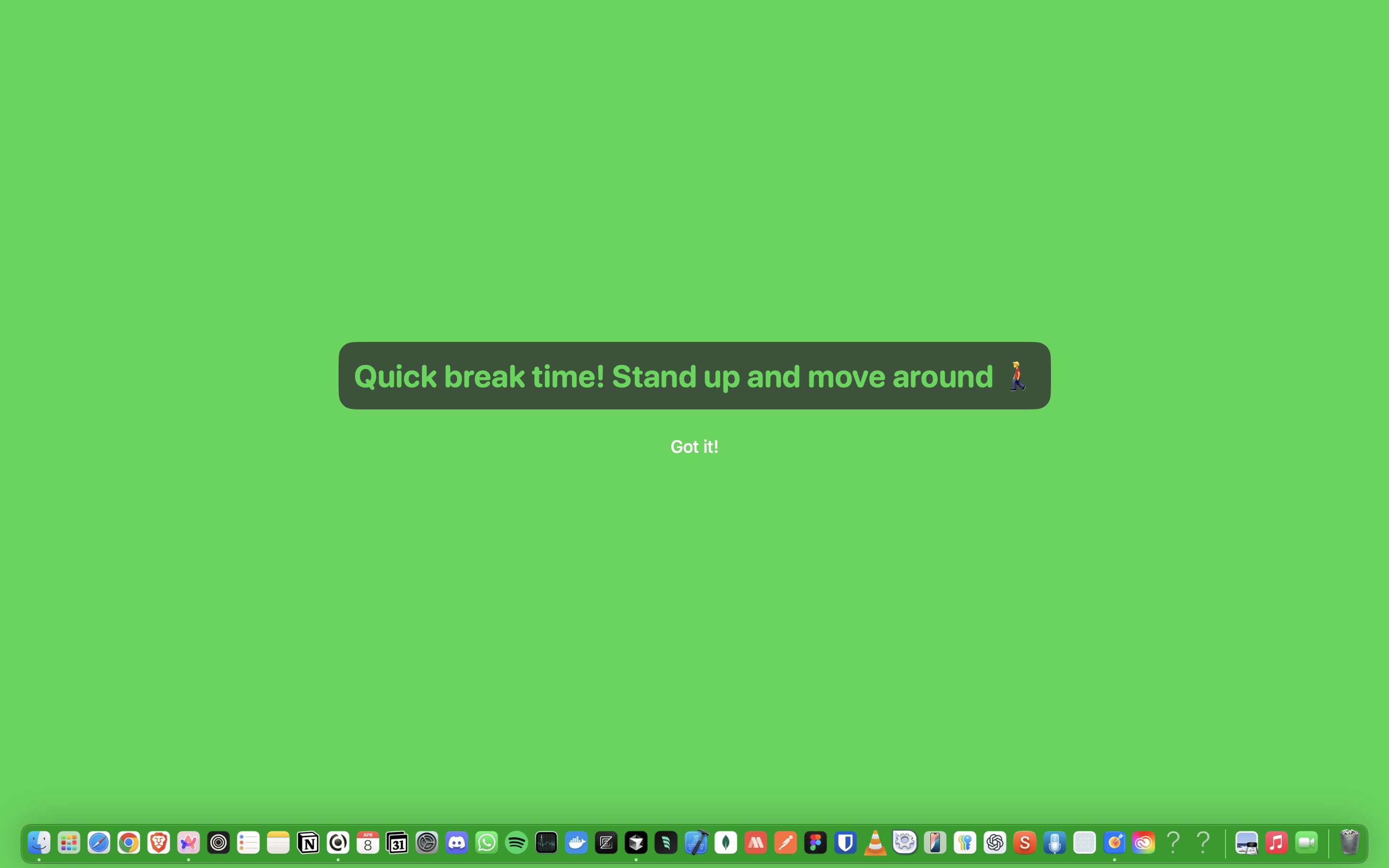
Find your perfect notification balance
Too many notifications create distraction and stress, but missing important alerts disrupts your productivity. Finding the right balance is essential.
With Focusmo's customizable notification system, you can fine-tune exactly when, how, and for what you receive alerts, creating an environment that keeps you informed without overwhelming your attention.
What people say
Reviews from people who run their workday in Focusmo.
Keeps the day's plan in one place
Keeps the current task in view
Shows where the hours went
I'm neurodivergent so I am not good at tracking time. The prompts are great because it makes me stop every 30 minutes and check in and see if I'm being productive.

Courtney Vickery
CEO, Declet Designs
It's just handy to have an accountability buddy to remind me: just do one thing, finish this one thing, do what you said you were going to do.

Faye Campbell
motionapp.com
I am absolutely loving the experience of using the app, it has really provided exactly what I've always needed as a uni student with severe ADHD.

Jessica Anderson
Student
Focusmo has allowed me to organize tasks and manage my time more effectively while also keeping health and mental breaks in mind. The timer and break reminders have been extremely effective.

Will K
Web Engineer/Architect
Questions
Short answers. For anything else, write to us.
Plan. Focus. See where your day went.
Free on macOS 14 or later. Pro from $4.99 a month.
Not a Mac user?
Focusmo is a Mac app for now.
Leave your email and we will write when Windows is ready.