Connect Your Favorite Task Manager
Two-Way Sync with Todoist, Things 3, TickTick, Apple Reminders & Microsoft To Do
Stop switching between apps. Pull tasks directly from Todoist, Things 3, TickTick, Apple Reminders, or Microsoft To Do into Focusmo. Start focus sessions on your existing tasks and enjoy two-way completion sync that keeps everything in perfect harmony.
It's simple and extremely effective in keeping me on track and not getting distracted by 20 different tasks. And as a bonus, the creator is very responsive and actively working on improving the app.

Most Popular
Todoist Integration
Connect your Todoist account with secure OAuth authentication and pull tasks into Focusmo with all their metadata intact. Projects, labels, priorities, and due dates sync automatically. Filter by specific projects or labels to focus on what matters most. When you complete a task in Focusmo, it marks as complete in Todoist instantly. Perfect for power users who live in Todoist but need dedicated focus time.
Apple Ecosystem
Things 3 Integration
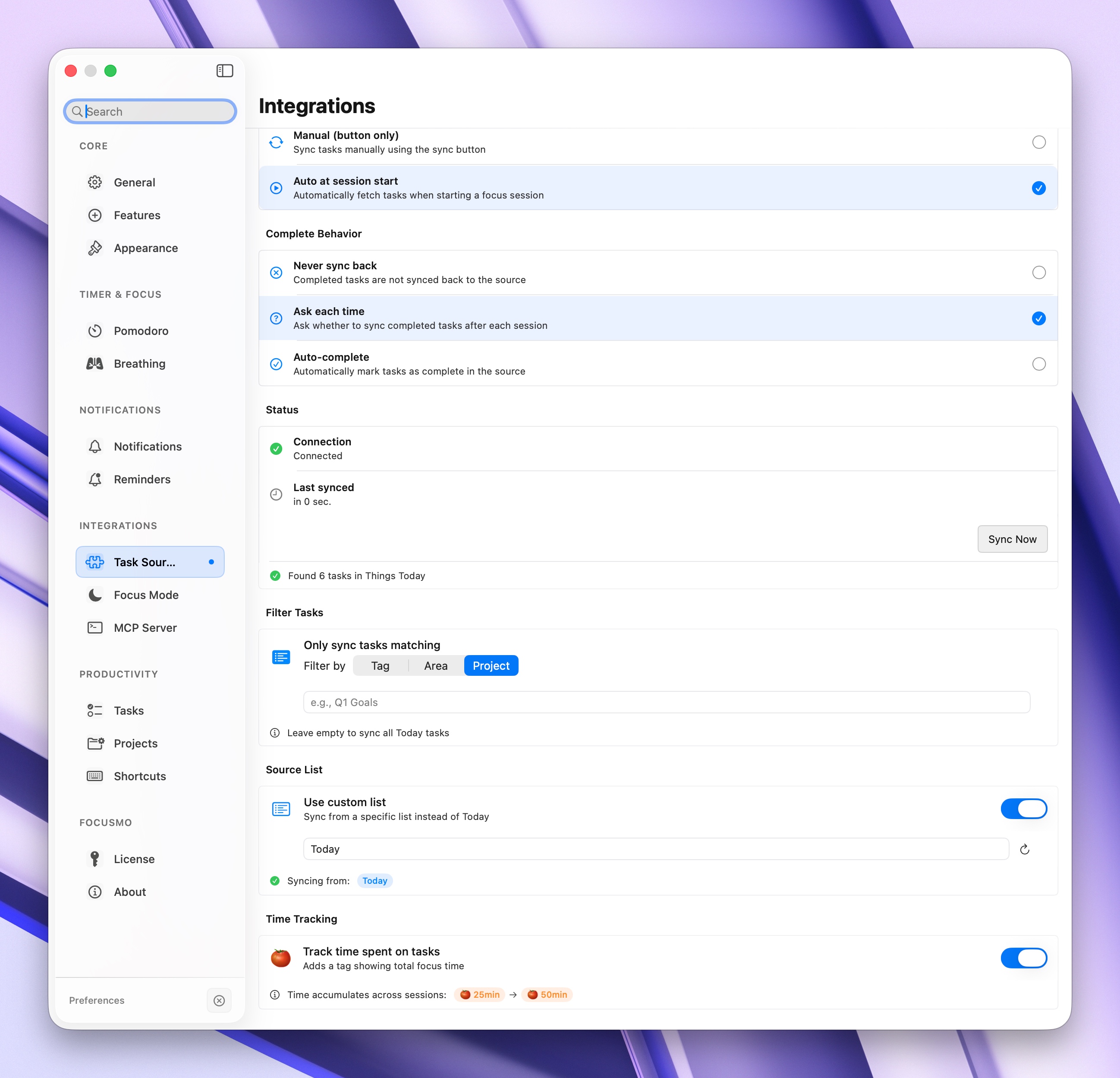
Native integration with Things 3 brings your tasks, projects, and areas into Focusmo. Pull tasks from specific areas or projects, respecting your carefully crafted organization. Start focus sessions on Things tasks and enjoy automatic completion sync when you finish. Focusmo respects Things' scheduling system, showing tasks that are due today or upcoming based on your Things configuration.
Time Tracking
TickTick Integration
TickTick users get full bidirectional sync with tags, folders, and priority levels. Pull tasks from specific lists or folders and filter by tags to create focused work sessions. OAuth authentication ensures secure access to your TickTick account. Completions sync back in real-time, and time tracking data can optionally be sent to TickTick for comprehensive productivity analytics.
Native Integration
Apple Reminders Integration
Built-in Apple Reminders integration works natively on macOS with no authentication required. Pull reminders from specific lists, respect priorities, and sync completions back automatically. Perfect for users who prefer Apple's native ecosystem. Filter by list or tag, and enjoy offline-first sync that works even when you're disconnected from the internet.
Enterprise Ready
Microsoft To Do Integration
Connect your Microsoft To Do account via OAuth and bring your tasks, lists, and categories into Focusmo. Filter by specific lists or importance levels to focus on high-priority work. Two-way sync ensures that completions in Focusmo mark tasks as done in Microsoft To Do instantly. Great for enterprise users and Microsoft 365 subscribers who rely on To Do for task management.
Y'all need to try this thing called Focusmo. It's crazy how simple it is but how much it helps me focus.
Unified Workflow
One Focus Timer, All Your Tasks
Focusmo acts as your unified focus layer across all task managers. No need to migrate or duplicate tasks. Connect multiple accounts simultaneously, pull tasks from any source, and track time in one beautiful interface. All completions sync back to their original sources automatically, keeping your workflow seamless across platforms.
Floating Timer
Access synced tasks from the floating timer for quick focus sessions without opening the main app.
Learn MoreWorkspaces
Create dedicated workspaces for different projects, each pulling from specific task manager filters.
Learn MorePomodoro Timer
Use Pomodoro technique on synced tasks with automatic time tracking back to source apps.
Learn MoreWhy people love Focusmo
Hundreds of people use Focusmo every day and say it makes a real difference in their productivity
Helps focus on one task at a time
Simple and extremely effective
Significantly boosts productivity
Among all the focus-oriented apps I've tried, this one stands out as my favorite. The developer is highly responsive.
Garratt Grenier
Senior Area Manager
As an eternal task switcher, Focusmo is the first time I've been able to assign myself a task and then actually stick to it.
Nick Wolf
Australia
Focusmo is my go-to tool for staying focused. When I need to dive into deep work, I start by making a simple commitment.
Frank Mattes
Thought Leader & Author
Got Questions?
We're here to help. If you have any questions, please don't hesitate to contact us.
Not a Mac user?
We will bring Focusmo to Windows soon.
So join waitlist now.