
Global Keyboard Shortcuts
Control Focusmo From Anywhere
Access any feature instantly with customizable global keyboard shortcuts, keeping your hands on the keyboard and mind on your work.

Focusmo is my go-to tool for staying focused ;). When I need to dive into deep work like research, brainstorming, or creative tasks, I start by making a simple commitment to myself: 'I'll dedicate an hour to this.

Stay in flow
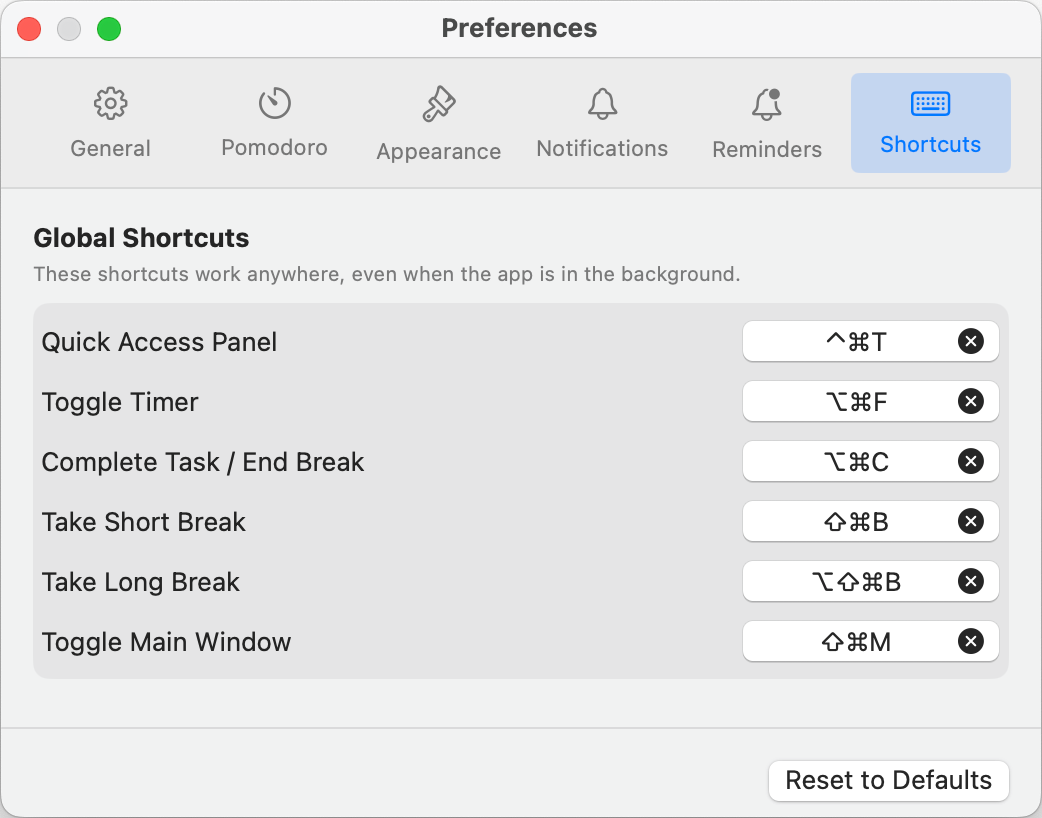
Control Focusmo without leaving your keyboard
Global keyboard shortcuts put the full power of Focusmo at your fingertips. Start, pause, or reset timers, add tasks, or open the quick access panel without ever touching your mouse.
These shortcuts work system-wide, so you can control Focusmo from any application you're working in, maintaining your flow without switching windows.
Make it yours
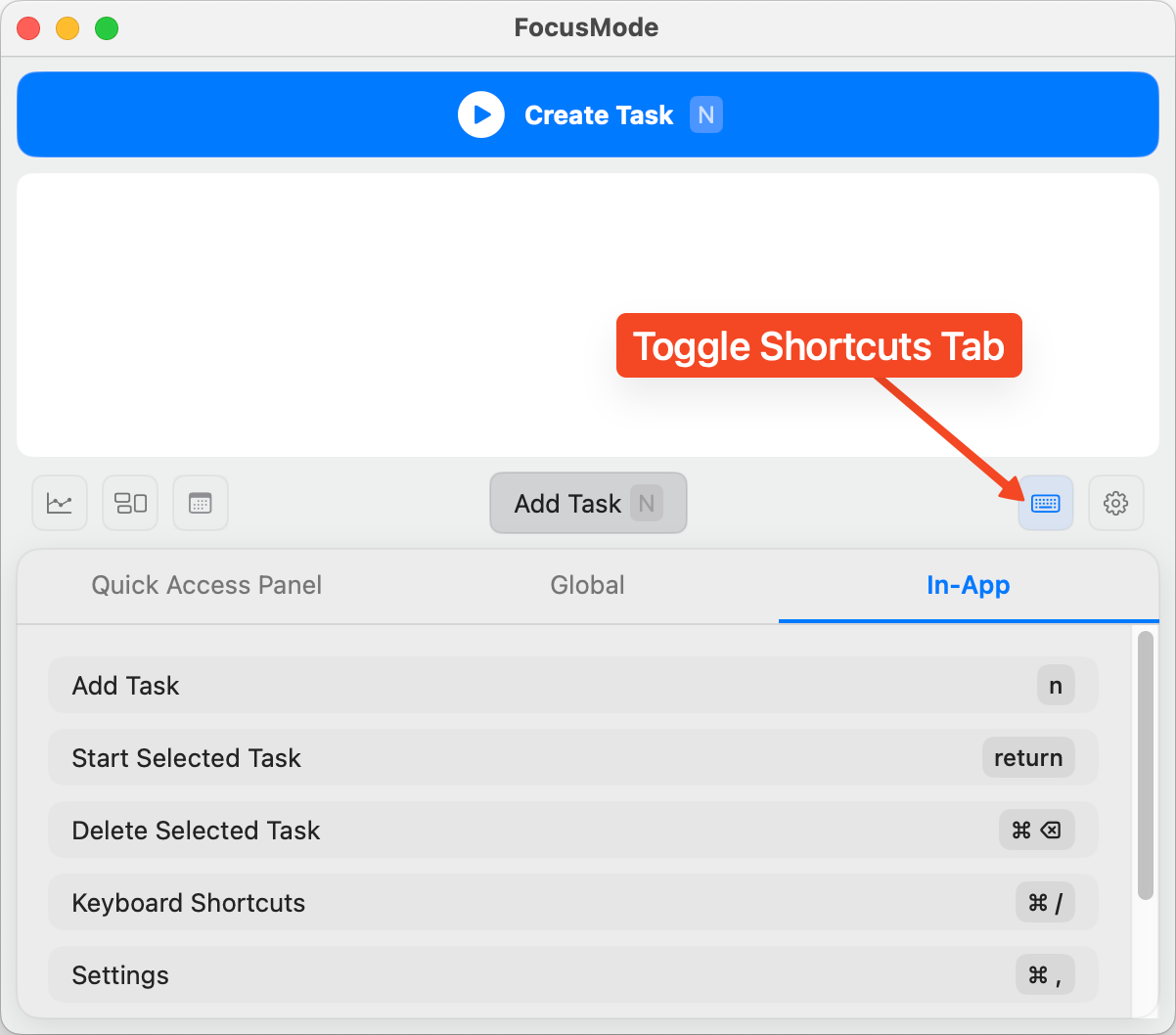
Customize every shortcut to match your workflow
Everyone's keyboard habits are different. That's why every shortcut in Focusmo can be customized to match your preferences and avoid conflicts with other applications.
Whether you prefer function keys, letter combinations, or number keys, you can create a shortcut system that feels natural and intuitive for your specific workflow.
Maximum efficiency
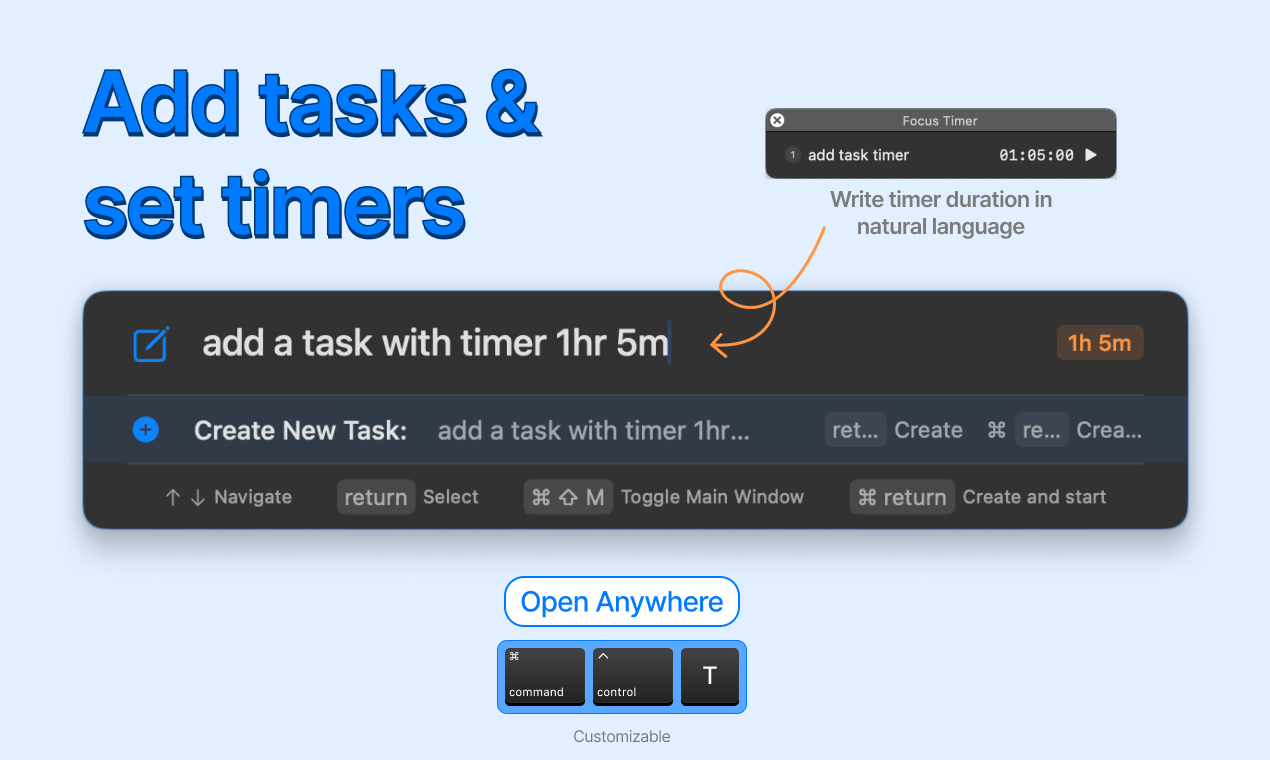
For power users who value efficiency
Every time you move your hand from keyboard to mouse, it breaks your concentration and slows you down. Our keyboard shortcuts eliminate these micro-disruptions.
With a comprehensive set of shortcuts covering every feature, you can operate Focusmo with maximum efficiency, keeping your attention on your work rather than the tool.
What people say
Reviews from people who run their workday in Focusmo.
Keeps the day's plan in one place
Keeps the current task in view
Shows where the hours went
Among all the focus-oriented apps I've tried, this one stands out as my favorite. The developer is highly responsive, actively engaging with users.

Garratt Grenier
Senior Area Manager
Focusmo has allowed me to organize tasks and manage my time more effectively while also keeping health and mental breaks in mind. The timer and break reminders have been extremely effective.

Will K
Web Engineer/Architect
As an eternal task switcher, Focusmo is the first time I've been able to assign myself a task and then actually stick to it.

Nick Wolf
Australia
I've been impressed by the efficient work and focus features provided by Focusmo. It's made such a difference in my daily productivity.

D Migoo
Questions
Short answers. For anything else, write to us.
Plan. Focus. See where your day went.
Free on macOS 14 or later. Pro from $4.99 a month.
Not a Mac user?
Focusmo is a Mac app for now.
Leave your email and we will write when Windows is ready.