
Your focus tools,
always one click away
Access Focusmo instantly from your Mac menu bar — start tasks, check your timeline, and manage focus without breaking your flow.

Focusmo is my go-to tool for staying focused ;). When I need to dive into deep work like research, brainstorming, or creative tasks, I start by making a simple commitment to myself: 'I'll dedicate an hour to this.

Instant Access Without the Context Switch
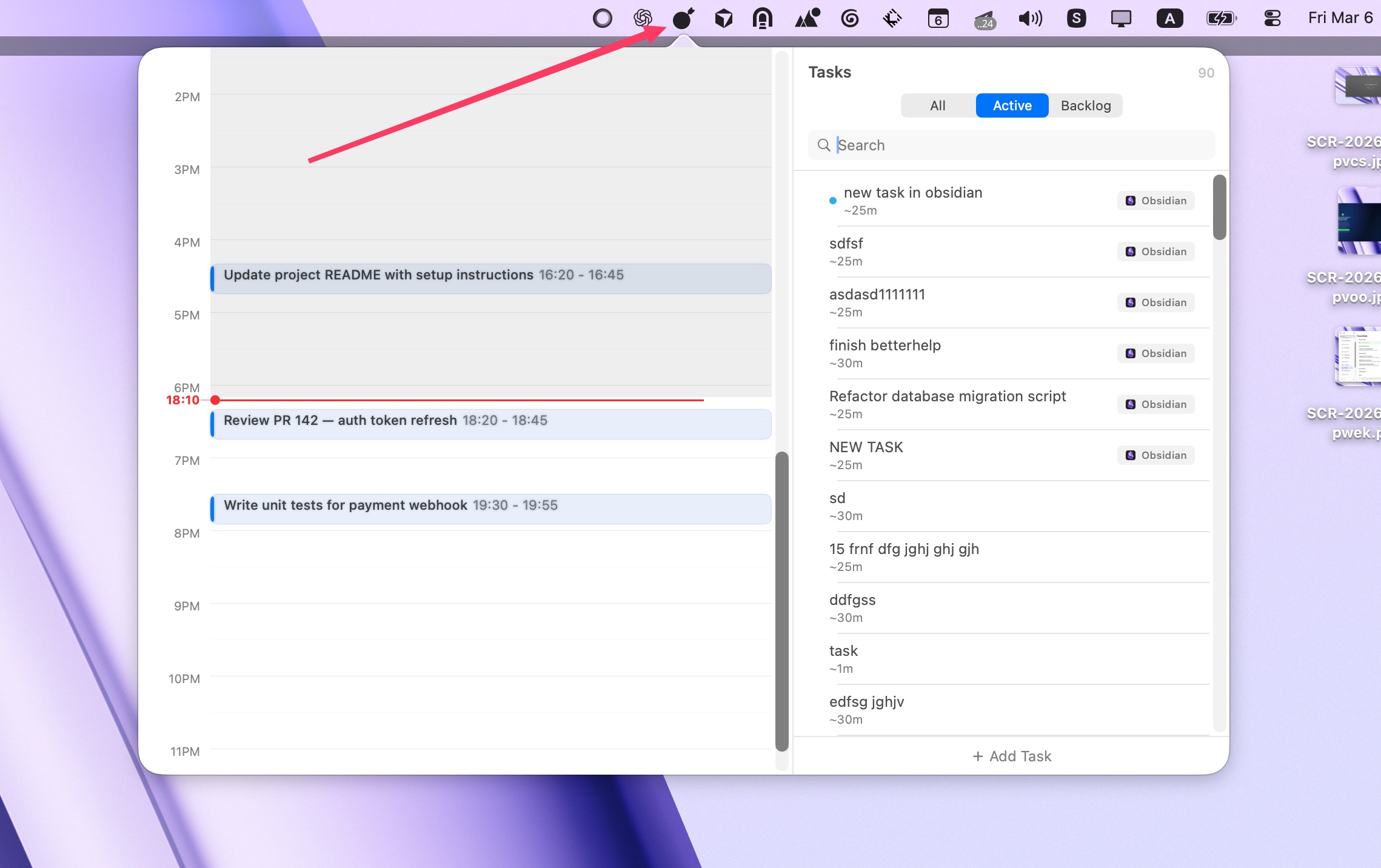
Stop breaking your concentration to manage your focus app. With Focusmo in your menu bar, everything you need is always one click away. Check your timeline, start a new task, or see how much time is left—all without switching windows or losing your place.
The menu bar interface is designed for speed. Every action is optimized to take seconds, not minutes. Your focus tools should help you stay focused, not distract you from your work.
Your Timeline at a Glance
See your entire day's focus history without opening the full app. The menu bar dropdown displays your timeline with completed tasks, ongoing sessions, and upcoming plans—all in a clean, scannable format.
Track your productivity patterns at a glance. See how long you've been focused today, what you've accomplished, and what's coming next. Your progress is always visible, helping you stay motivated and accountable throughout your day.
Start Tasks Without Switching Apps
Need to start a focus session? Just click the menu bar icon and select a task. No need to open the full application, navigate through menus, or break your current workflow. Start focusing in seconds.
The menu bar interface includes smart task suggestions based on your recent work and current context. Your most relevant tasks are always at the top, making it effortless to maintain your focus rhythm throughout the day.
One thing that gets me to use an app more is how frictionless the experience is and Focusmo, is a game-changer at that.

Seamless Integration
A Complete Focus System, Right in Your Menu Bar
The menu bar app isn't just a shortcut—it's a full-featured focus interface designed for quick access. Combined with Focusmo's other productivity tools, you get a complete system that adapts to how you work.
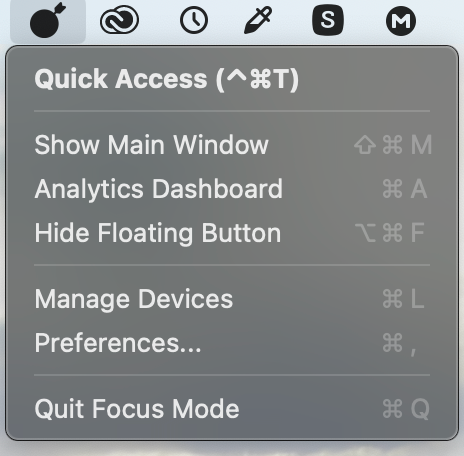
Control your floating timer, use keyboard shortcuts for even faster access, and leverage quick access features—all from the convenience of your menu bar. Your entire focus toolkit is always available, never intrusive.
Floating Timer
Quick Access
Keyboard Shortcuts
What people say
Reviews from people who run their workday in Focusmo.
Keeps the day's plan in one place
Keeps the current task in view
Shows where the hours went
It's just handy to have an accountability buddy to remind me: just do one thing, finish this one thing.

Faye Campbell
motionapp.com
I've been impressed by the efficient work and focus features provided by Focusmo. After using it, I've felt the great help it has provided.

D Migoo
Questions
Short answers. For anything else, write to us.
Plan. Focus. See where your day went.
Free on macOS 14 or later. Pro from $4.99 a month.
Not a Mac user?
Focusmo is a Mac app for now.
Leave your email and we will write when Windows is ready.