
Capture notes and tasks
from anywhere
Focusmo's Spotlight-style Quick Access Panel lets you control everything with a single keyboard shortcut.

Focusmo is my go-to tool for staying focused ;). When I need to dive into deep work like research, brainstorming, or creative tasks, I start by making a simple commitment to myself: 'I'll dedicate an hour to this.

Preserve Mental Context
Eliminate task-switching that kills your momentum
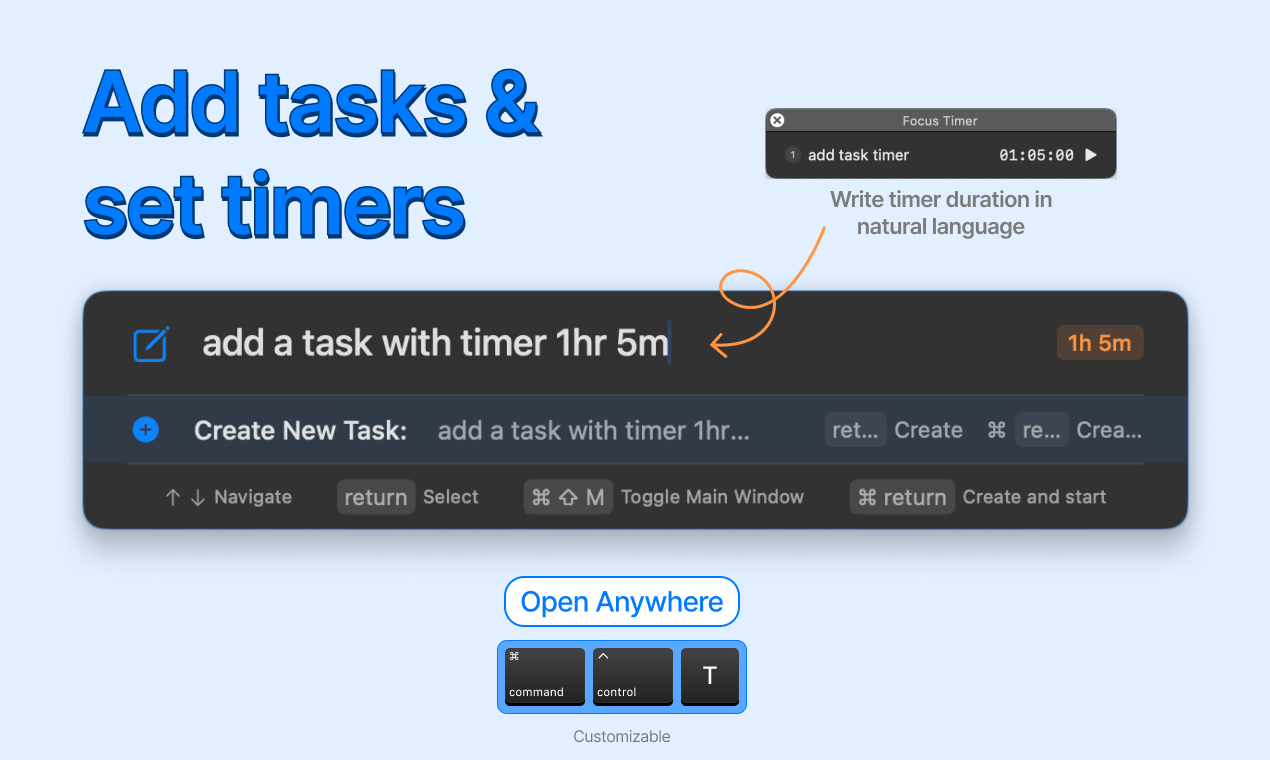
Context switching is the silent killer of deep work. Every time you interrupt your coding, writing, or designing to manage a timer or record a task, you lose valuable mental momentum that takes minutes to rebuild.
The Quick Access Panel appears instantly with a keyboard shortcut from any application, letting you capture ideas, start timers, or add tasks without ever leaving your workflow, keeping you in the productive flow state that leads to your best work.
Combat Procrastination
Beat procrastination with frictionless task capture
Procrastination thrives on friction. When capturing a new idea or a task requires multiple clicks, app switching, or complex input forms, your brain finds excuses to put it off, leading to forgotten commitments and mental clutter that impacts focus.
Keyboard-First Design
Built for keyboard-first professionals who value efficiency
For developers, writers, and power users, moving from keyboard to mouse is more than an inconvenience, it's a workflow disruption that compounds throughout your day, stealing precious minutes and breaking concentration.
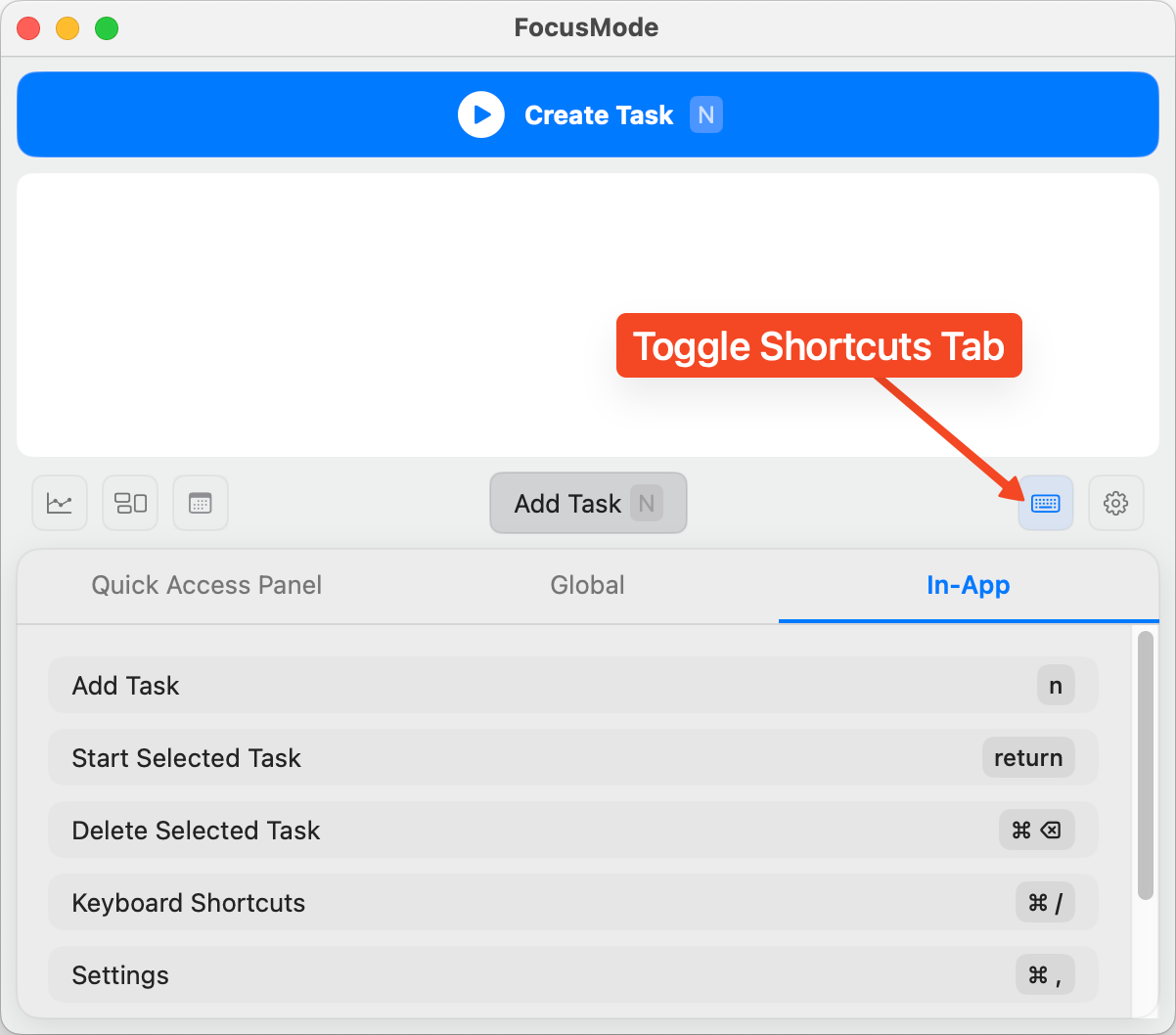
The Quick Access Panel is designed for keyboard-first interaction with fuzzy search, command completion, and arrow key navigation. Execute complex commands in seconds without hunting through menus or lifting your hands from the keyboard.
Smart NLP Technology
Natural language commands for effortless control
The Quick Access Panel understands natural language, letting you control Focusmo with simple, conversational commands. Type "start timer for 25 minutes" and watch as the system interprets your intent instantly.
I've only been using it for a couple of days, but it's just handy to have an accountability buddy to remind me: just do one thing, finish this one thing, do what you said you were going to do

What people say
Reviews from people who run their workday in Focusmo.
Keeps the day's plan in one place
Keeps the current task in view
Shows where the hours went
Focusmo is my go-to tool for staying focused ;-). When I need to dive into deep work like research, brainstorming, or creative tasks, I start by making a simple commitment to myself: 'I'll dedicate an hour to this.'
Frank Mattes
Thought Leader and Author
I've been impressed by the efficient work and focus features provided by Focusmo. After using it, I've felt the great help it has provided in improving work efficiency and managing time. It's made such a difference in my daily productivity.

D Migoo
As an avid app user who has explored thousands of applications, I often download multiple apps within a category to thoroughly test and identify the best options. Among all the focus-oriented apps I’ve tried, this one stands out as my favorite. The developer is highly responsive, actively engaging with users and implementing several suggestions to enhance the app’s functionality. This is an essential tool for anyone aiming to boost their productivity.

Garratt Grenier
Senior Area Manager Construction Products
I've been using Focusmo everyday now. The blue waves in banner really helps me visualize time especially when I am time blind, really helps the ADHD brain. I have it always visible so I get reminded constantly of my current task.
Aiden Thompson
Software Engineer
Questions
Short answers. For anything else, write to us.
Plan. Focus. See where your day went.
Free on macOS 14 or later. Pro from $4.99 a month.
Not a Mac user?
Focusmo is a Mac app for now.
Leave your email and we will write when Windows is ready.