Focusmo | One Task at a Time

Pure focus, zero noise with Zen Mode

Zen Mode is a radically minimal focus experience that strips away everything except your timer. No badges, no streaks, no celebrations — just you and your countdown. For people who find most productivity apps too noisy.

logo
Just a timer — nothing else
logo
Drag gesture to set duration
logo
Haptic feedback on every interaction
It's simple and extremely effective in keeping me on track and not getting distracted by 20 different tasks. And as a bonus, the creator is very responsive and actively working on improving the app.
Ishan Mandhan avatar
Ishan Mandhan
Software Engineer
/zen-mode/zen-minimal-timer.png

Less Is More

Most productivity apps are themselves a distraction

Badges. Streaks. Celebrations. Gamification. Most focus apps add so much visual noise that they become another source of distraction. Your brain gets pulled toward checking stats instead of doing the work.Zen Mode removes all of it. When you switch to Zen Mode, Focusmo strips down to a minimal floating timer that shows only the countdown. No task names cluttering the display, no gamification elements competing for your attention, no notifications interrupting your flow.

Intuitive Controls

Set your duration with a drag gesture
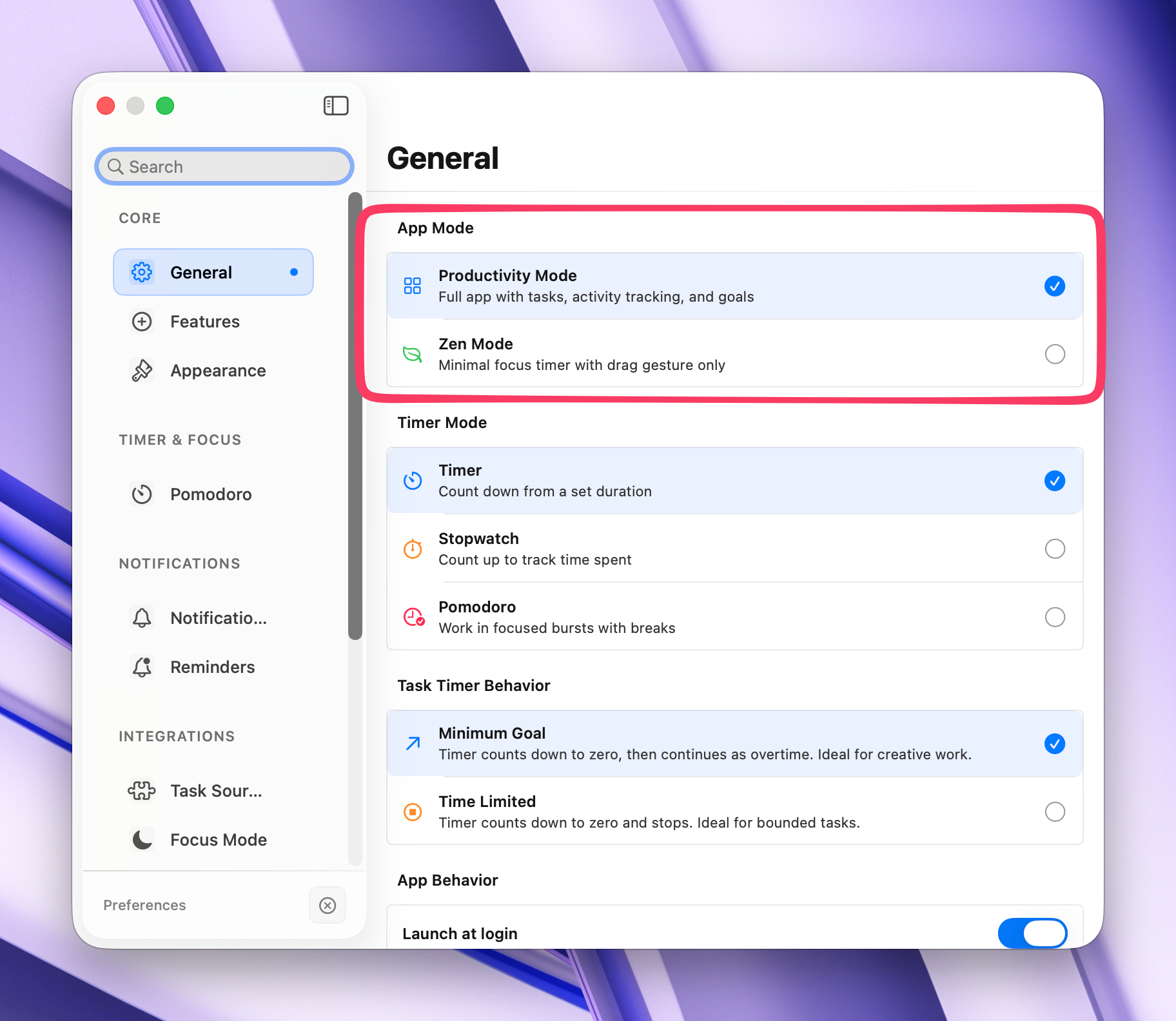
In Zen Mode, adjusting your session length is as intuitive as it gets. Simply drag on the floating timer to set your duration — a visual overlay shows your selected time in real-time. No menus, no settings screens, no clicks.Every interaction gives you tactile haptic feedback through your Mac's trackpad, creating a physical, grounded experience that keeps you connected to your work without pulling you into screens and settings.

/zen-mode/zen-mode-switch.png

Best of Both Worlds

Hidden gamification — all the tracking, none of the noise
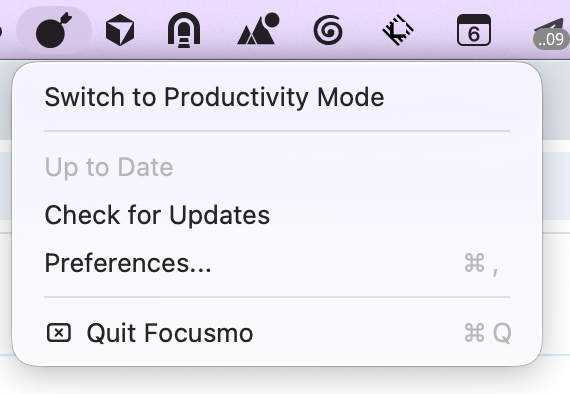
Zen Mode doesn't delete your data — it hides the distracting elements. Your sessions are still tracked, your statistics still build up, and your streaks still count. You just don't see any of it while you're working.Switch back to Productivity Mode anytime to review your analytics, check your streaks, or see your progress. Zen Mode is about removing visual competition for your attention during work — not about losing your data.

/zen-mode/zen-menu-bar.png

Calm by Design

Simplified navigation for a calmer experience

In Zen Mode, the icon strip disappears. The menu bar shows a minimal context menu with just the essentials — start, stop, and settings. The entire interface is designed to fade into the background.Combined with Focusmo's breathing exercises before sessions and full Pomodoro cycle automation, Zen Mode creates a complete distraction-free workflow: breathe, focus, break, repeat — without any digital noise breaking your concentration.

As an avid app user who has explored thousands of applications, I often download multiple apps within a category to thoroughly test and identify the best options. Among all the focus-oriented apps I've tried, my favorite. The developer is highly responsive, actively engaging with users and implementing several suggestions to enhance the app's functionality. This is an essential tool for anyone aiming to boost their productivity.
Garratt Grenier avatar
Garratt Grenier
Senior Area Manager Construction Products

Complete Focus System

Zen Mode Works With
Everything in Focusmo

Zen Mode isn't a separate app — it's a mode within Focusmo. All your existing features still work. You just experience them without the visual noise.

Pomodoro

Full Pomodoro cycles run automatically

Zen Mode pairs perfectly with Full Pomodoro Cycles. Set your work and break intervals once, and the timer silently guides you through work, break, work, long break — all without badges, popups, or celebrations interrupting your flow.

Learn More

Silent Blocking

App blocking stays active in the background

Your Workspace blocking rules work identically in Zen Mode. Distracting apps and websites are blocked during work intervals and unblocked during breaks — all without any visual indicators beyond the timer itself.

Learn More

Breathing

Breathing exercises to start each session

Begin each focus session with a guided breathing exercise that helps you transition into deep work. The breathing animation is beautifully minimal — perfectly aligned with Zen Mode's philosophy of calm, focused simplicity.

Learn More

Why people love Focusmo

Hundreds of people use Focusmo every day and say it makes a real difference in their productivity

Helps focus on one task at a time

Simple and extremely effective

Significantly boosts productivity

I mainly use the Normal view because it shows the relation at a glance: half of the time is already gone. Focusmo is my go-to tool for staying focused when I need to dive into deep work.

Frank Mattes

Frank Mattes

Thought Leader

I am absolutely loving the experience of using the app. It has really provided exactly what I've always needed as a uni student with severe ADHD.

Jessica Anderson

Jessica Anderson

Student

As an eternal task switcher, Focusmo is the first time I've been able to assign myself a task and then actually stick to it.

Nick Wolf

Nick Wolf

Australia

I'm neurodivergent so I am not good at tracking time. The prompts are great because it makes me stop every 30 minutes and check in.

Courtney Vickery

Courtney Vickery

CEO, Declet Designs

Got Questions?

We're here to help. If you have any questions, please don't hesitate to contact us.

Focusmo | One Task at a Time

Stop Context Switching. Finally Finish Tasks.

Download and use Focusmo for free

Not a Mac user?

We will bring Focusmo to Windows soon.
So join waitlist now.