
Where Each Switch Lives Now
The Features pane is gone — here's where every feature toggle it used to hold lives in today's Settings.
Older versions of Focusmo had a Settings → Features pane: one master list of on/off switches for whole features. That pane no longer exists. Settings now has six pages, and each switch sits next to the options it controls — turn a feature on, and its settings appear right below the switch.
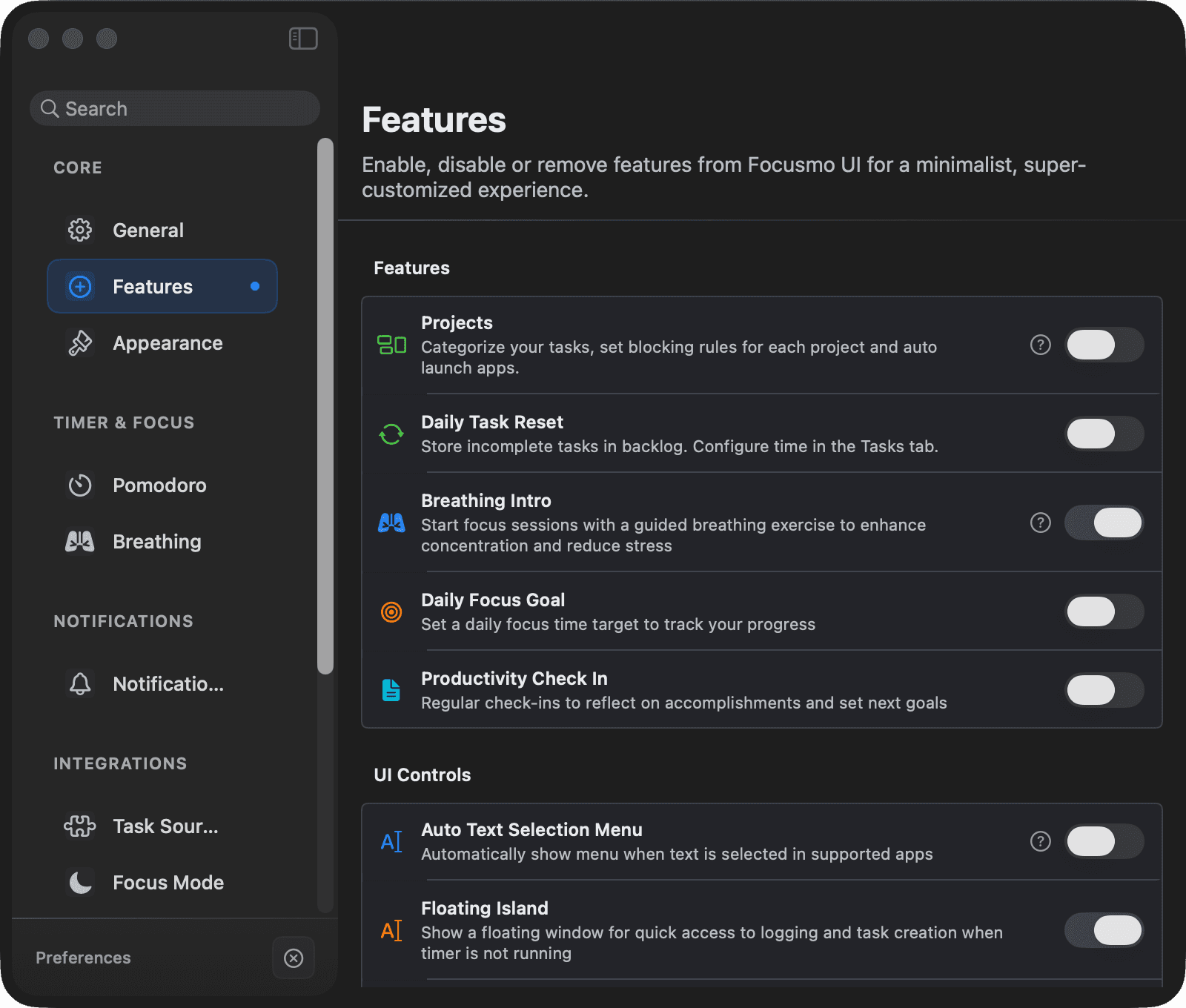
Feature switches
| Old switch | Where it lives now | Tier |
|---|---|---|
| Projects | Settings → General → Projects (Use projects) | Pro |
| Daily Task Reset | Settings → General → Tasks → Daily Task Reset | Pro |
| Breathing Intro | Settings → Timer → Breathing | Free |
| Daily Focus Goal | Settings → Timer → Daily Focus Goal (Enable Daily Goal) | Free |
| Productivity Check In | Settings → Timer → Check-ins (also offered in onboarding) | Free |
Appearance: UI Controls
The on-screen extras are now under Settings → Appearance → UI Controls:
| Switch | What it adds | Default |
|---|---|---|
| Show Floating Button | The small draggable floating button | On |
| Auto Text Selection Menu (Drag Focus) | Select text anywhere + hold Fn → create a task | Off |
| Floating Island | The Focus Companion strip shown between sessions | On (fresh installs) |
| Big Tasks Island | Floating strip of your selected key tasks | Off |
Some switches expose inline sub-controls once enabled — for example the Floating Island's "Always use center position".
Account: Sync & Data
The data switches are under Settings → Account → Sync & Data, together with a Reset All Features button that restores the stock configuration:
| Switch | What it does |
|---|---|
| Analytics | Anonymous product analytics — the same switch as Share Usage Data in the About section. Turning it off is Pro, and also turns off the Insights summary and recaps. See Privacy. |
| Cloud Sync | Cross-device iCloud sync — currently "Coming Soon" (locked) |
| Apple Reminders Integration | The Apple Reminders import; its settings are in Settings → Integrations → Apple Reminders |
| Music Sync | Music Sync; configure it in Settings → Timer → Music |
Calendar and notifications
| Old switch | Where it lives now | Tier |
|---|---|---|
| Calendar Integration, Meeting Notifications | Settings → Integrations → Calendar | Pro |
| Menu Bar Calendar Events | Settings → Integrations → Calendar (Calendars for Menu Bar) — see the app for the exact controls | Pro |
| Daily Reminders | Settings → Notifications → Reminders | Pro |
Enabling a calendar or notification feature triggers the matching macOS permission prompt; if you decline, the toggle reverts and offers a shortcut to System Settings.
Can't find a switch? Use the search field at the top of the Settings sidebar — it searches every setting on every page and jumps straight to it.