
Command Palette & Quick Capture
Capture and start tasks from anywhere on your Mac with global shortcuts.
Command palette
The command palette is a Spotlight-style floating panel. Open it from anywhere with ⌃⌘T (configurable), with ⌘N inside the app, or via the floating button.
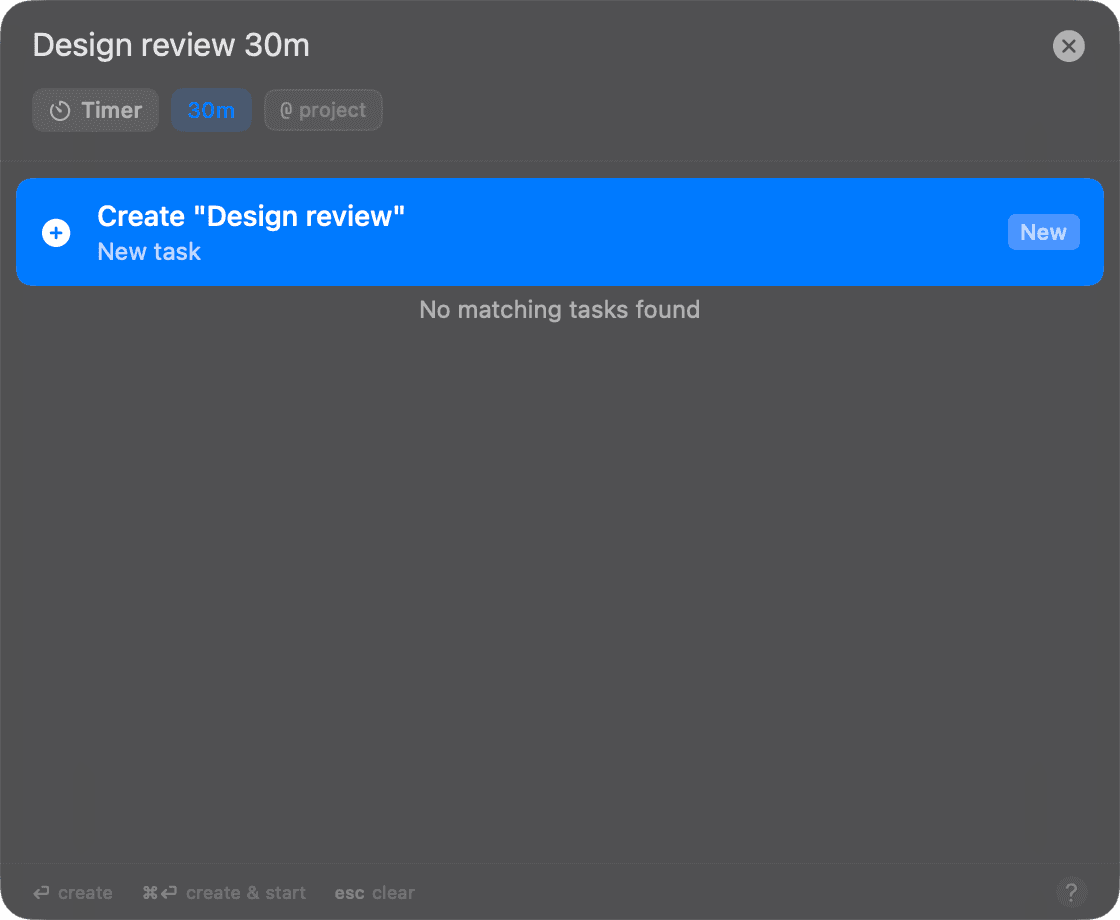
One text field does it all:
| Input | Result |
|---|---|
Type a title + Return | Create the task |
Type a title + ⌘Return | Create and start it immediately |
| Type an existing task's name | Search your Focusmo and external (Things, Reminders) tasks — ⌘Return starts the match |
30m, 1h 30m, until 5pm | Set the session duration inline |
@project | Assign a Project (Pro) |
noreset | Pin against daily reset |
Shift+Tab | Cycle timer mode |
Tab | Accept autocomplete |
The command palette is unavailable in Zen Mode — that's the point of Zen Mode.
Capture from any app
With text selected in any application:
| Shortcut | Action |
|---|---|
| ⌃⌘A | Smart Text Capture — turn the selection into task(s) |
| ⌃⌘S | Create a task from the selection and start a session on it |
| ⌃⌘I | Add the selection to the Big Tasks Island |
All three need the macOS Accessibility permission (to read the selection).
Drag Focus (Fn + text selection)
The zero-shortcut way to capture: select text in any app and hold the Fn key for a moment — a small menu pops up at your cursor to turn the selection into a task. It works universally, in every app and browser.
Enable it in Settings → Appearance → UI Controls → Auto Text Selection Menu (that's Drag Focus's formal name), or from the menu bar menu (Enable Auto Selection Menu). Its options live in Settings → Integrations → Drag Focus. It needs the Accessibility permission to read the selected text. Off by default.
All global shortcuts
Configurable in Settings → General → Shortcuts:
| Action | Default |
|---|---|
| Toggle command palette | ⌃⌘T |
| Toggle timer (play/pause; opens quick-add if nothing active) | ⌥⌘F |
| Toggle main window | ⇧⌘M |
| Start short break (Pomodoro) | ⇧⌘B |
| Smart text capture | ⌃⌘A |
| Start task from selection | ⌃⌘S |
| Add selection to Big Tasks Island | ⌃⌘I |
Floating button
A small draggable button that floats above all windows and Spaces (on by default; toggle it in Settings → Appearance → UI Controls → Show Floating Button or from the menu bar menu). Click opens the command palette (or an inline mini task list — right-click to switch modes).