
Block Distracting Apps & Websites
during focus sessions on Mac
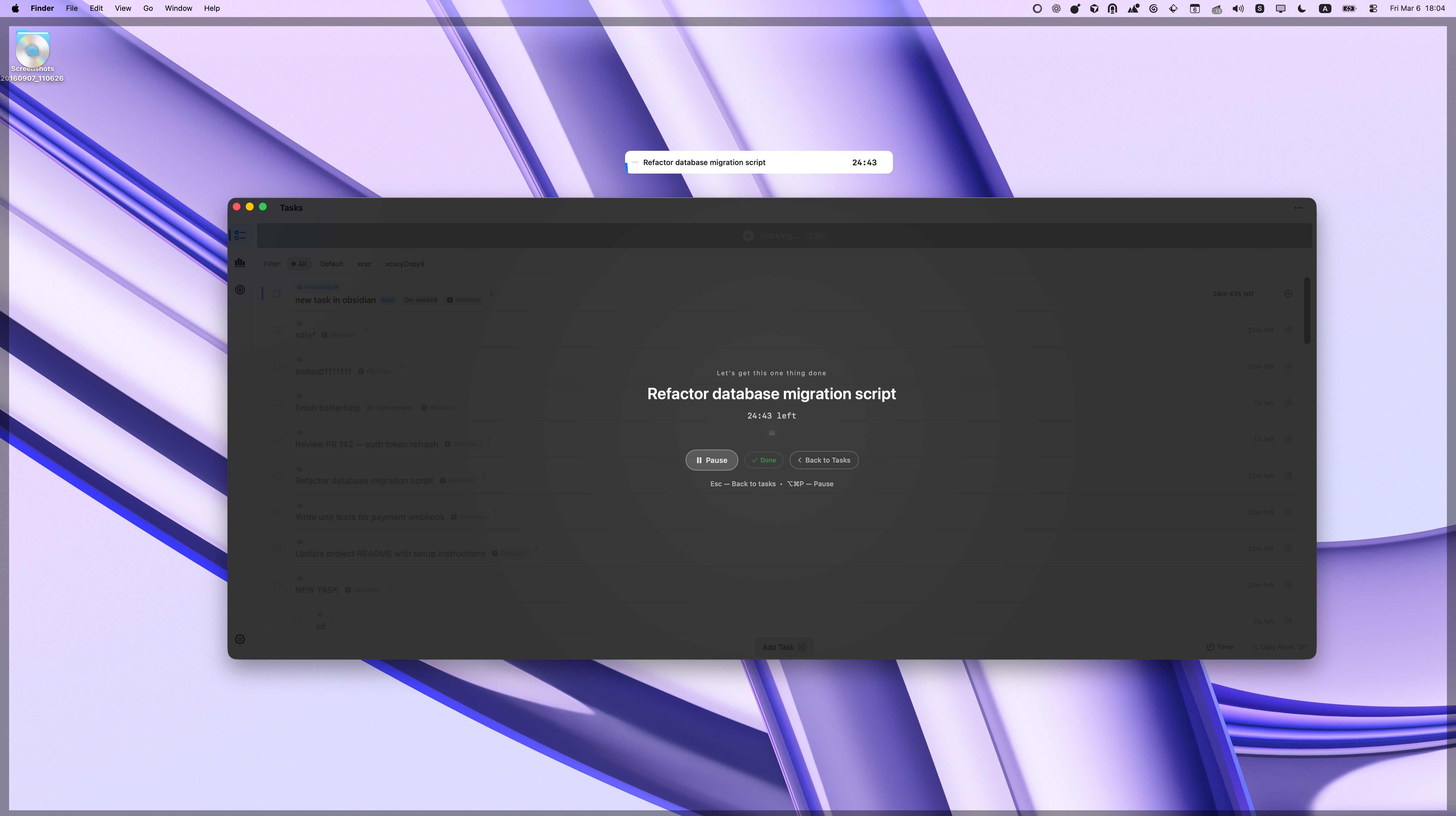
Set up per-project blocking rules and Focusmo automatically blocks distracting apps and websites when you start a focus session. When your session ends, everything restores instantly. No willpower required.

Focusmo is my go-to tool for staying focused ;). When I need to dive into deep work like research, brainstorming, or creative tasks, I start by making a simple commitment to myself: 'I'll dedicate an hour to this.

Smart Blocking
Per-Project Blocking Rules
Different work requires different boundaries. When you're coding, block Slack and Twitter. When you're writing, block Reddit and YouTube. Focusmo lets you set unique blocking rules for each project so distractions are eliminated based on the work you're doing.
Switch projects and your blocking rules switch automatically. No need to reconfigure anything — just start your session and your distraction-free environment is ready.

Website Blocker
Block Websites That Steal Your Focus
Social media, news sites, Reddit, YouTube — you know which websites pull you away from work. Add them to your project's block list and Focusmo prevents access during focus sessions. No more "just one quick scroll" that turns into 45 minutes.
Unlike browser extensions that only work in one browser, Focusmo blocks websites system-wide across Safari, Chrome, Firefox, Arc, and every other browser on your Mac.

App Blocker
Block Distracting Apps Automatically
Slack, Discord, Messages, Mail — any app that interrupts your flow can be blocked during focus sessions. Focusmo prevents blocked apps from launching while you're working, keeping you in the zone without relying on willpower.
When your session ends, all blocked apps become available again instantly. You never miss important messages — you just delay them until you're ready to switch context.
Total Silence
Combined with Do Not Disturb
Blocking apps and websites is just one layer. Focusmo also automatically enables macOS Do Not Disturb during focus sessions, silencing all notification banners, sounds, and badges. Together, these create a truly distraction-free Mac.
Research shows it takes 23 minutes to regain focus after an interruption. With Focusmo's combined blocking and DND, you eliminate those costly context switches entirely.
Focusmo is my go-to tool for staying focused ;). When I need to dive into deep work like research, brainstorming, or creative tasks, I start by making a simple commitment to myself: 'I'll dedicate an hour to this.

Complete Focus System
Part of a Complete Focus System
App and website blocking works best as part of Focusmo's full productivity toolkit. Combine blocking with Pomodoro timers, focus analytics, and accountability check-ins to build lasting focus habits on your Mac.
Pomodoro Timer
Projects
Do Not Disturb
What people say
Reviews from people who run their workday in Focusmo.
Keeps the day's plan in one place
Keeps the current task in view
Shows where the hours went
The blue waves in banner really helps me visualize time especially when I am time blind, really helps the ADHD brain.
Aiden Thompson
Software Engineer
It's just handy to have an accountability buddy to remind me: just do one thing, finish this one thing.

Faye Campbell
motionapp.com
Focusmo has allowed me to organize tasks and manage my time more effectively while also keeping health and mental breaks in mind.

Will K
Web Engineer/Architect
Questions
Short answers. For anything else, write to us.
Plan. Focus. See where your day went.
Free on macOS 14 or later. Pro from $4.99 a month.
Not a Mac user?
Focusmo is a Mac app for now.
Leave your email and we will write when Windows is ready.