

Reclaim your focus
by blocking distractions
Focusmo for macOS blocks distracting websites and apps during your focus sessions, helping you resist temptations and stay on track with what truly matters.

Focusmo is my go-to tool for staying focused ;). When I need to dive into deep work like research, brainstorming, or creative tasks, I start by making a simple commitment to myself: 'I'll dedicate an hour to this.

Willpower Amplifier
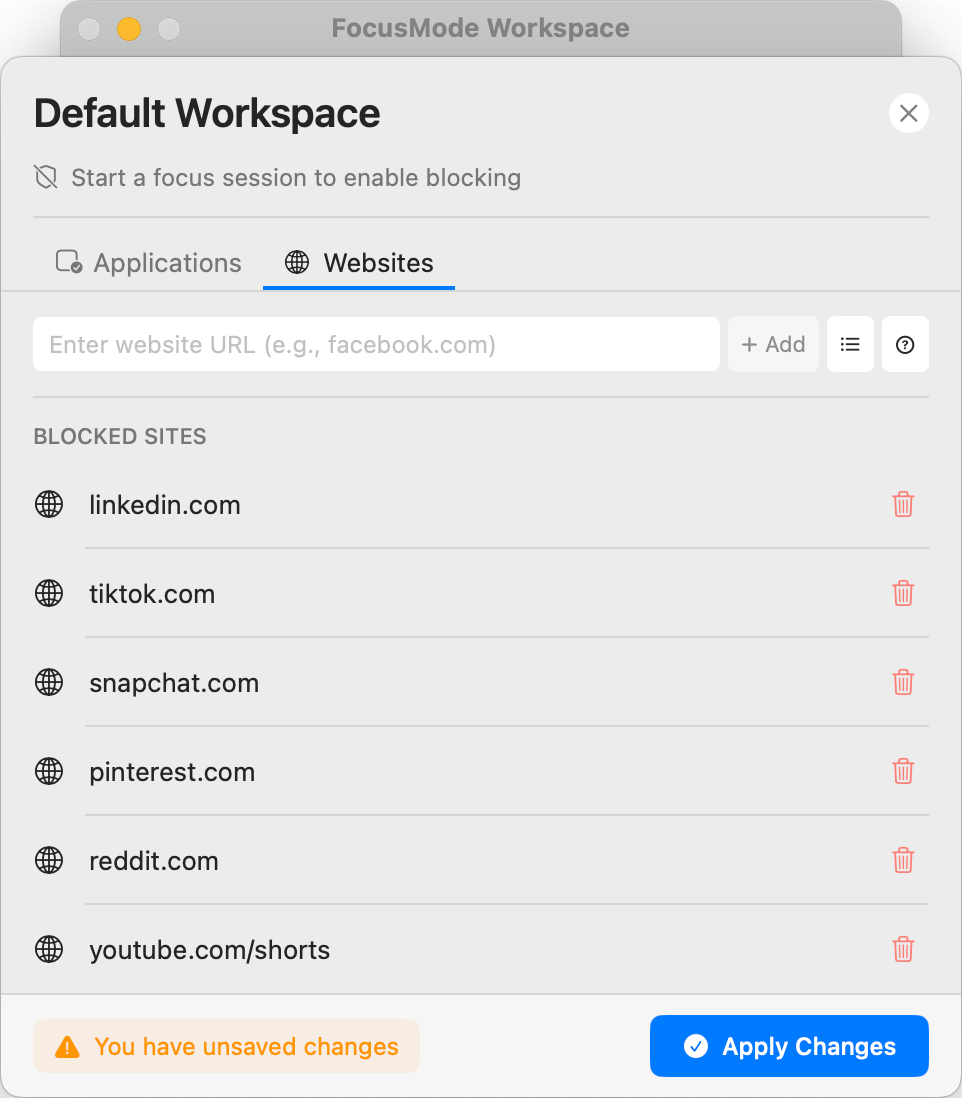
Stop fighting willpower battles you can't win
It's not about lack of discipline—your brain is literally wired to seek novelty and distraction. Focusmo creates a protective barrier between you and the digital temptations specifically engineered to hijack your attention.
Instead of exhausting your willpower through constant resistance, our intelligent blocking system removes the temptation entirely, creating a distraction-free environment where deep focus becomes the path of least resistance.
Personalized Protection
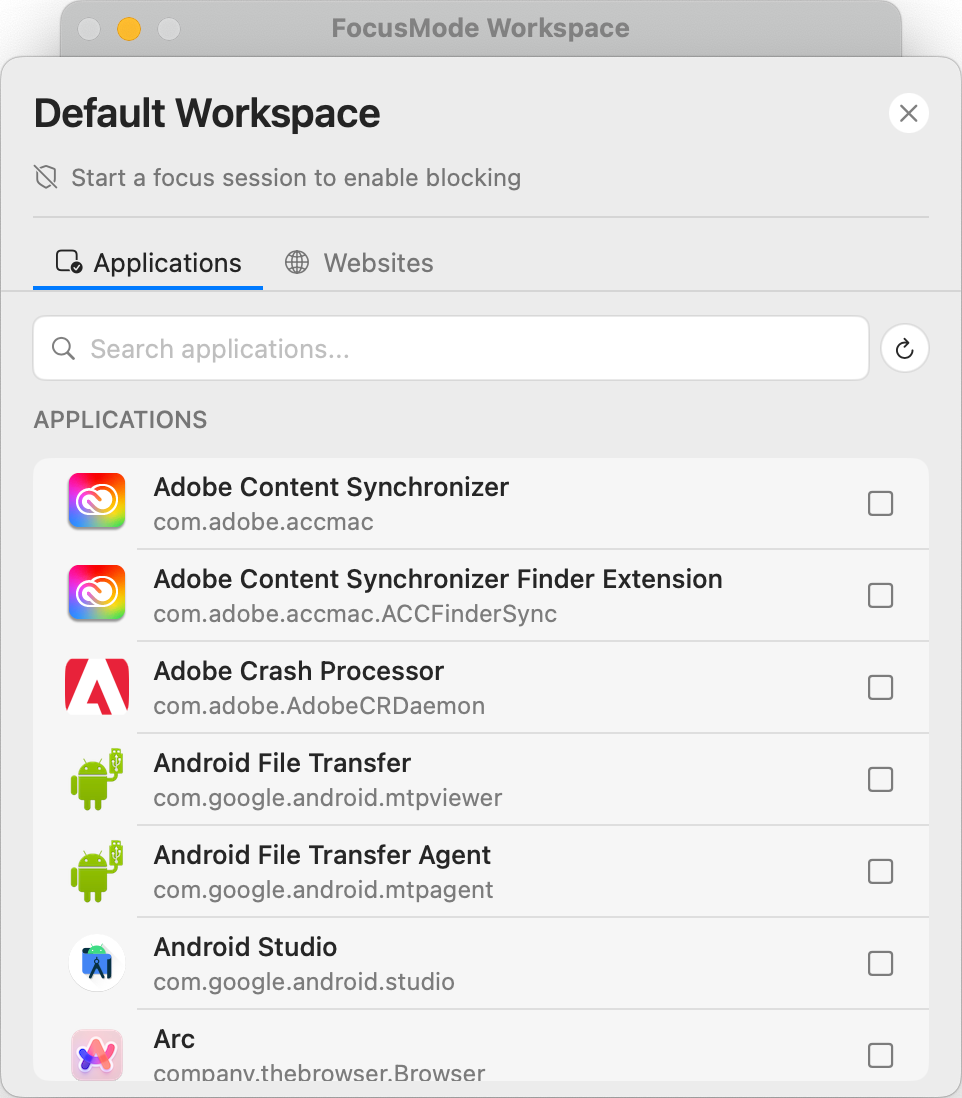
Customize blocking to match your unique challenges
Not everyone struggles with the same distractions. Focusmo lets you create personalized blocking rules for the specific websites and applications that derail your productivity—whether it's social media, news sites, email, games, or any other digital temptation.
Fine-tune your blocking settings with flexible options like timed access, scheduled blocking periods, and allowlist capabilities—ensuring the system works with your workflow rather than against it.
Break Free from Social Media
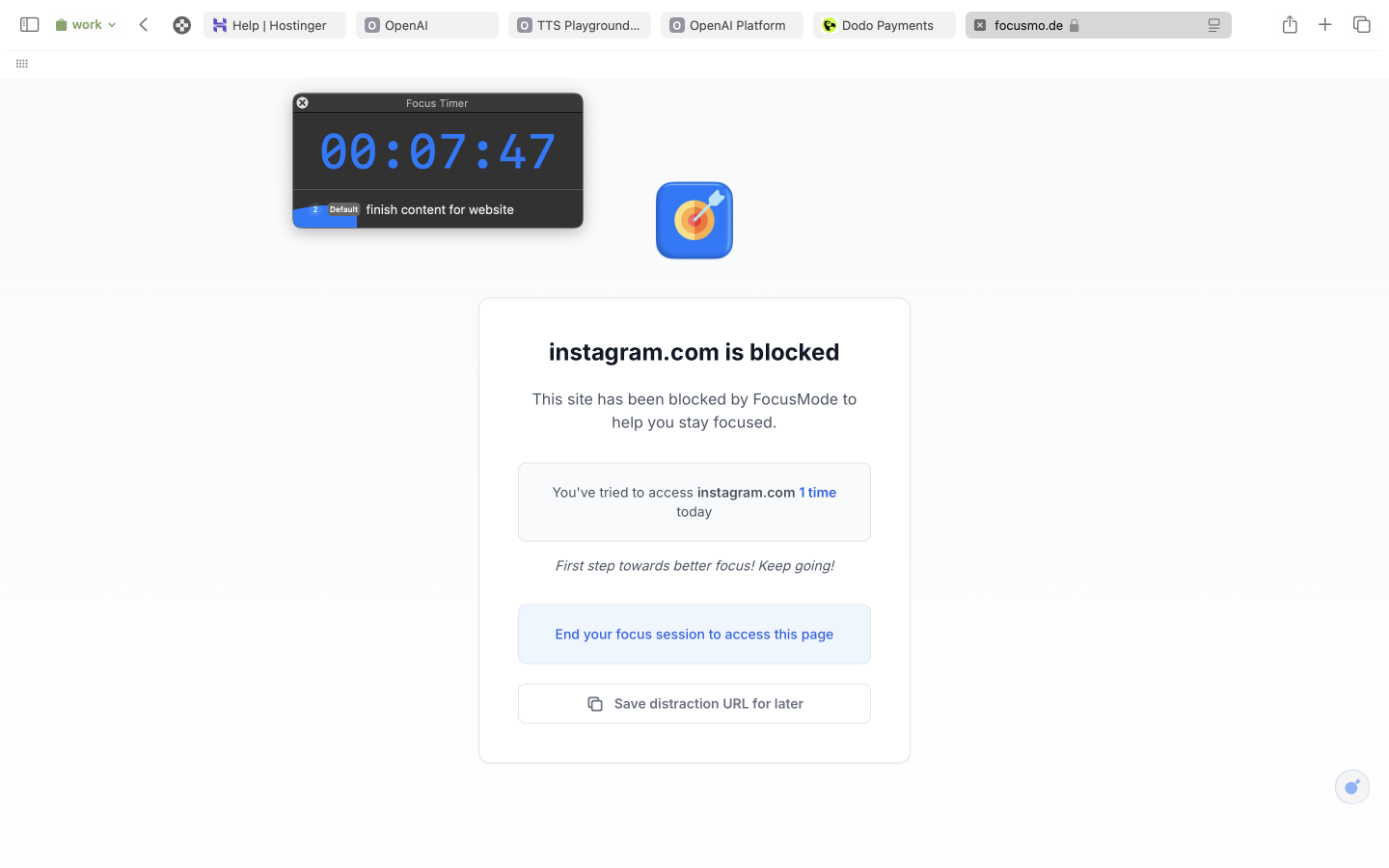
Break the social media scrolling cycle
34% of our users identified social media as their primary focus challenge. Focusmo's specialized social media blocking targets these particularly addictive platforms with enhanced blocking capabilities designed to break the checking habit.
Instead of endless scrolling, you'll be gently redirected to your current task when temptation strikes. Over time, this reinforces healthier digital habits and reduces the automatic reaching for distractions when work gets challenging.
Automatic Protection
Schedule distraction-free periods automatically
Consistency is key to productivity. Focusmo allows you to schedule regular distraction-free periods that activate automatically—perfect for morning focus rituals, deep work sessions, or creating boundaries between work and personal time.
Set it once, and let Focusmo handle the rest. Your blocking schedules can be customized for different days of the week, automatically adapting to your ideal routine and helping you establish consistent productive habits.
I've only been using it for a couple of days, but it's just handy to have an accountability buddy to remind me: just do one thing, finish this one thing, do what you said you were going to do

Smart Distraction Defense
Block Distractions
When It Matters Most
Website and app blocking becomes even more powerful when integrated with Focusmo's other productivity features—creating automated, intelligent protection that adapts to your workflow.
Focus-Break Balance
Block distractions during Pomodoro work sessions
Automatically activate blocking during Pomodoro work intervals, then regain access during breaks. This creates a natural rhythm between focused work and momentary access to communications or relaxation sites—exactly when each is appropriate.
Context-Specific Blocking
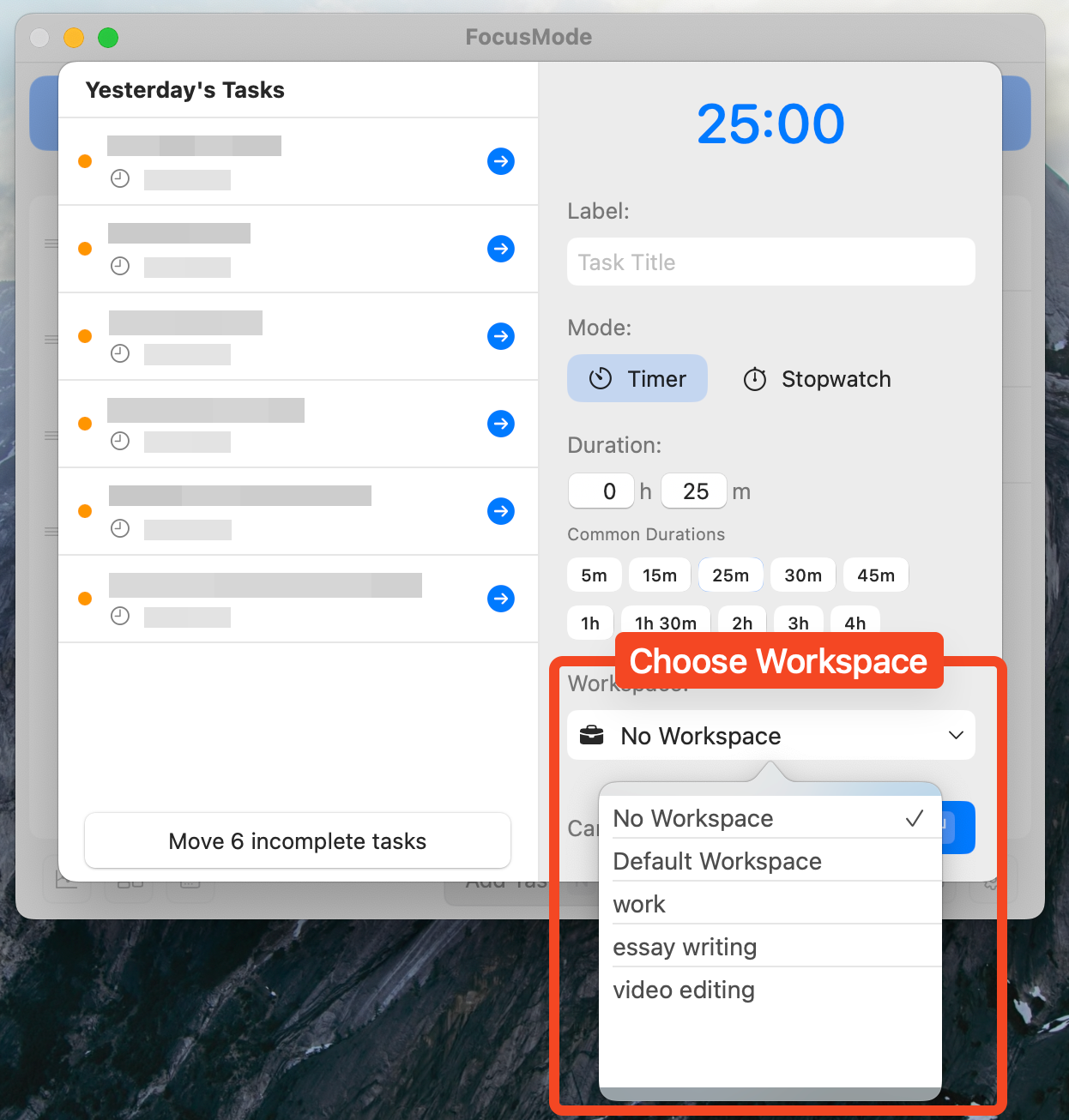
Different projects, different blocking rules
With Workspaces, you can create multiple blocking profiles for different types of work. Writing mode might block social media but allow research sites, while coding mode might block both but permit documentation resources—perfect context-switching for tech professionals.
Quantified Focus Improvement
See how much time you've saved from distractions
Our analytics track how often blocking has prevented distraction attempts, showing you exactly how much focused time you've reclaimed. This data provides powerful motivation as you see the cumulative impact of avoiding digital distractions.
What people say
Reviews from people who run their workday in Focusmo.
Keeps the day's plan in one place
Keeps the current task in view
Shows where the hours went
As an eternal task switcher, Focusmo is the first time I've been able to assign myself a task and then actually stick to it.

Nick Wolf
Australia
I've been using Focusmo everyday now. The blue waves in banner really helps me visualize time especially when I am time blind, really helps the ADHD brain.
Aiden Thompson
Software Engineer
Among all the focus-oriented apps I've tried, this one stands out as my favorite. The developer is highly responsive, actively engaging with users.

Garratt Grenier
Senior Area Manager
I am absolutely loving the experience of using the app, it has really provided exactly what I've always needed as a uni student with severe ADHD.

Jessica Anderson
Student
Questions
Short answers. For anything else, write to us.
Plan. Focus. See where your day went.
Free on macOS 14 or later. Pro from $4.99 a month.
Not a Mac user?
Focusmo is a Mac app for now.
Leave your email and we will write when Windows is ready.