
Focus Sessions
Breathing Intro
An optional guided breathing exercise before longer sessions.
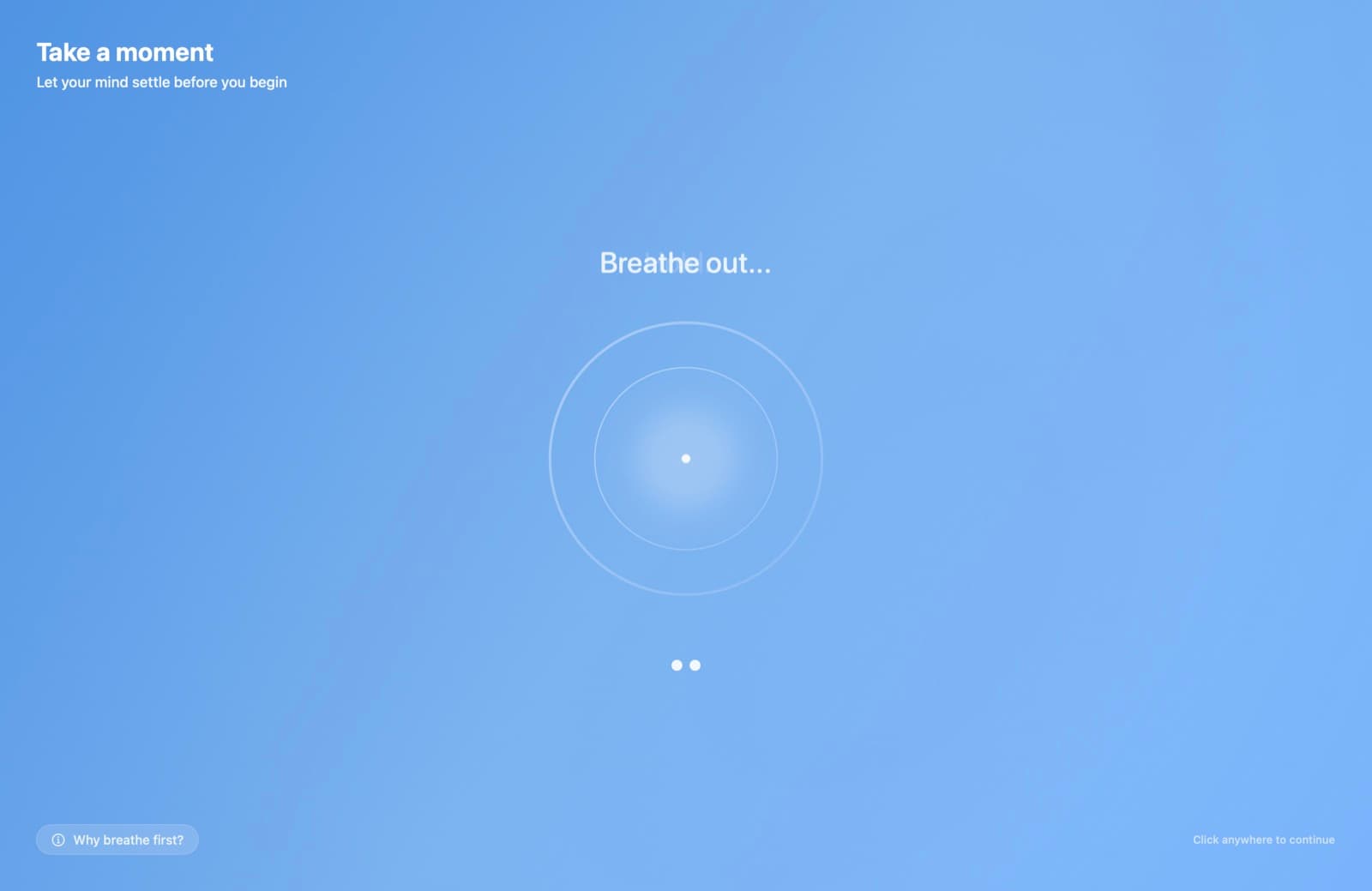
The breathing intro is a short, full-screen guided breathing exercise that plays before a session starts — a moment to settle in before the timer begins. Configure it in Settings → Timer → Breathing.
What happens
- When you start a qualifying session, a full-screen animated breathing circle appears with instructions — "Breathe in… Hold… Breathe out…" — accompanied by soft breathing audio.
- After the configured number of cycles, a "Let's focus" message appears.
- The session timer starts automatically.
You can skip it at any time — dismissing the intro starts the timer immediately.
When it triggers
The intro only plays if it's enabled and the session length is at least the Minimum Session Length you set. Short sessions skip straight to the timer.
Settings
| Setting | Options |
|---|---|
| Enable breathing intro | On / off |
| Breathing pattern | Box Breathing (inhale 3s → hold 3s → exhale 3s → hold 3s, the default) or Deep Breathing (inhale 4s → exhale 4s, no holds) |
| Minimum session length | Minutes threshold below which the intro is skipped |
| Number of cycles | How many breath cycles to run |
| Mute breathing sounds | Keeps the visuals, silences the audio |
There's also a Test Breathing Intro button so you can preview your configuration without starting a session.