
Pomodoro
Work and break rounds, the next step after each break, and customizable intervals.
Pomodoro mode runs the classic round for you: work, short break, work, short break… and a long break after a set number of blocks.
Pomodoro is free with the standard lengths. Custom lengths and early breaks are part of Focusmo Pro. See Free vs Pro.
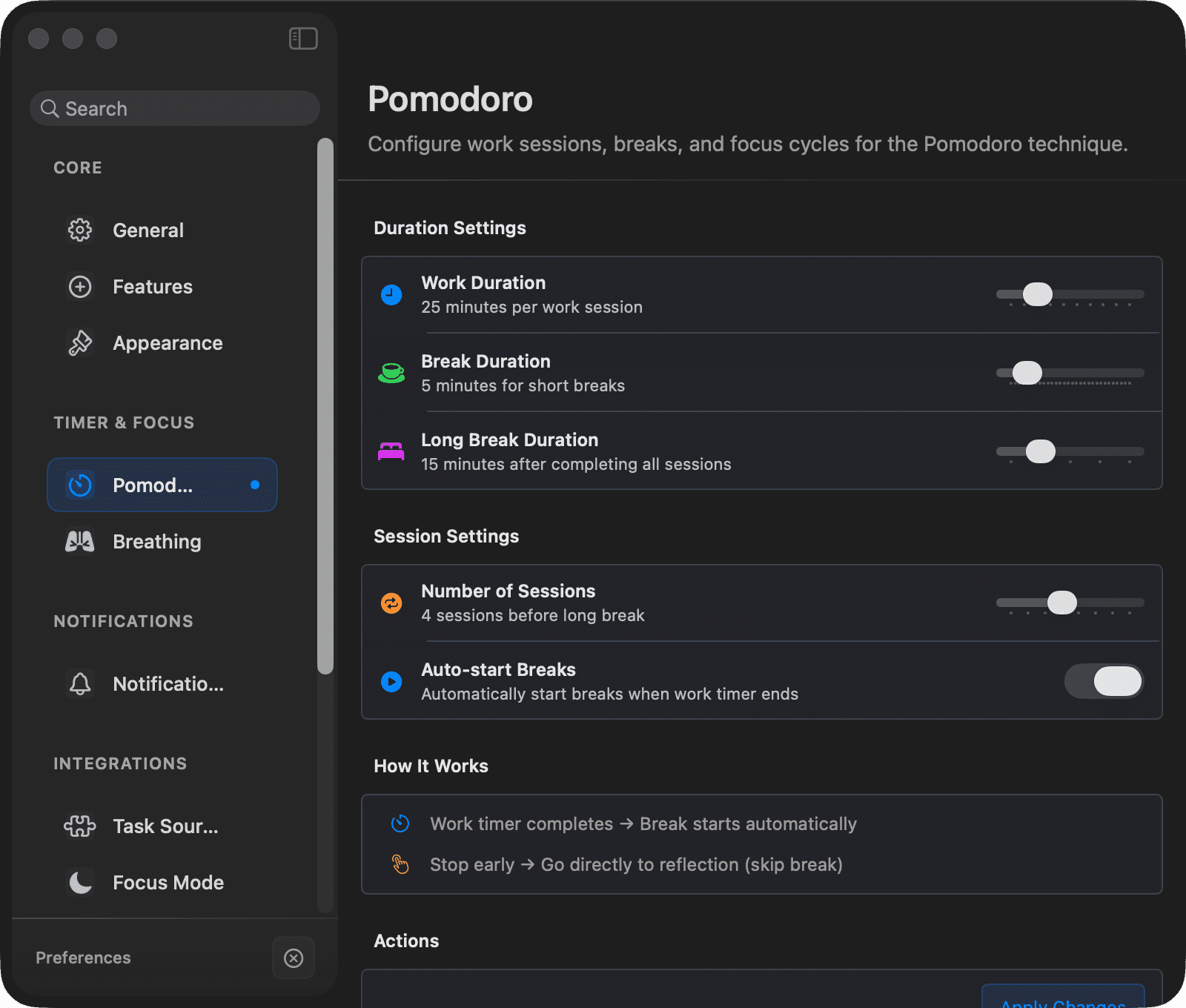
Defaults
| Setting | Default |
|---|---|
| Work interval | 25 minutes |
| Short break | 5 minutes |
| Long break | 15 minutes |
| Sessions before long break | 4 |
| Auto-start breaks | On |
Switch to Pomodoro with the mode chip on the Up next card, or in Settings → Timer. Configure lengths in Settings → Timer → Pomodoro:
- Free — preset buttons: work 15 / 25 / 45 / 50 minutes, break 5 / 10 / 15 minutes. Applied immediately. The length chip on the Up next card offers the same presets.
- Pro — full sliders for work, break, and long break lengths; a Number of Sessions slider (1–8); and the Auto-start Breaks toggle.
How a round flows
- You start a task — the work interval runs.
- Work completes → a break starts (automatically, if auto-start is on) and a full-screen break screen appears, with what's Up next.
- The break ends → the next-step screen shows what comes next; Start next block begins the next work interval, with the same task still active unless you finished it.
- After the configured number of blocks, you get a long break.
- At the end of a round, the completion screen offers Start Next Cycle or Finish Session.
Stopping early at any point skips the pending break and goes straight to the session wrap-up.
After a break: the next step
When a break ends, Focusmo doesn't throw you straight back into work. A calm screen shows:
- Break over (or Long break over),
- the next task — the same one the Up next card would start,
- where you are in the round — Block 2 of 4, for example,
- two choices: Start next block (Return) or Done for today (Esc).
Done for today ends the round. If you focused today, Focusmo may follow up with your day wrap.
Breaks
The full-screen break screen shows the break countdown, what's Up next, and a few controls:
- Skip — ends the break early (available after a short countdown).
- Hide — dismisses the full-screen break screen without skipping the break; the break timer keeps running in the background.
- Lock Screen — locks the Mac for the rest of the break.
- Done for today — ends the break and the session, and stops for today.
More break options:
- Full-screen break notifications — toggle in Settings → Notifications → Break Experience. When off, you keep the small floating timer during breaks instead of the full-screen window.
- Early breaks (Pro) — take a short break whenever you need one instead of waiting for the block to end: the break button on the floating timer or the Up next card, or the global shortcut ⇧⌘B.
- Smart Do Not Disturb — if the DND integration is on, DND lifts during breaks (so you can check messages guilt-free) and re-engages when work resumes.
Sounds
With notification sounds enabled, Pomodoro plays distinct system sounds: Submarine when a break starts, Ping when it ends, and Hero when a cycle completes.