
Sounds & Notifications
Session sounds, presence cues, idle detection, and notification controls.
Session sounds
Focusmo uses macOS system sounds for session events, controlled by Settings → Notifications → Notification Sounds:
| Event | Sound |
|---|---|
| Task complete / Pomodoro cycle complete | Hero |
| All tasks complete | Glass |
| Break starts | Submarine |
| Break ends | Ping |
Presence cues
During long sessions it's easy to drift. Presence cues are subtle, recurring sounds that gently remind you a session is running. Configure them in Settings → Notifications → Presence Cues:
| Setting | Options |
|---|---|
| Enable | On / off |
| Interval | Every 2, 3, 5, or 10 minutes |
| Sound | Tink, Pop, Morse, or Glass |
| Volume | Slider |
Cues only play while a session is actively running — never while paused or on a break — and are skipped when system Do Not Disturb is on. A short silent pre-roll wakes sleeping Bluetooth headphones so the cue isn't clipped. The first cue fires after one full interval.
Notification types
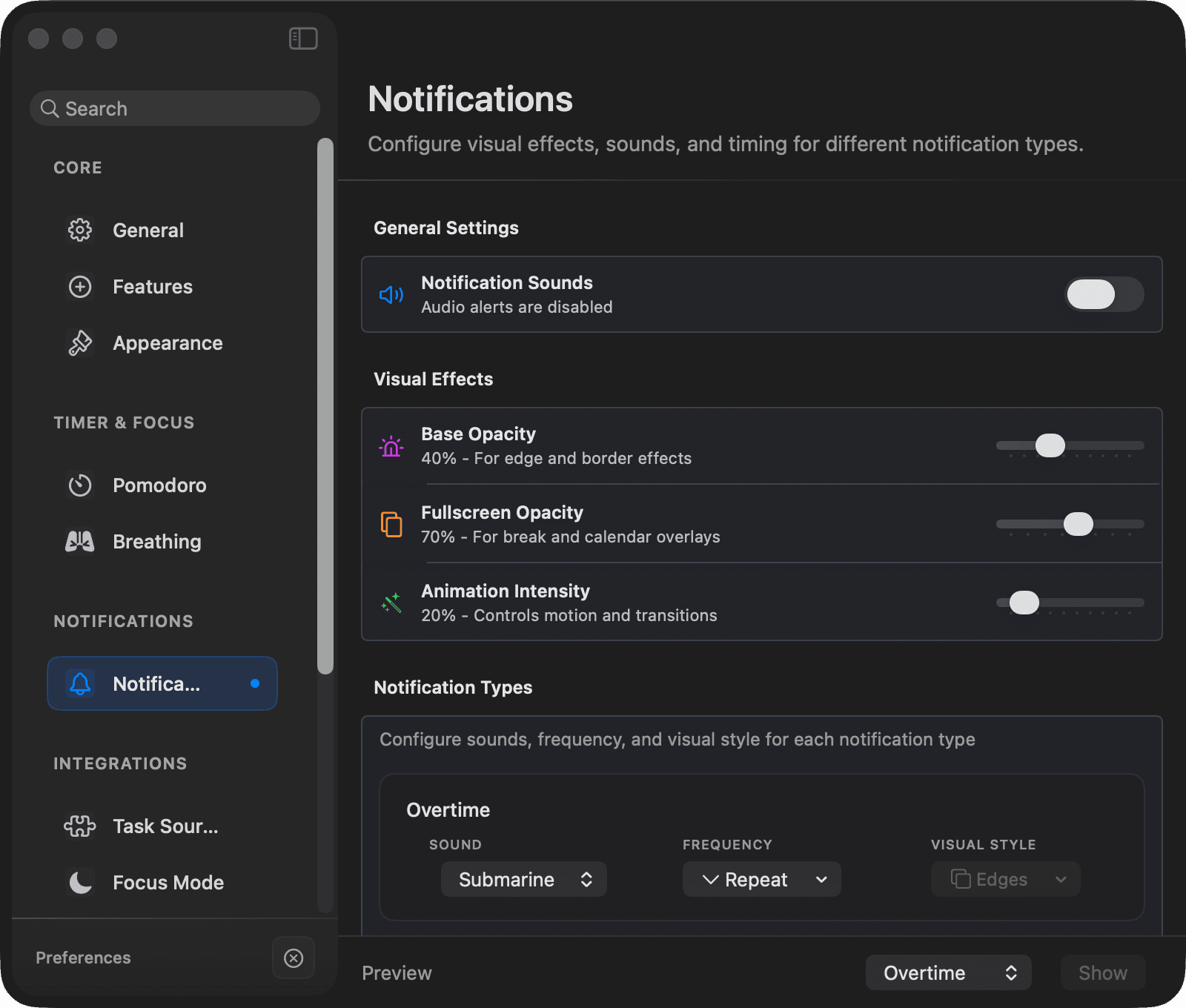
Each notification type can be tuned individually in Settings → Notifications → Notification Types — sound, frequency, and visual style per type:
- Overtime — you've passed the timer in Minimum Goal mode
- Completed — task or session finished
- Timer Finished
- Break Time
- Error
Global controls cover Notification Sounds and three visual-effect sliders: Edge glow (how strong the glow around the screen is), Overlay dimming (how much a break or meeting overlay darkens the screen), and Motion (how lively alerts move).
When the Do Not Disturb integration manages your sessions, redundant session start/end notifications are suppressed automatically.
Idle detection
Focusmo can detect when you step away, so time away from the keyboard isn't counted as focus. Idle detection is off by default; the threshold defaults to 5 minutes.
When you're idle past the threshold — or the screen locks, the Mac sleeps, or the screensaver starts — Focusmo records an idle session instead of focus time. (It skips this when a full-screen window like a video player is active, so movie nights don't count as "idle".)
Idle periods show up as color-coded overlays on the Activity timeline: blue for a locked screen, purple for sleep, gray for generic idle.